Paid Windows convenience add-on
Clean and rename files from the File Explorer right-click menu
Select files or folders in File Explorer, choose a cleanup action for Downloads, scans, screenshots, or archive folders, then review the proposed changes before anything is moved or renamed.
 Available now on Microsoft Store
Requires AI File Sorter 1.9.2 or later.
Compare the free core app and paid extension on the pricing page.
How it works
Three steps from right-click to reviewable changes
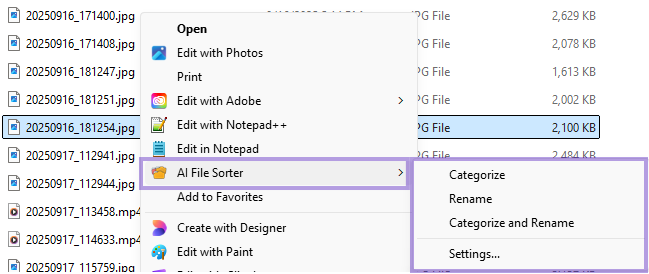
Right-click a selection
Choose a file, folder, same-folder multi-select, or the background inside a folder.
Pick an action
Run Categorize, Rename, or Categorize and Rename from the AI File Sorter submenu, using the same focused cleanup choices as the main app.
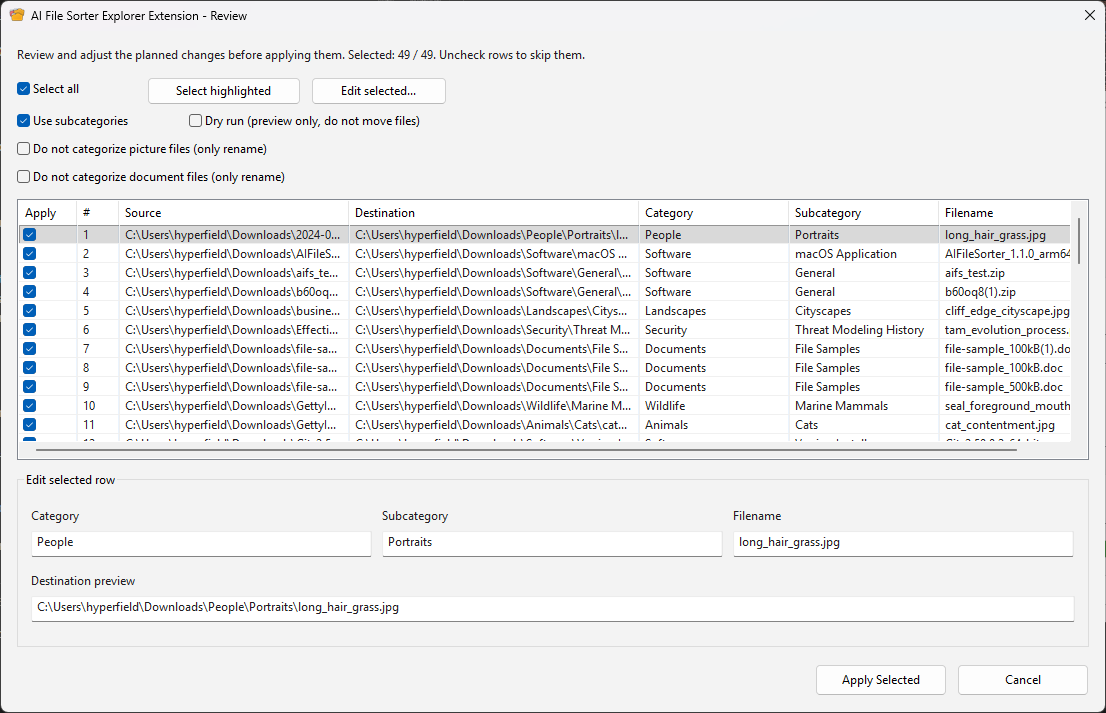
Review and apply
Inspect the suggested destination, category, subcategory, and filename before applying selected rows.
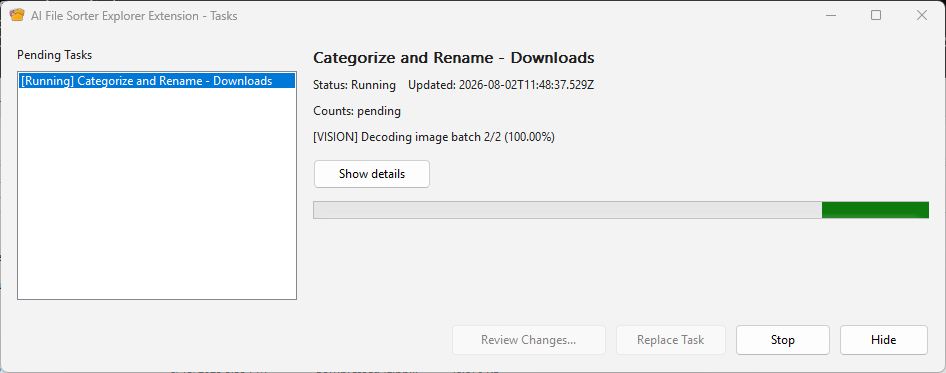
Background jobs
Explorer stays free while AI File Sorter works
Start a job from File Explorer and keep working. The extension shows progress in a small companion window, and if you start another categorize or rename request while one is already running, it queues the next file or folder and processes it automatically when the current job finishes.
Review-first workflow
Nothing changes until you approve it
When review is required, files are not moved or renamed immediately. Open Review Changes, uncheck rows you want to skip, edit categories or filenames when needed, then apply only the selected changes. Auto-approval is also available as an optional setting for folders and file types you already trust.
Designed as a companion
Uses your existing AI File Sorter setup
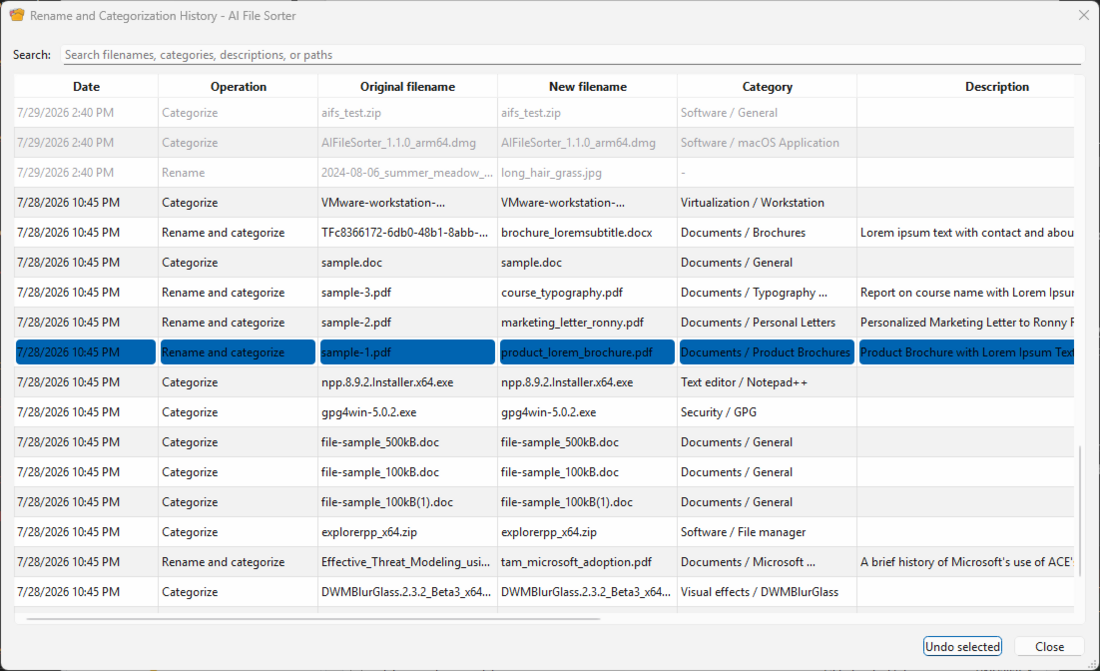
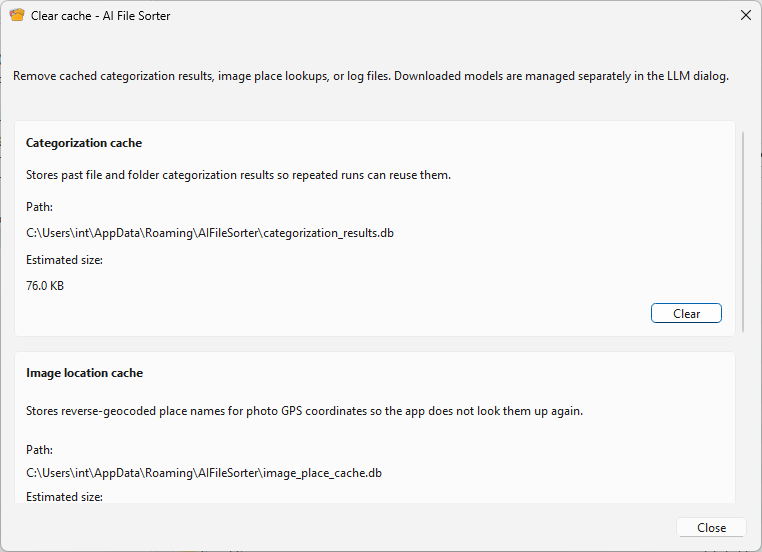
The extension adds File Explorer integration and a lightweight job queue. AI File Sorter still handles model selection, content analysis, review-plan creation, moves, renames, cache maintenance, history, and undo.
Connected to the app
The extension can detect AI File Sorter automatically, or you can point it at a portable app executable from settings.
Local or cloud models
Uses the AI File Sorter model configuration you choose: local models stay local, and remote providers are used only if you configure them.
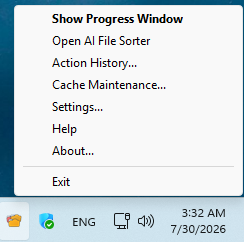
Tray and history access
The companion tray menu gives quick access to progress, app launch, action history, undo, settings, help, and cache maintenance.
Explorer job queue
Queuing is built into the Windows Explorer Extension: when one file or folder is already being categorized or renamed, the next Explorer request waits its turn and runs automatically afterward.
Private local state
Extension settings and pending job status are stored under the current Windows user so progress and review state can be shown locally.
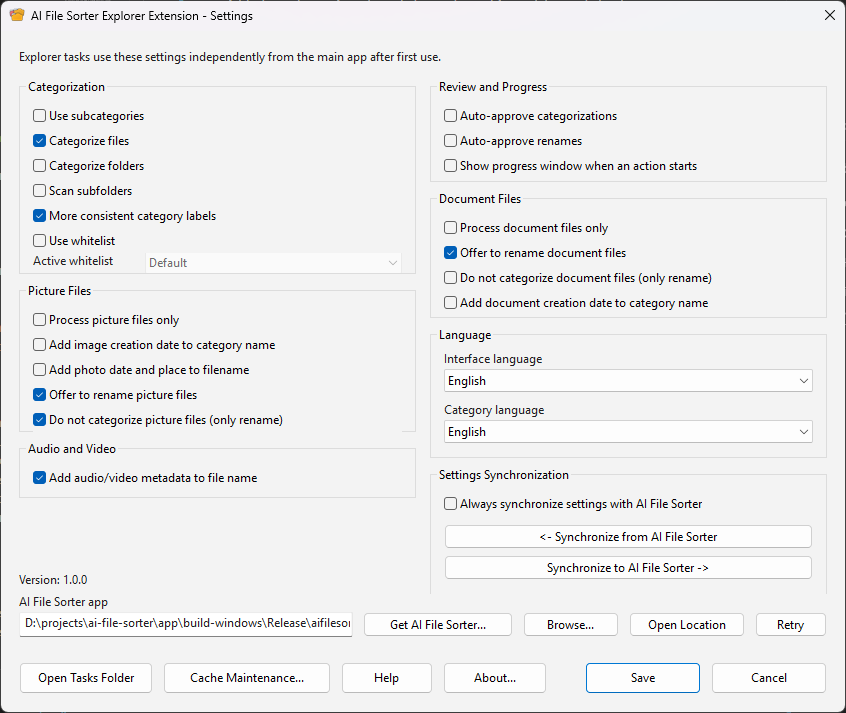
More extension surfaces
Settings, tray access, history, and cache tools
Pricing
Paid add-on, free core app
The Explorer Extension is now published as AI File Sorter for File Explorer on the Microsoft Store. Install it there after you have AI File Sorter 1.9.2 or later on Windows.
The Windows Explorer Extension is a paid convenience add-on for Windows users who want File Explorer integration. The main AI File Sorter app remains free and open-source.
The paid value is speed: fewer trips into the main window, right-click cleanup starts, a background job queue, tray access, action history, and quick review from the Windows shell.