Clean Downloads
Move installers, receipts, PDFs, images, and one-off files into useful folders before the pile turns invisible.
AI File Sorter 2.0.0
Sort into existing folders or create new category folders. Review suggested destinations and filenames before applying changes. Auto-approval is coming soon!
Windows, macOS, Linux
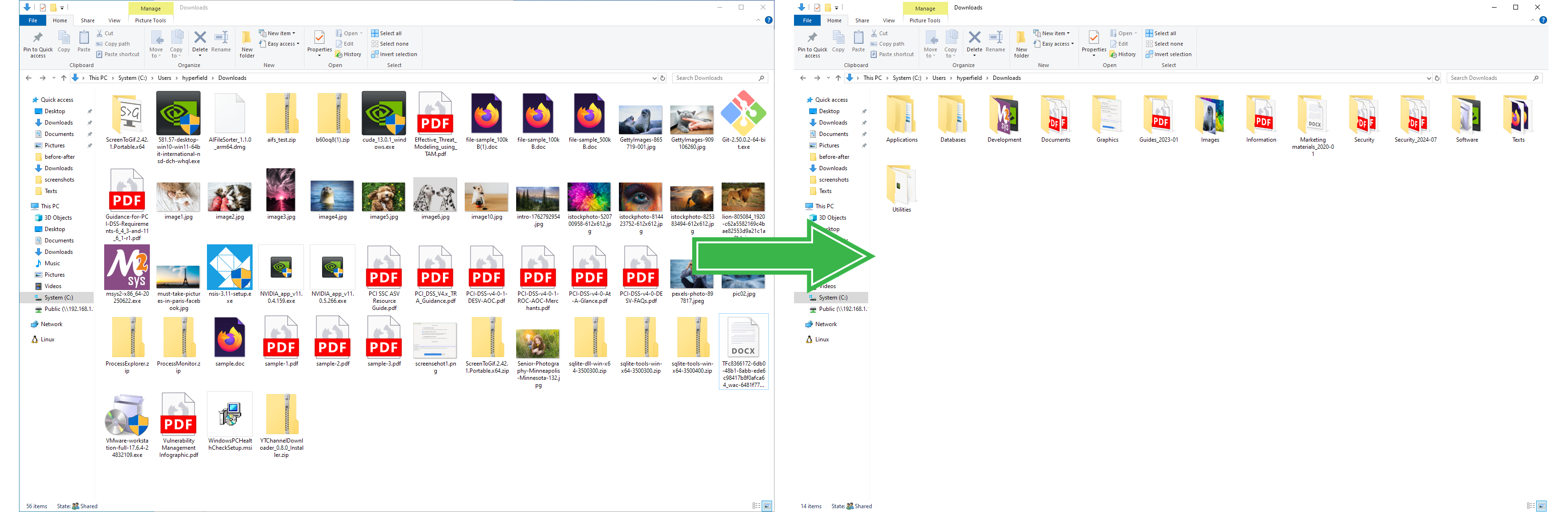
Move installers, receipts, PDFs, images, and one-off files into useful folders before the pile turns invisible.
Use image and document content to turn vague camera exports and scan names into filenames you can recognize later.
Group UI captures, references, dashboards, and saved snippets by what they show.
Review suggested structure for mounted network shares, old backups, and external drives before anything moves.
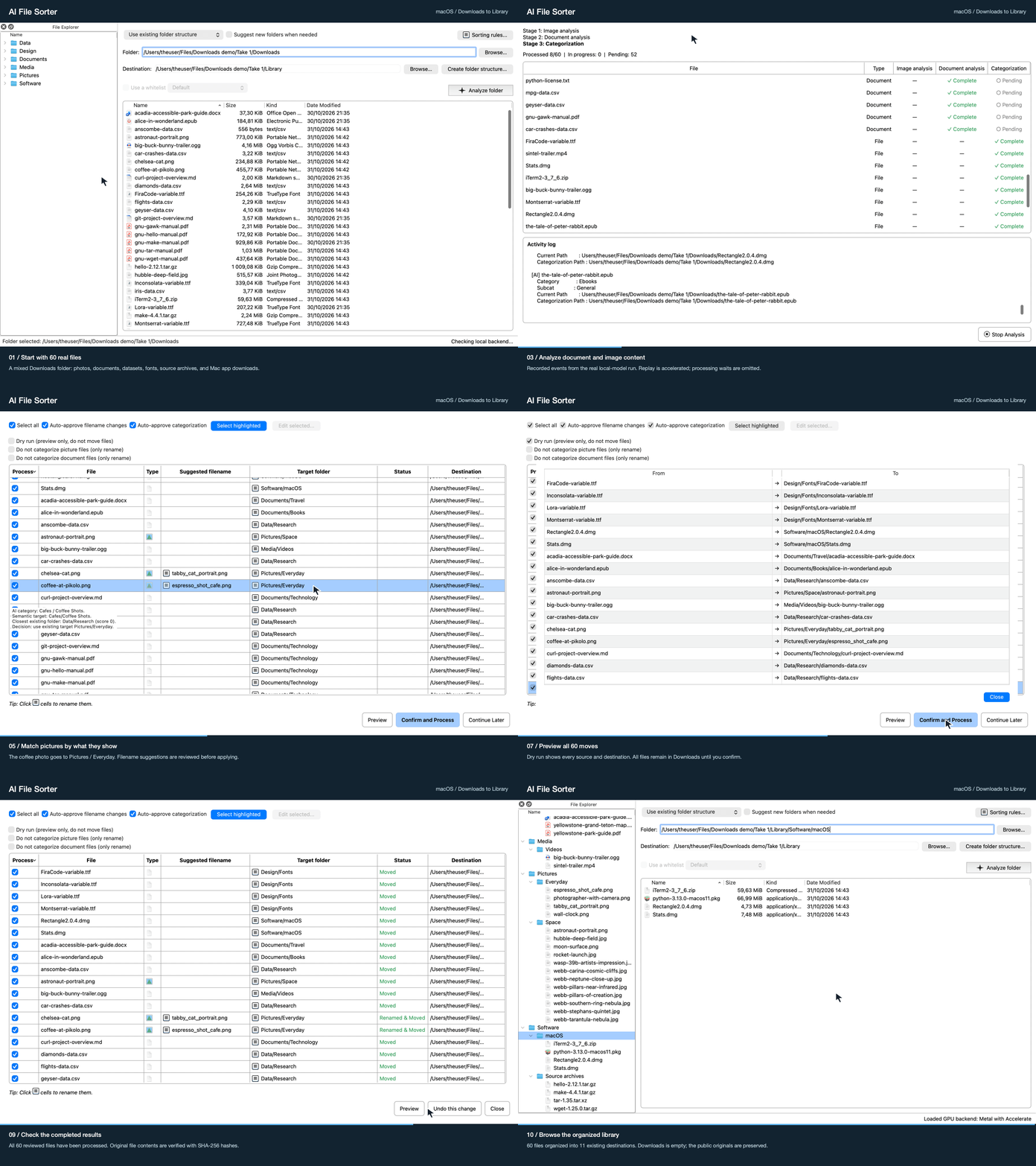
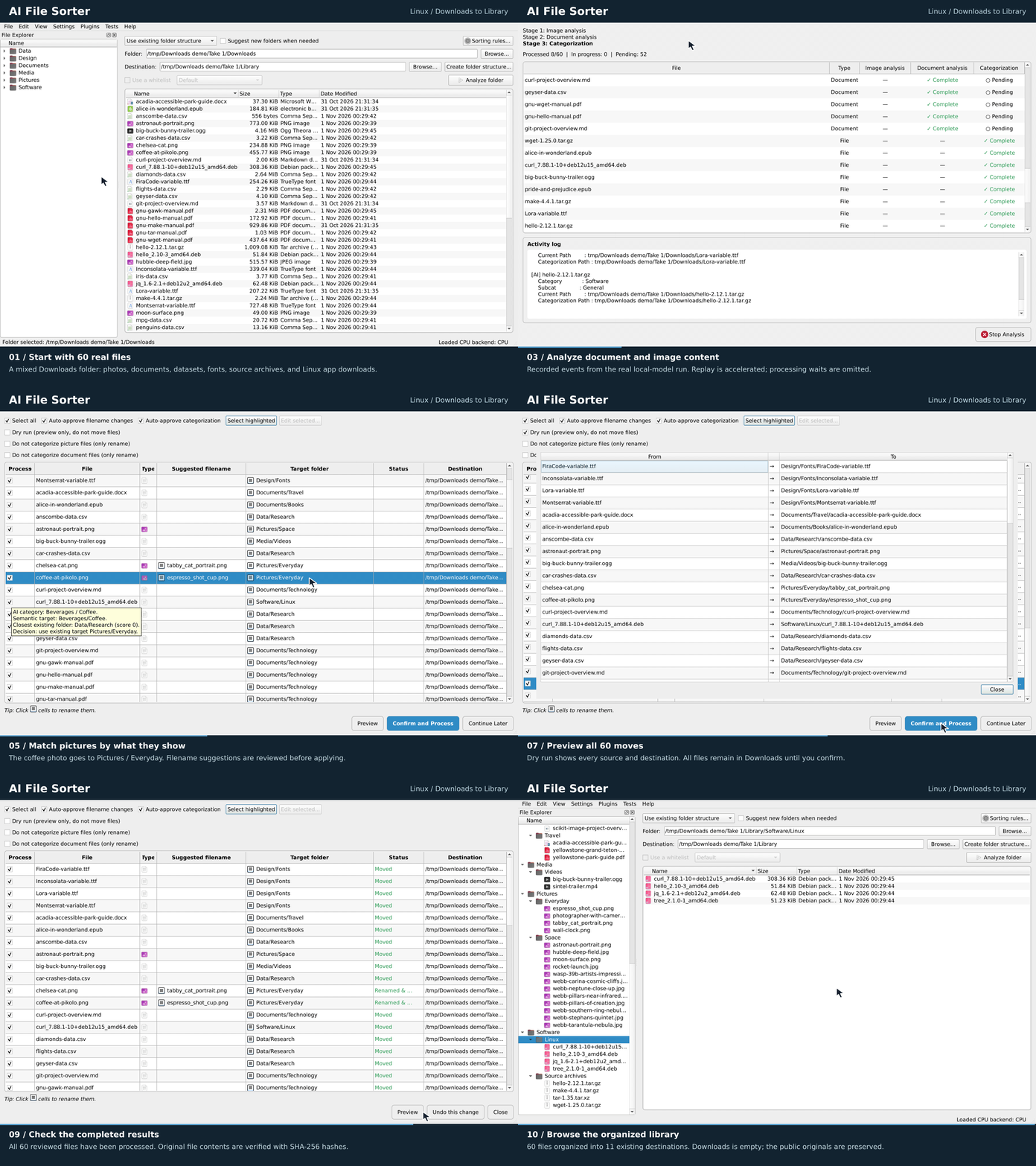
A Downloads cleanup, step by step
See how a Downloads folder is sorted into an existing library. Open a screenshot for a closer look.
Your data stays private: Run cleanup locally for offline review, or connect your own cloud provider when you want remote model power under your own account.
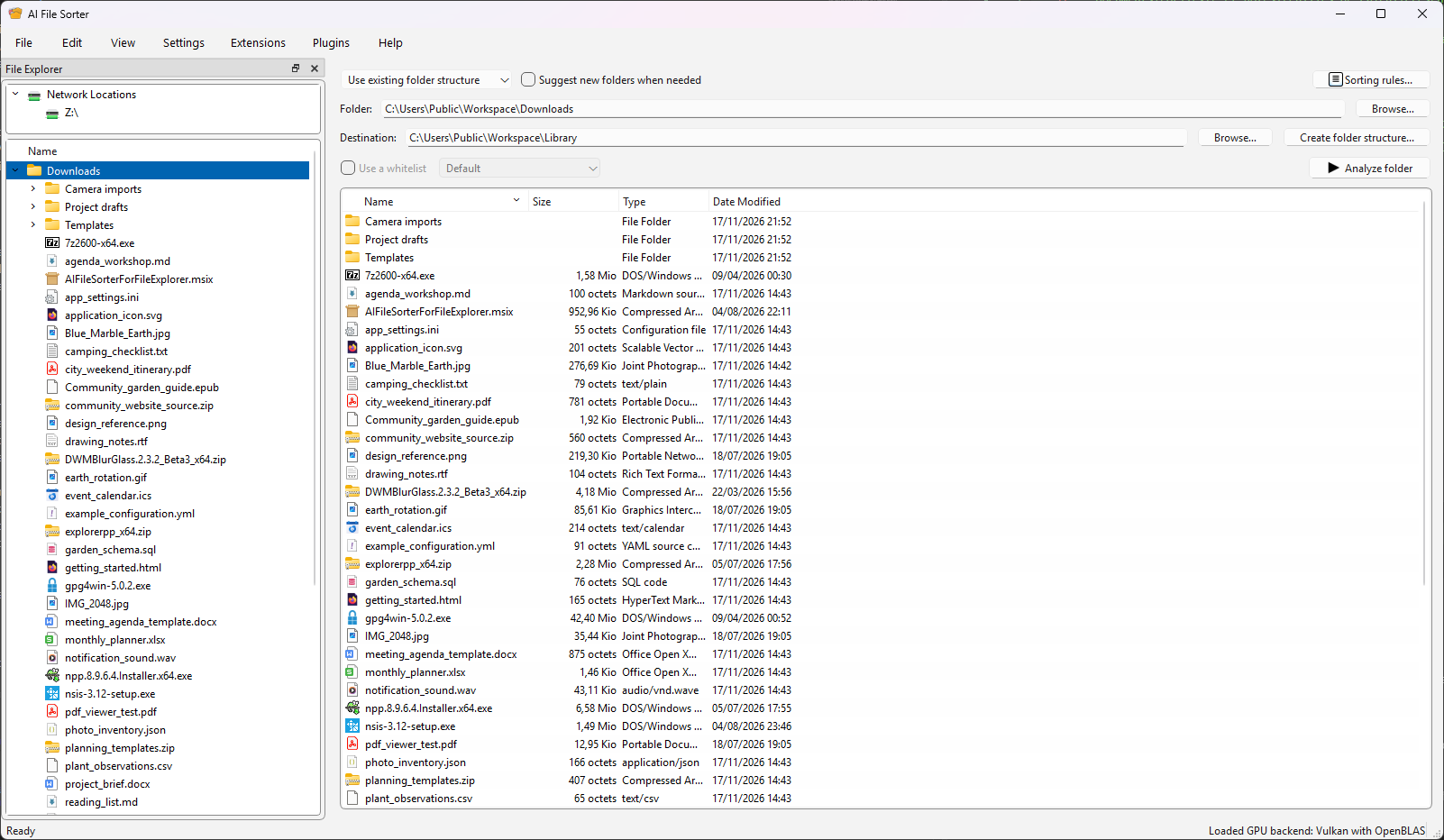
Bring order to a cluttered folder. Choose where files should go and review the suggested changes.
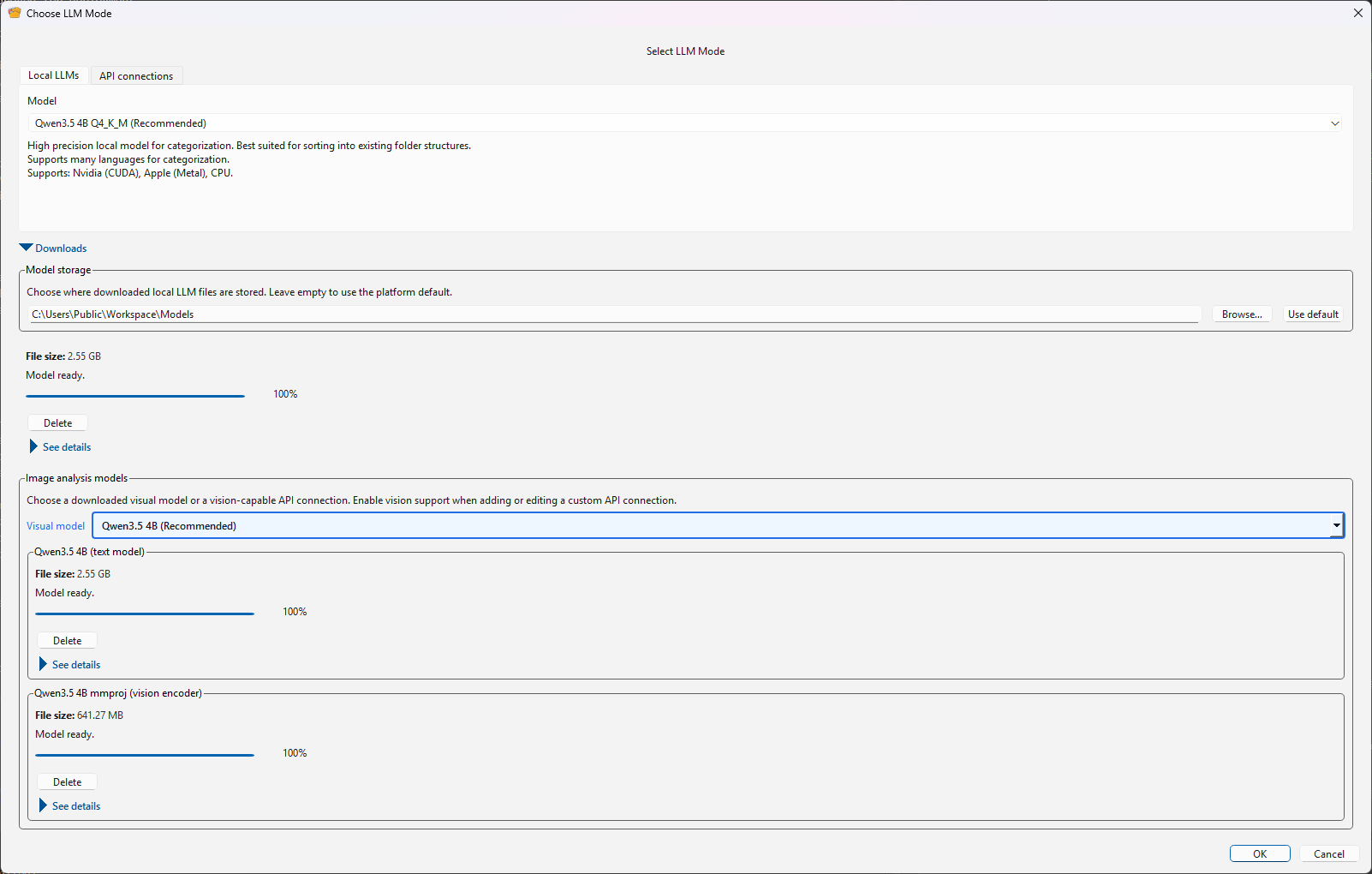
Use AI on your computer, or connect to your preferred AI service.
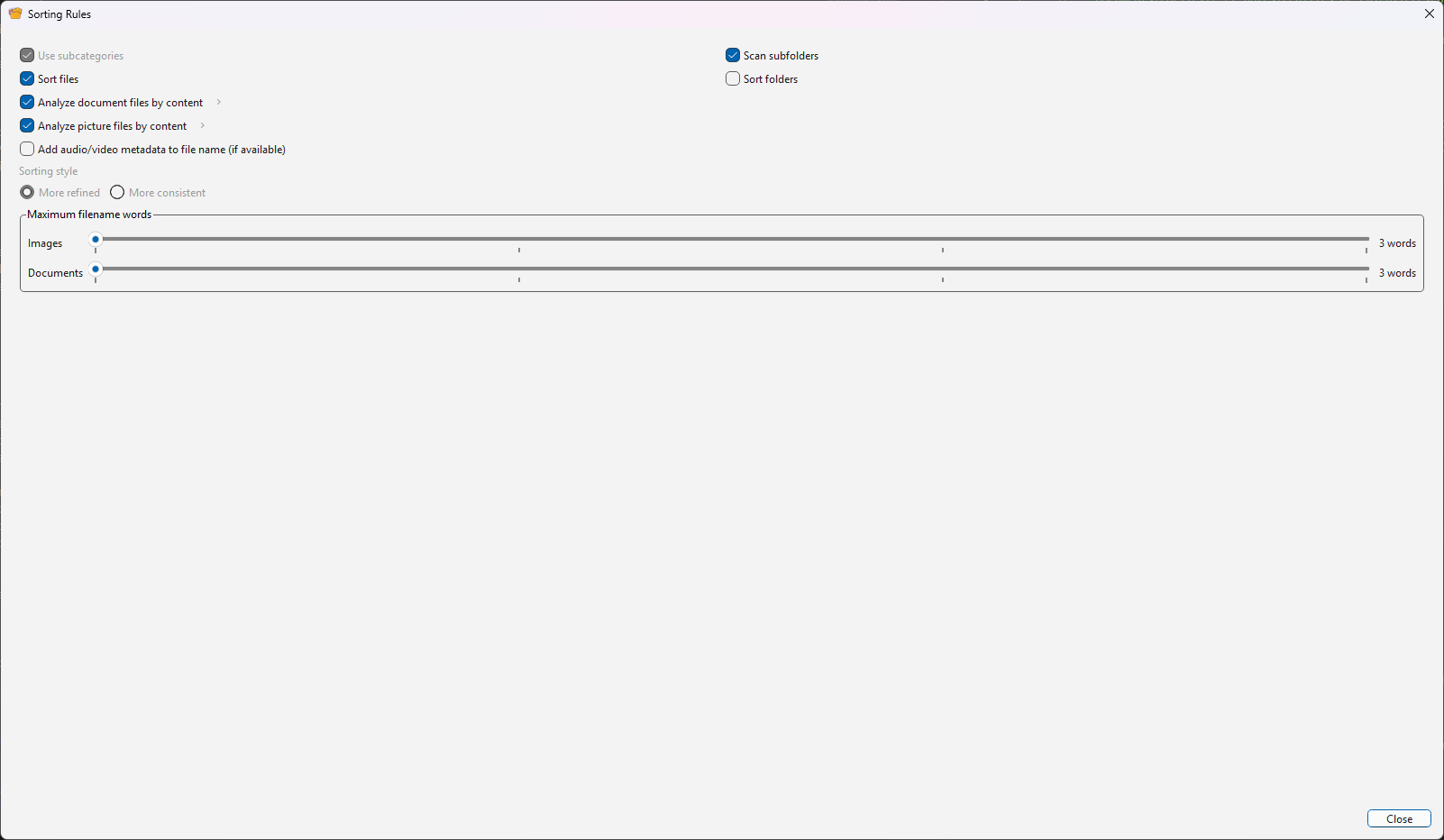
Choose what to analyze, what to rename and how long suggested filenames should be.
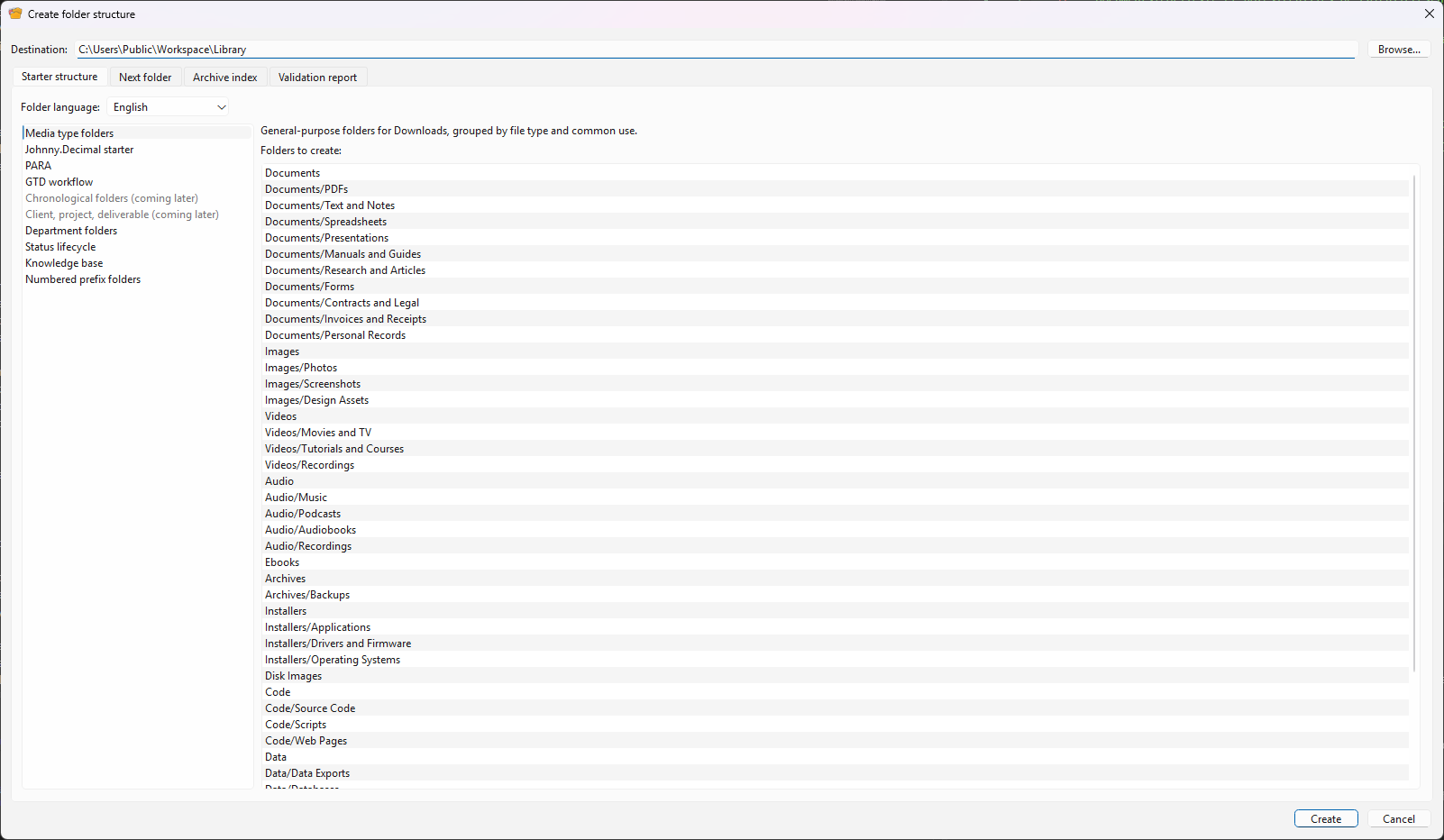
Start with ready-made folders and choose the language for their names.
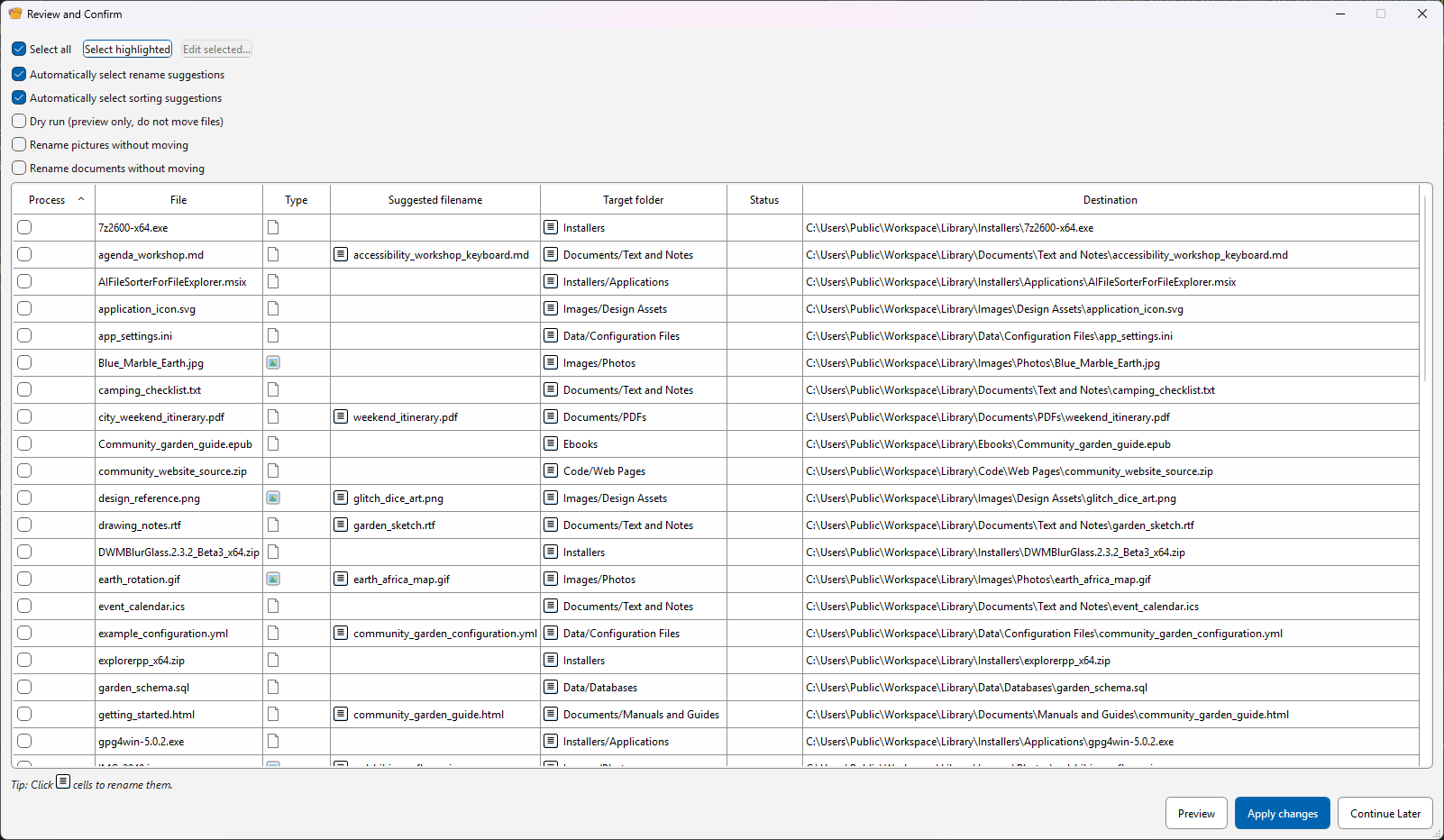
Check suggested folders and filenames. Automatic selection helps make review quicker.
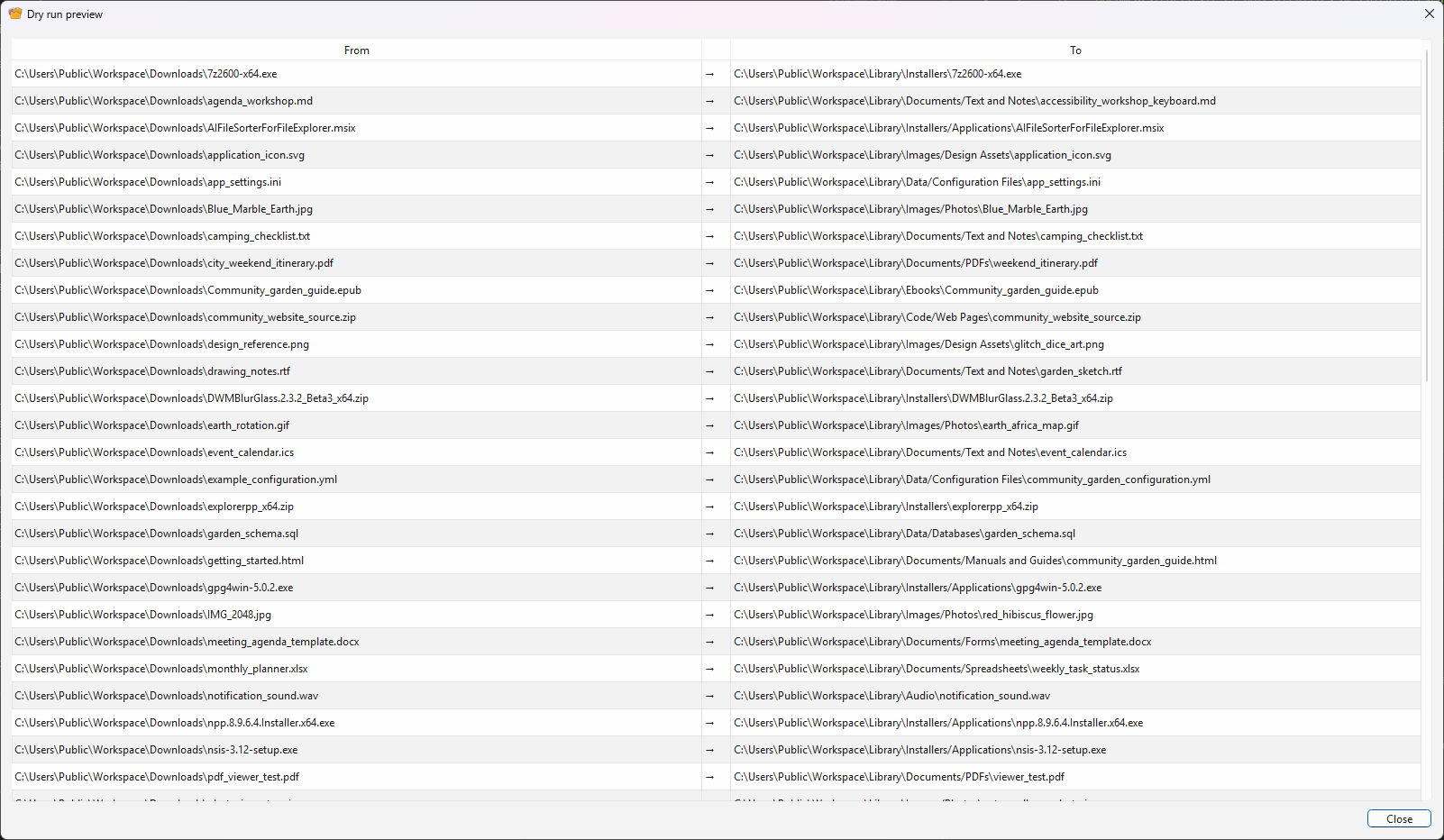
See where files will go before you move them, with a dry-run preview.
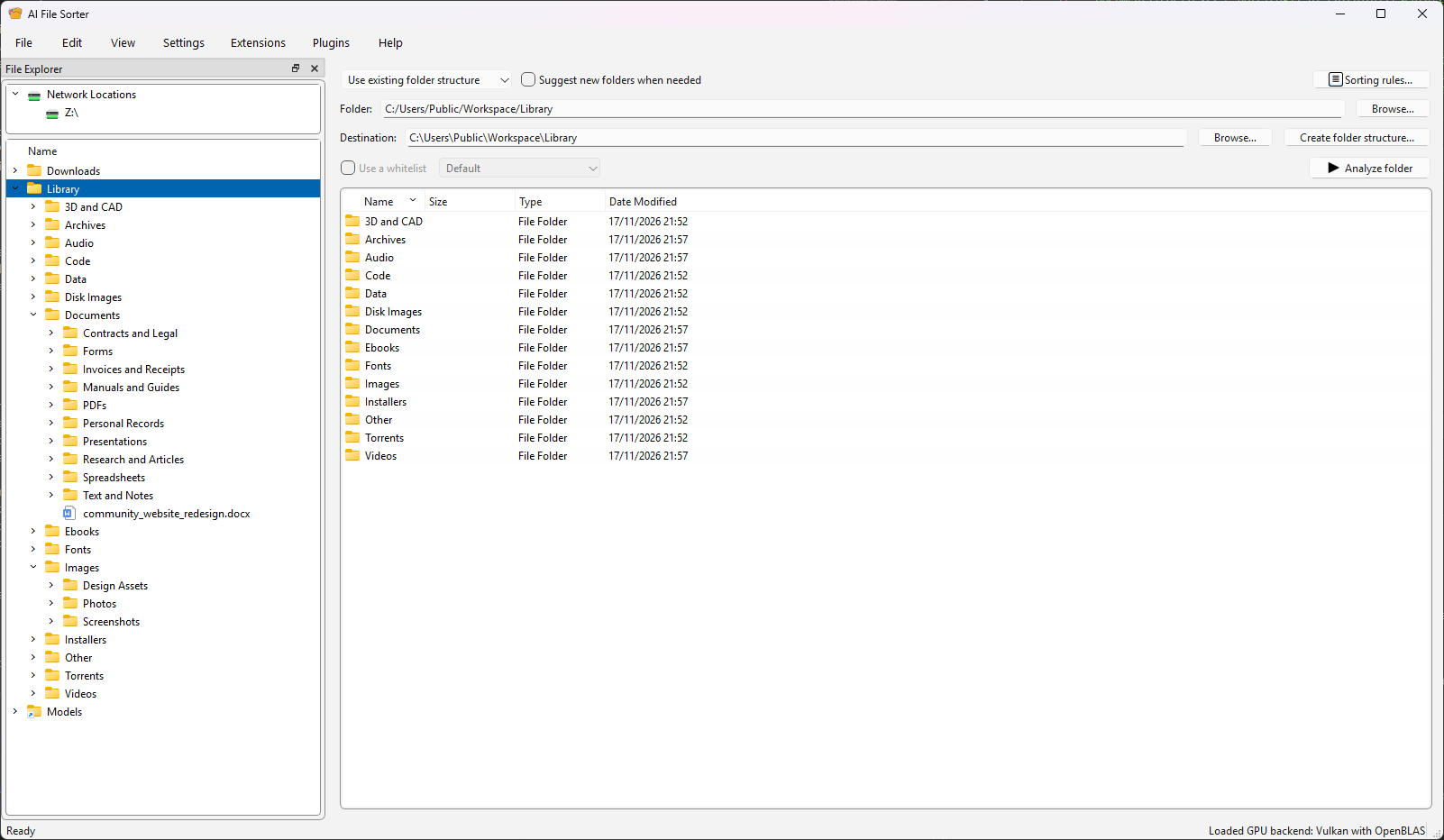
Browse your organized library, with documents, pictures, software and other files in their folders.
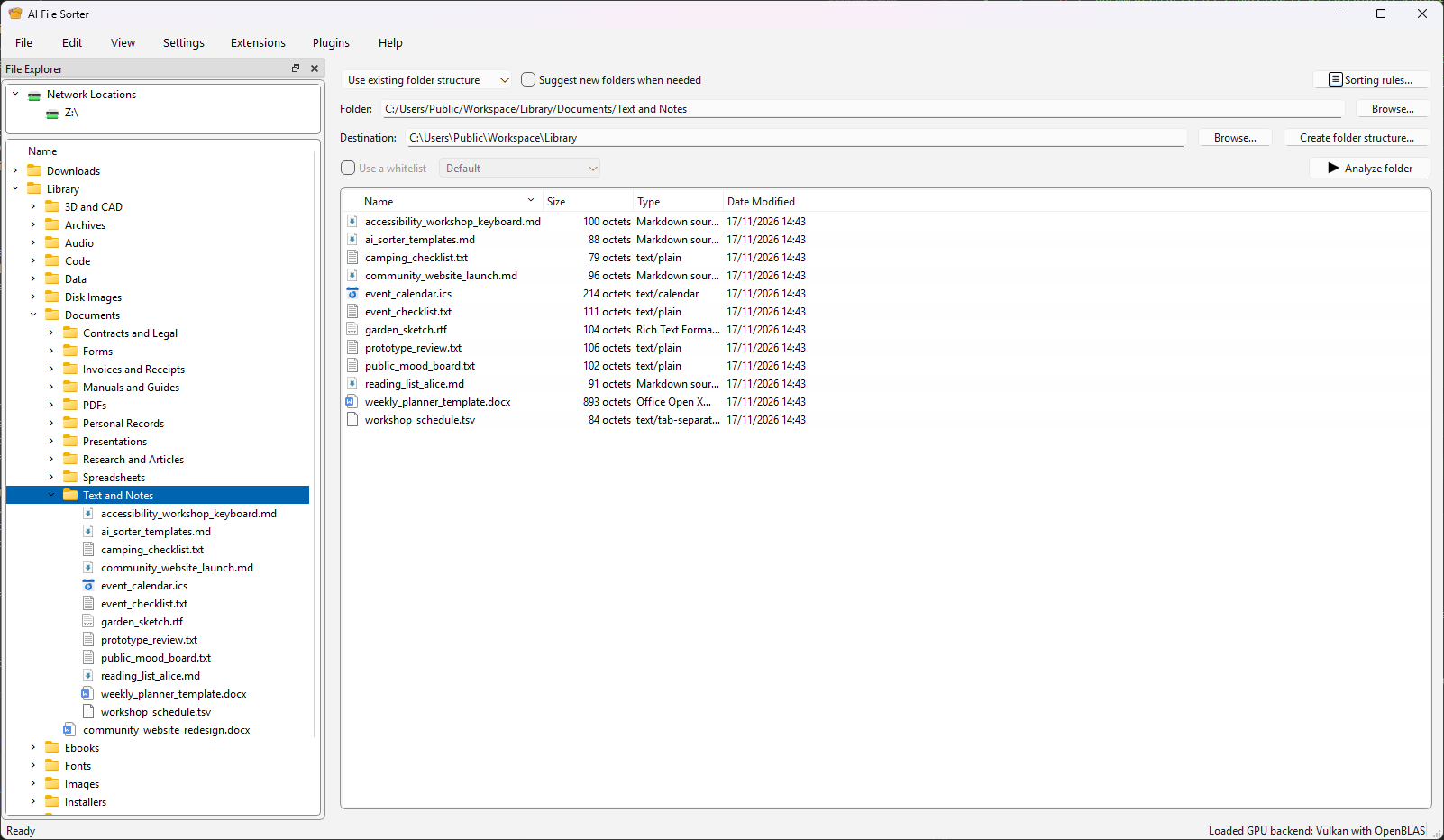
Find your sorted documents more easily with clear, descriptive filenames.

60 files: photos, park guides, books, research data, fonts, videos, and free software.

Choose an existing library with folders for Documents, Pictures, Data, Software, Design, and Media.

This walkthrough uses a local model. Pick the model that suits your computer and workflow.

Recorded progress from local content analysis and folder matching before files are moved.

Check the proposed filenames and existing destination folders. Edit the plan before applying it.

A dry run shows where each file will go while leaving the Downloads folder intact.

Apply the reviewed plan and check the move and rename status for each file.

The same folder structure now holds the sorted collection, ready to browse.
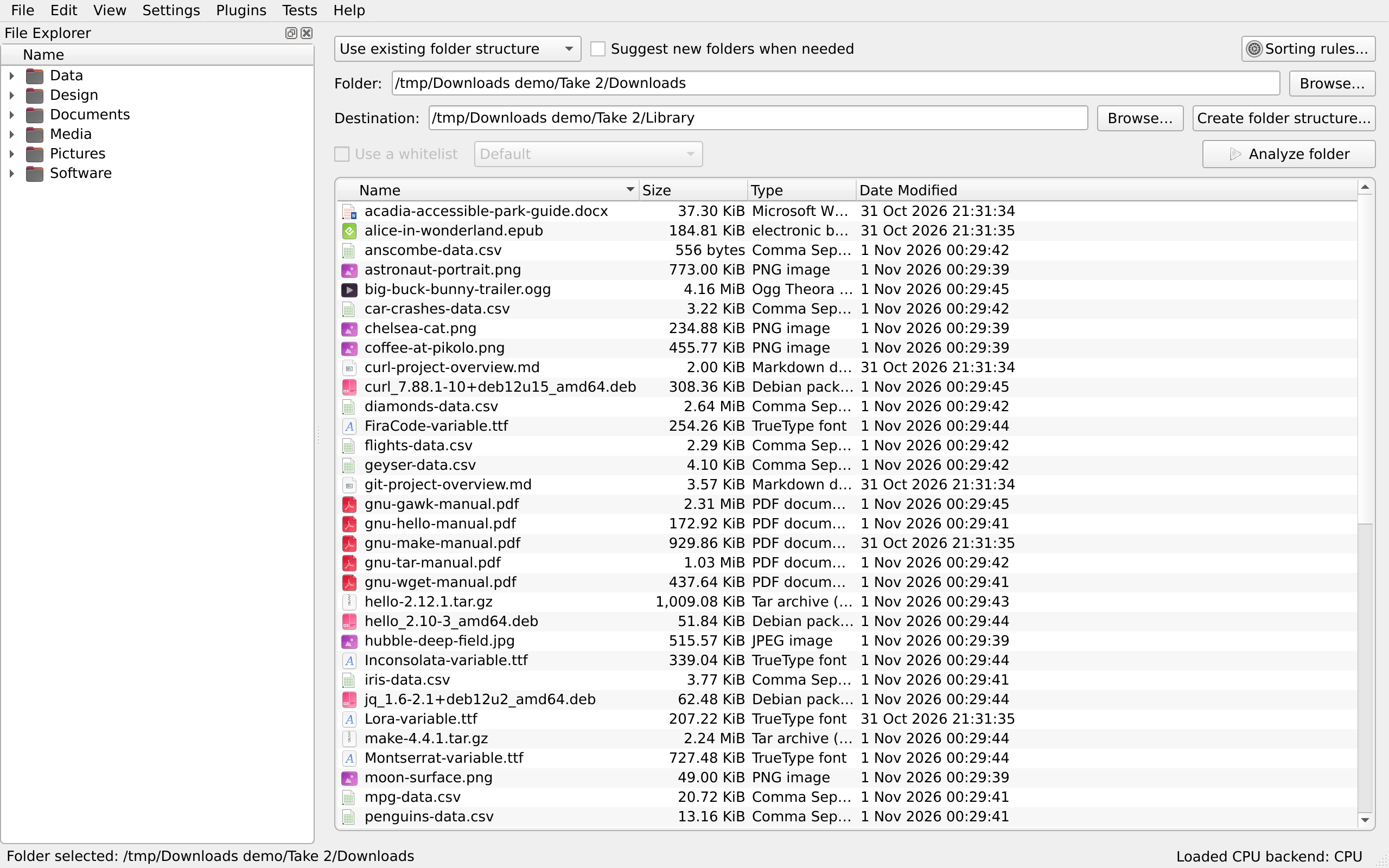
60 files: photos, park guides, books, research data, fonts, videos, and free software.
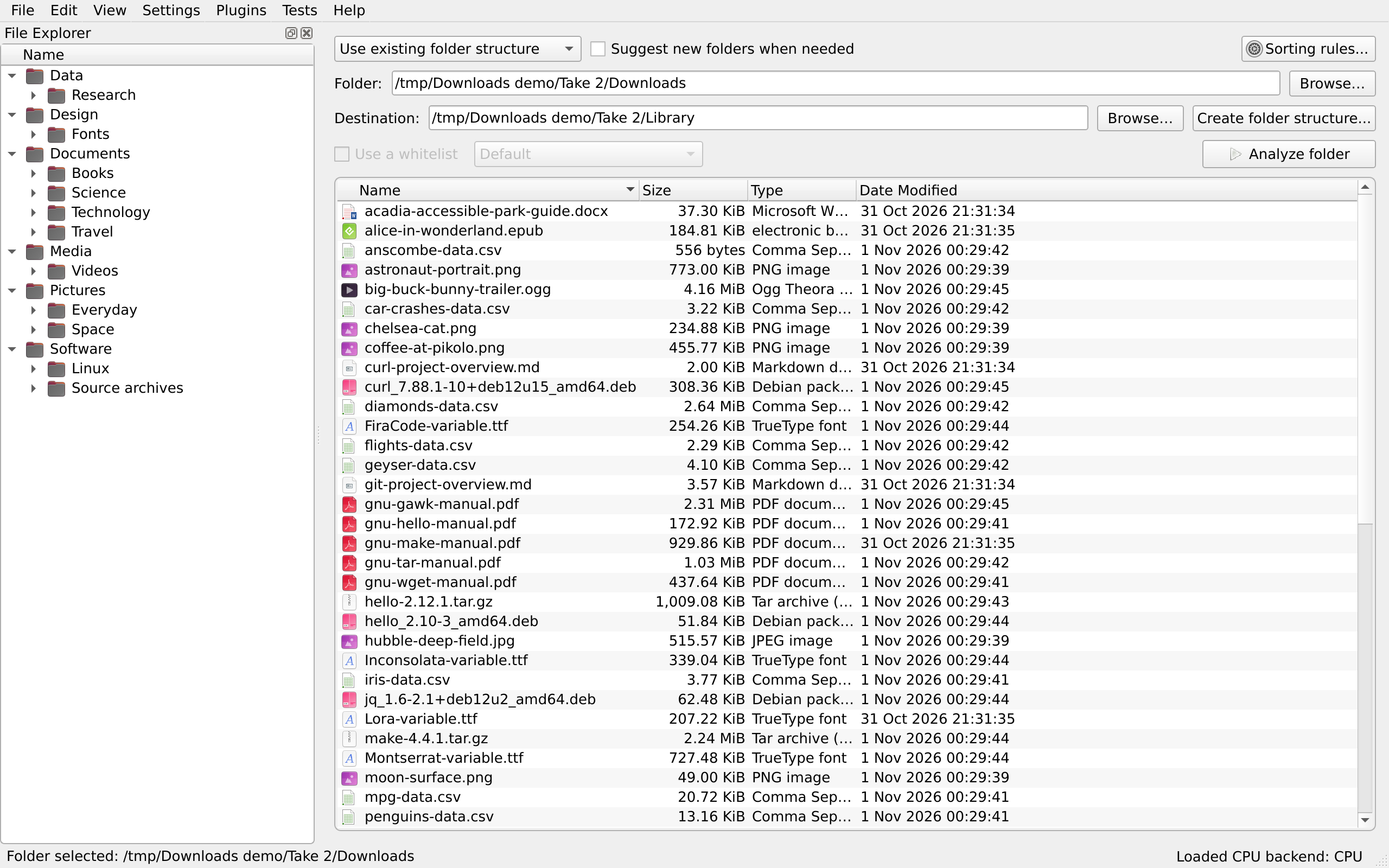
Choose an existing library with folders for Documents, Pictures, Data, Software, Design, and Media.
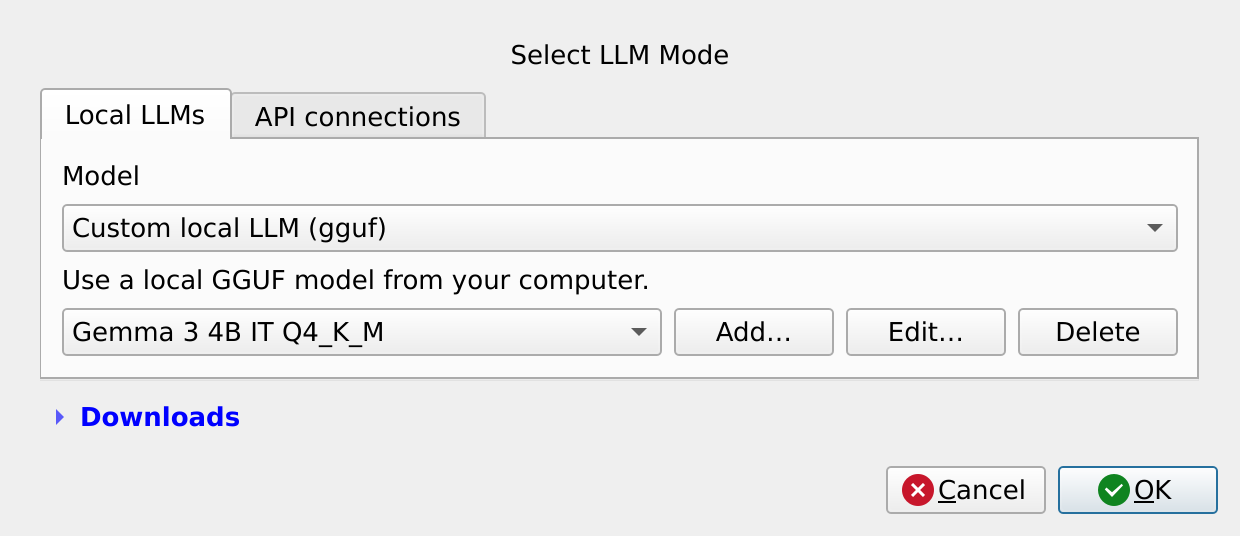
This walkthrough uses a local model. Pick the model that suits your computer and workflow.
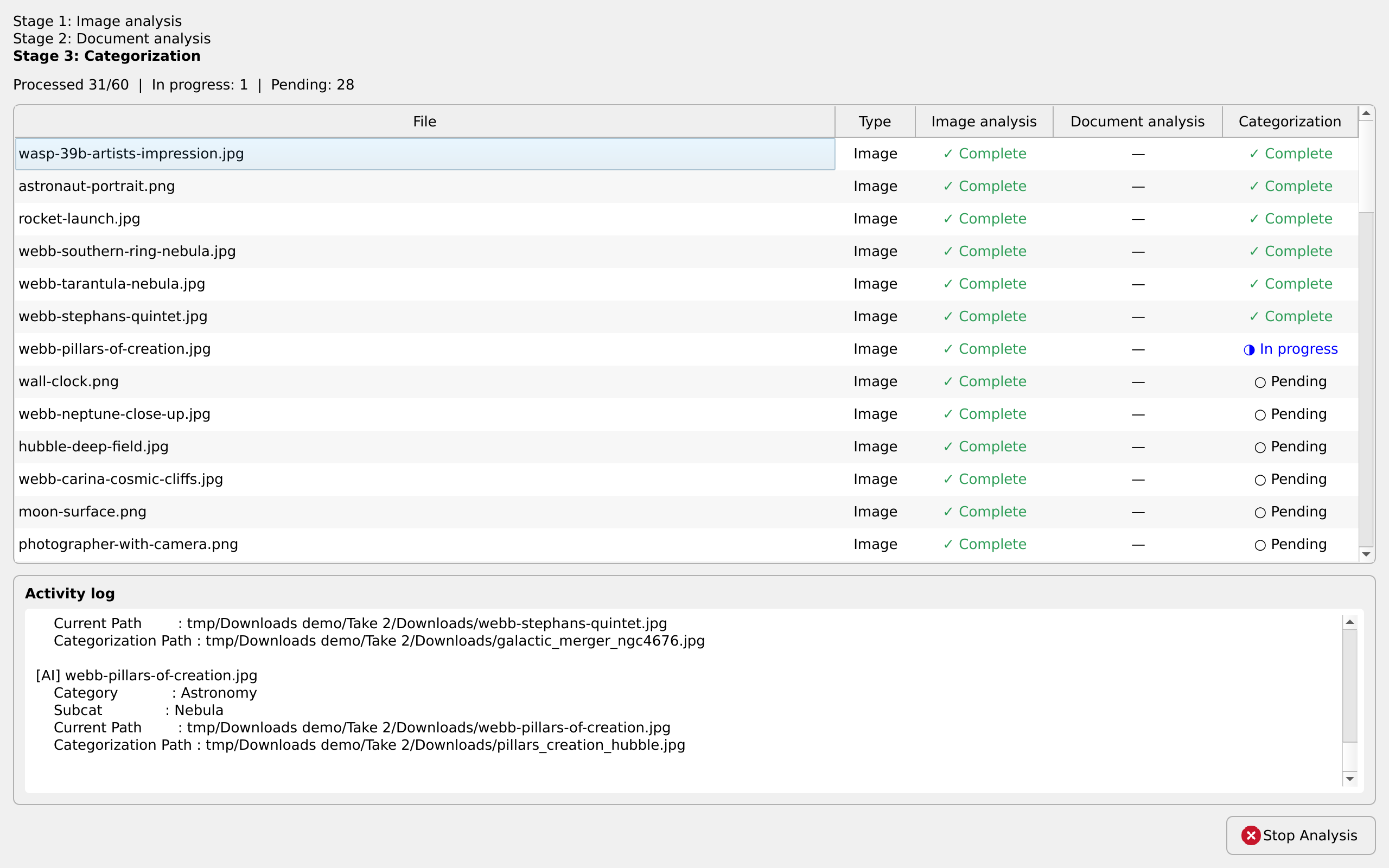
Recorded progress from local content analysis and folder matching before files are moved.
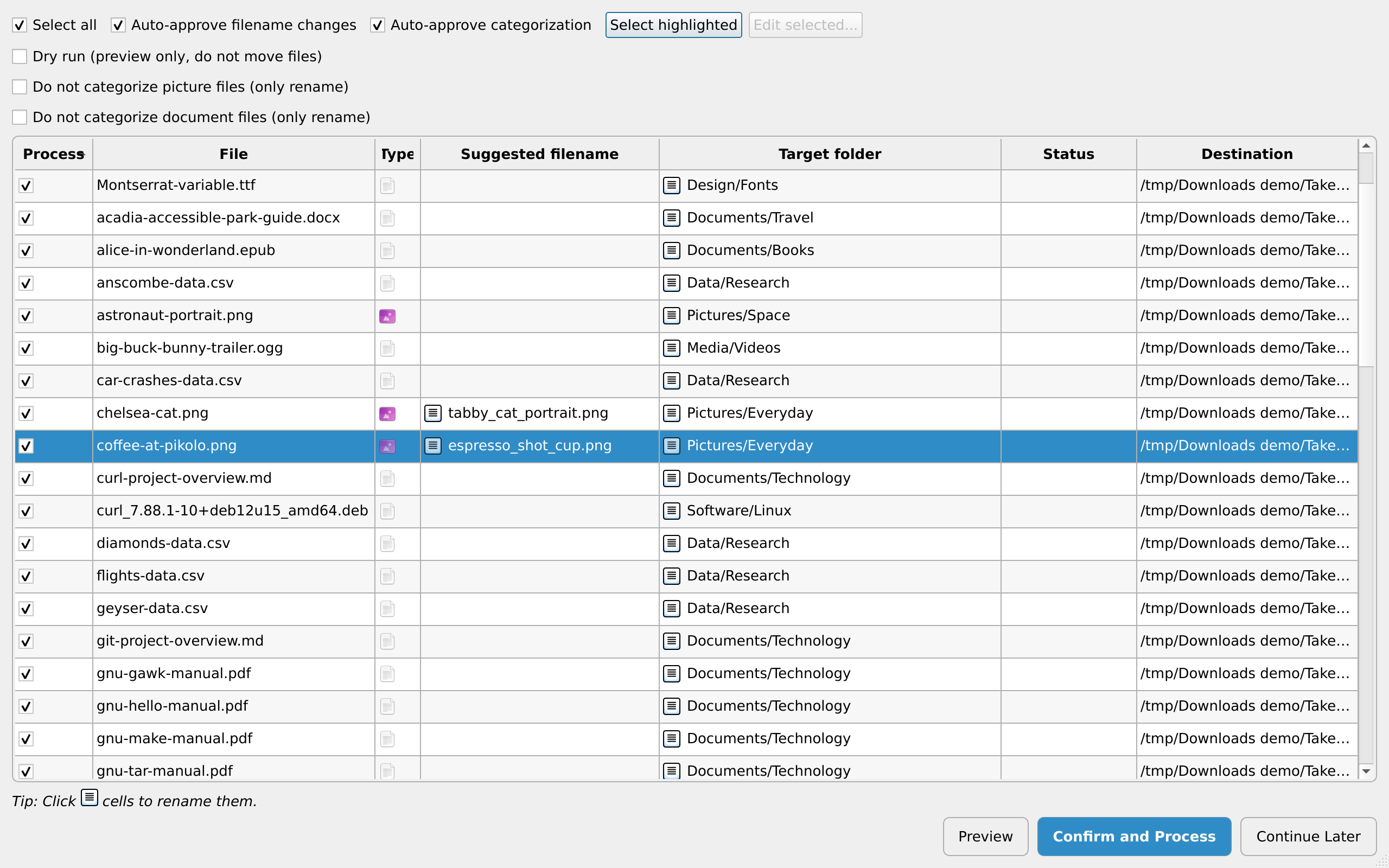
Check the proposed filenames and existing destination folders. Edit the plan before applying it.
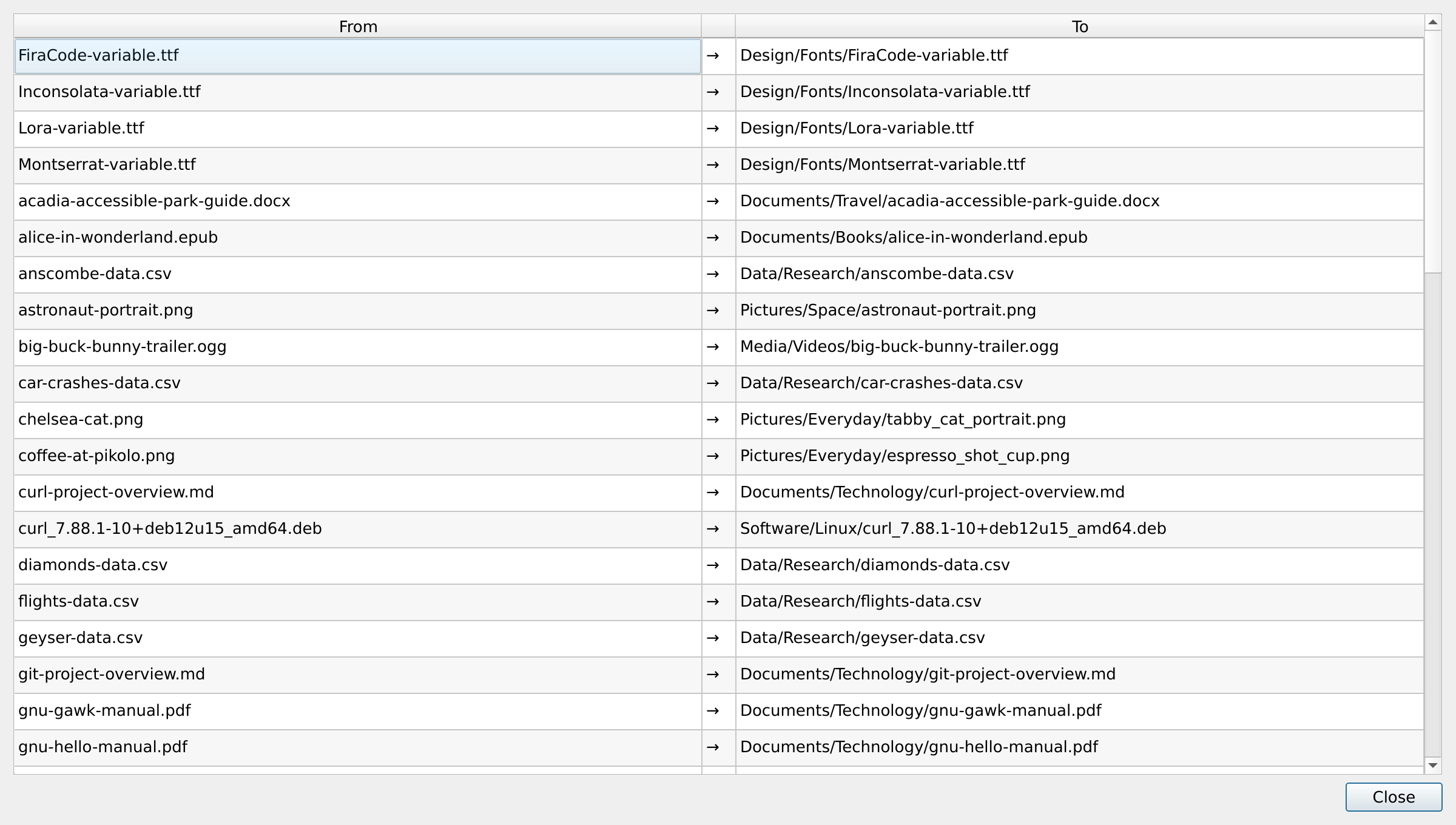
A dry run shows where each file will go while leaving the Downloads folder intact.
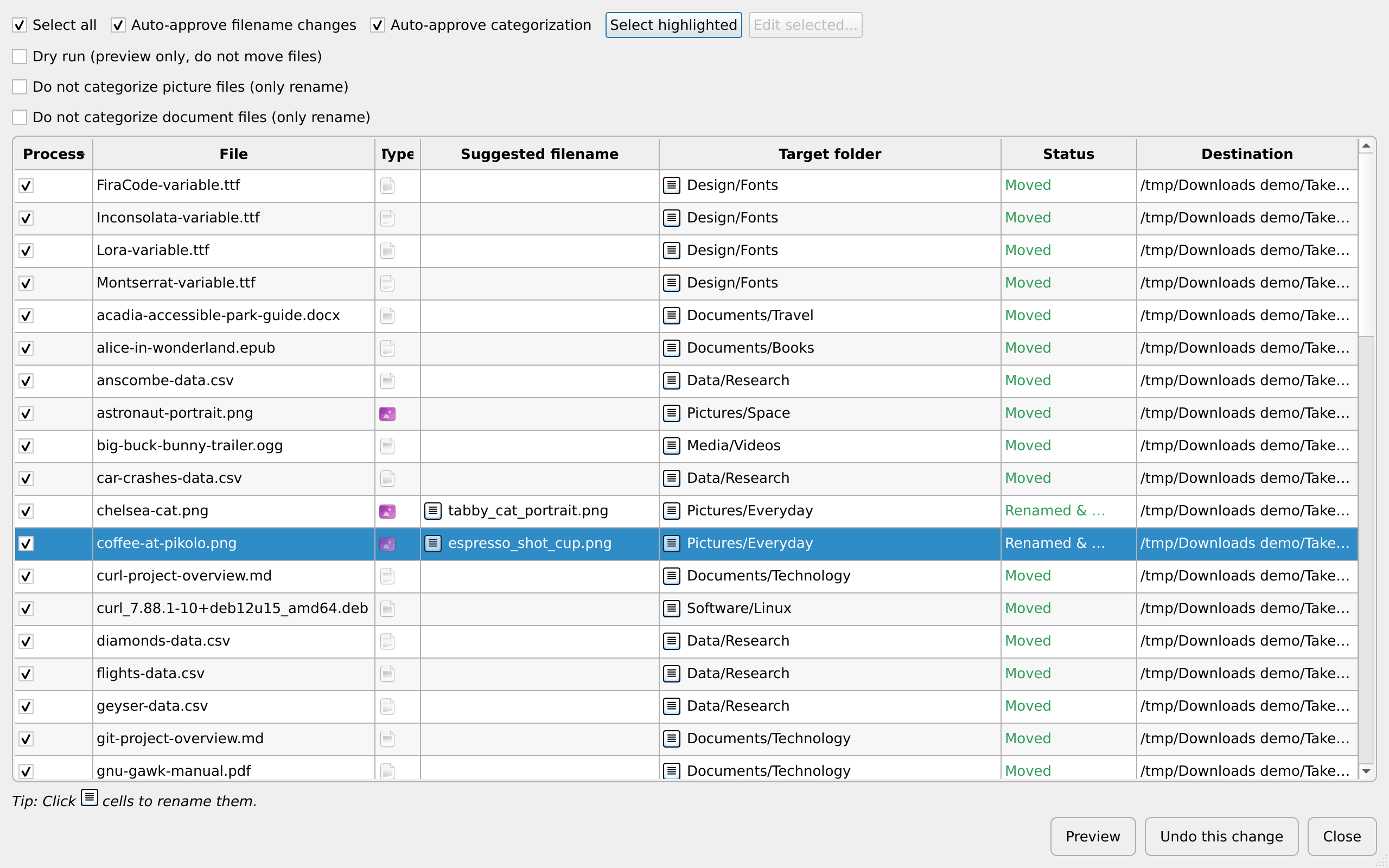
Apply the reviewed plan and check the move and rename status for each file.
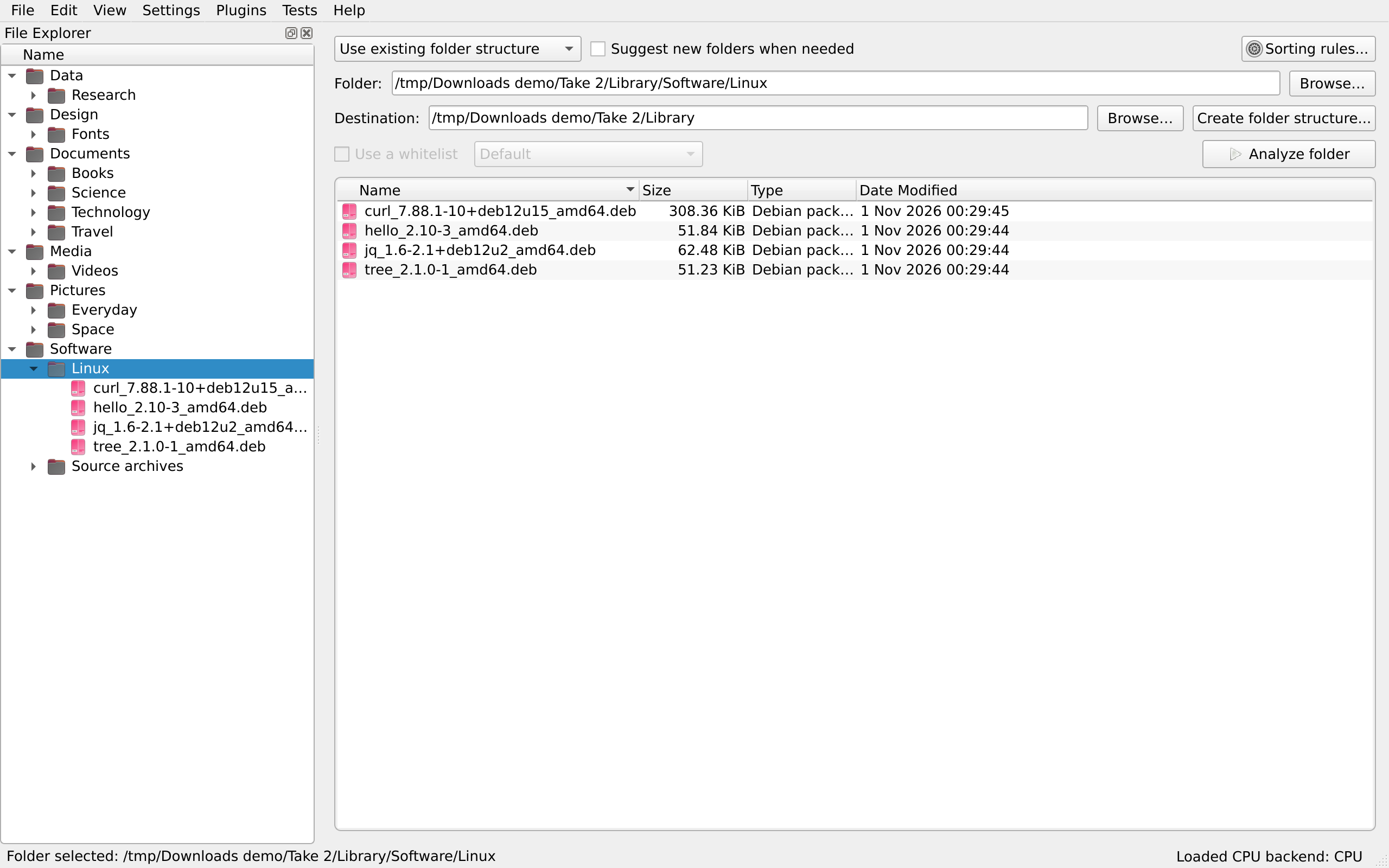
The same folder structure now holds the sorted collection, ready to browse.
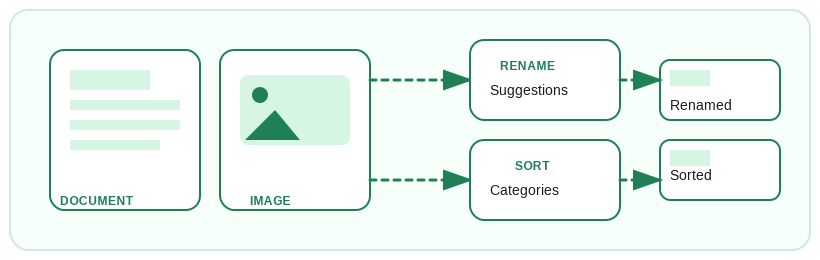
Documents and images can be analyzed by content, while audio and video can use embedded metadata for rename suggestions. Other file types are still supported for regular sorting by filename, extension, and folder context; they just are not inspected by content.
| Supported documents |
 PDF  DOCX  XLSX  PPTX  ODT  TXT  MD  CSV Content-aware document analysis for PDF, Office/OpenDocument, text, notes, logs, and data exports. |
|---|---|
| Supported images |
 JPG  PNG  WEBP  HEIC  TIFF  GIF  SVG Image sorting support for photos, screenshots, web images, icons, and design exports. |
| Supported media files |
 MP3  FLAC  WAV  M4A  OGG  MP4  MOV  MKV  AVI  WEBM Audio and video rename suggestions use embedded metadata when available. |
Available for



Accelerated by



On Mac, version 2.0.0 requires Apple Silicon and macOS 26 or later.