Commercial folder-structure plugin
Johnny.Decimal Plugin for AI File Sorter
आपके Johnny.Decimal आर्काइव के लिए टेम्पलेट, आइटम-स्तरीय जाँच और खोजने योग्य इंडेक्स।
-
10-19प्रशासन-
11वित्त
-
-
20-29कार्य-
21परियोजनाएँ-
21.01वेबसाइट का नया डिज़ाइन -
21.02उत्पाद लॉन्च
-
-
What it adds
Folder tools for a numbered archive
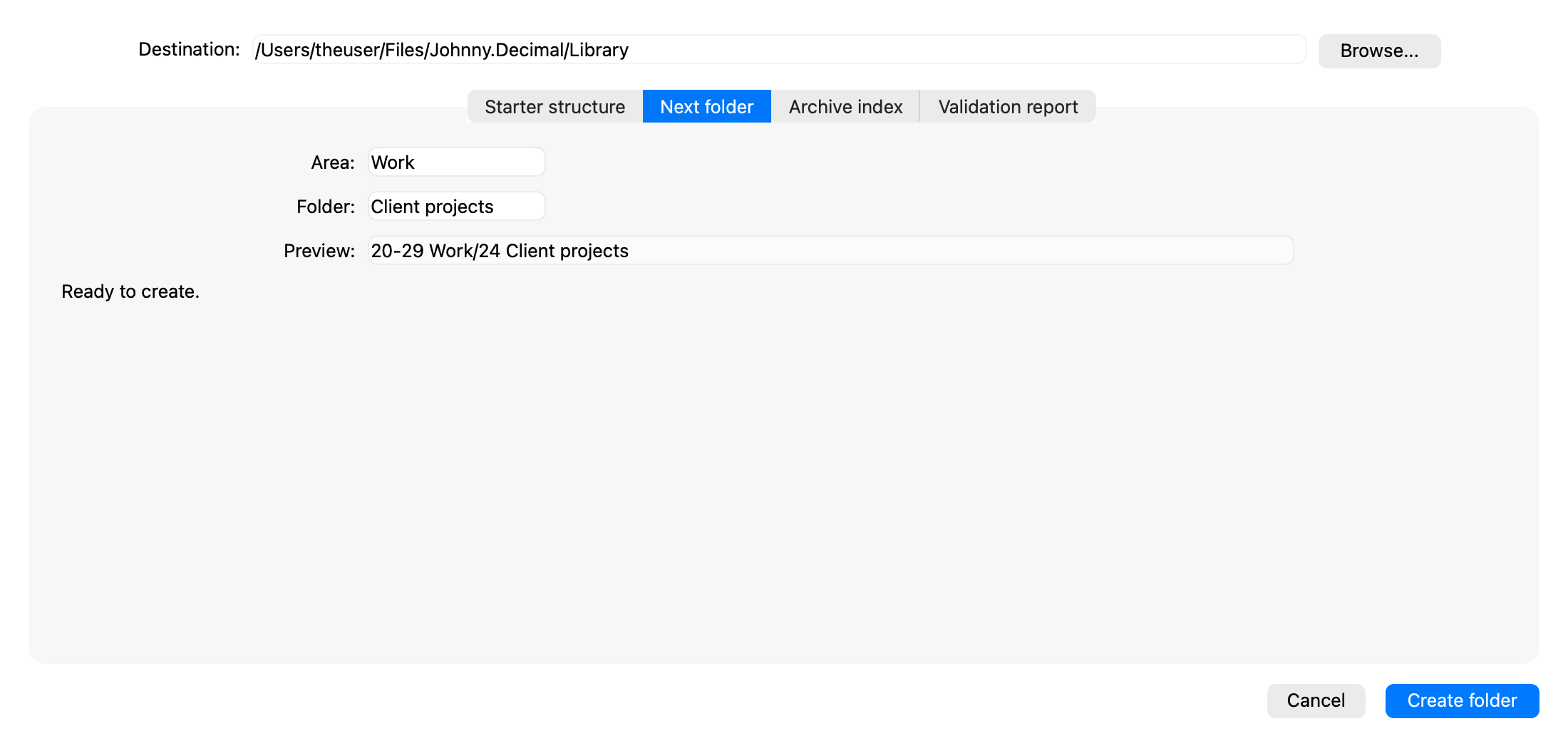
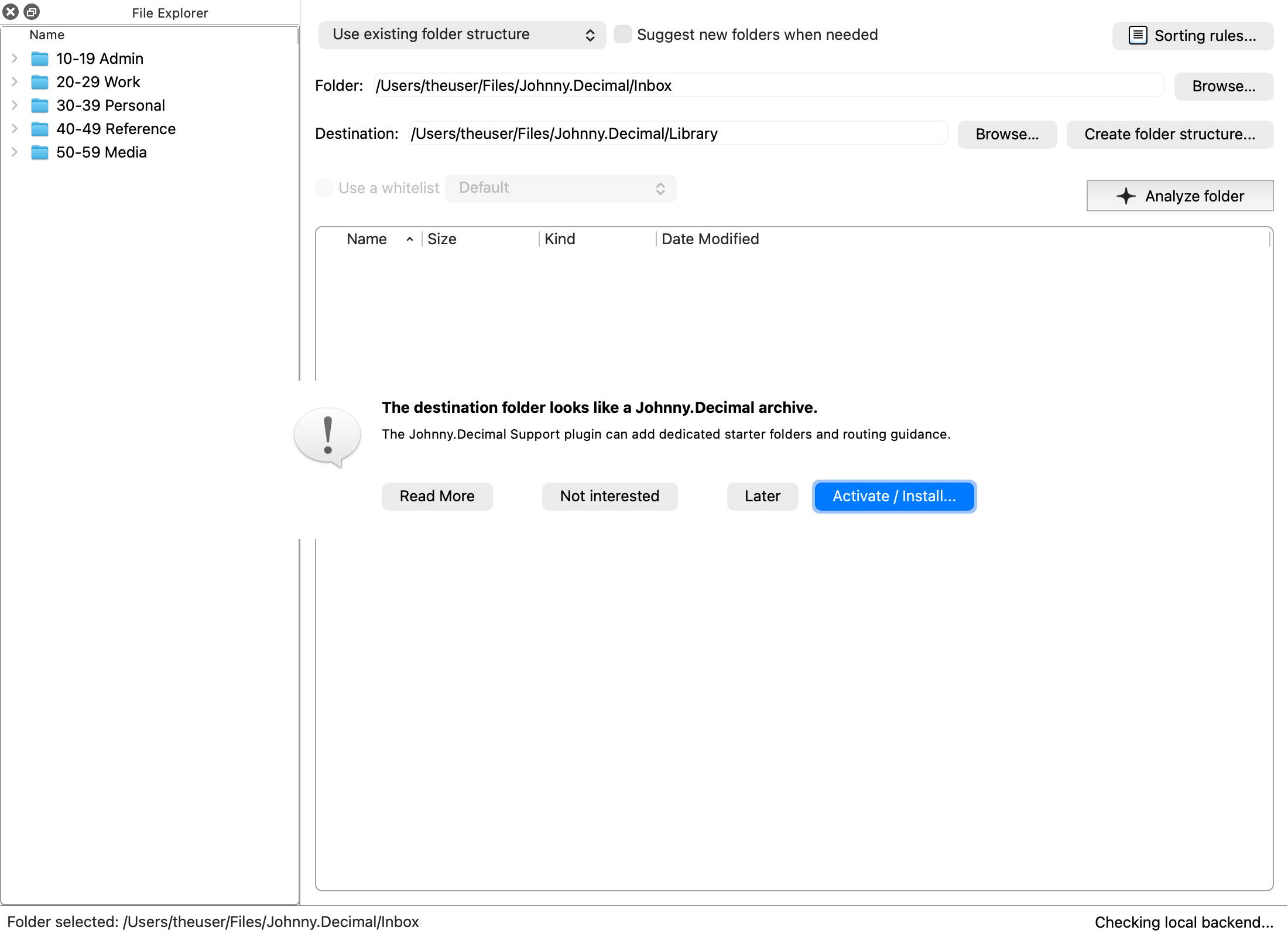
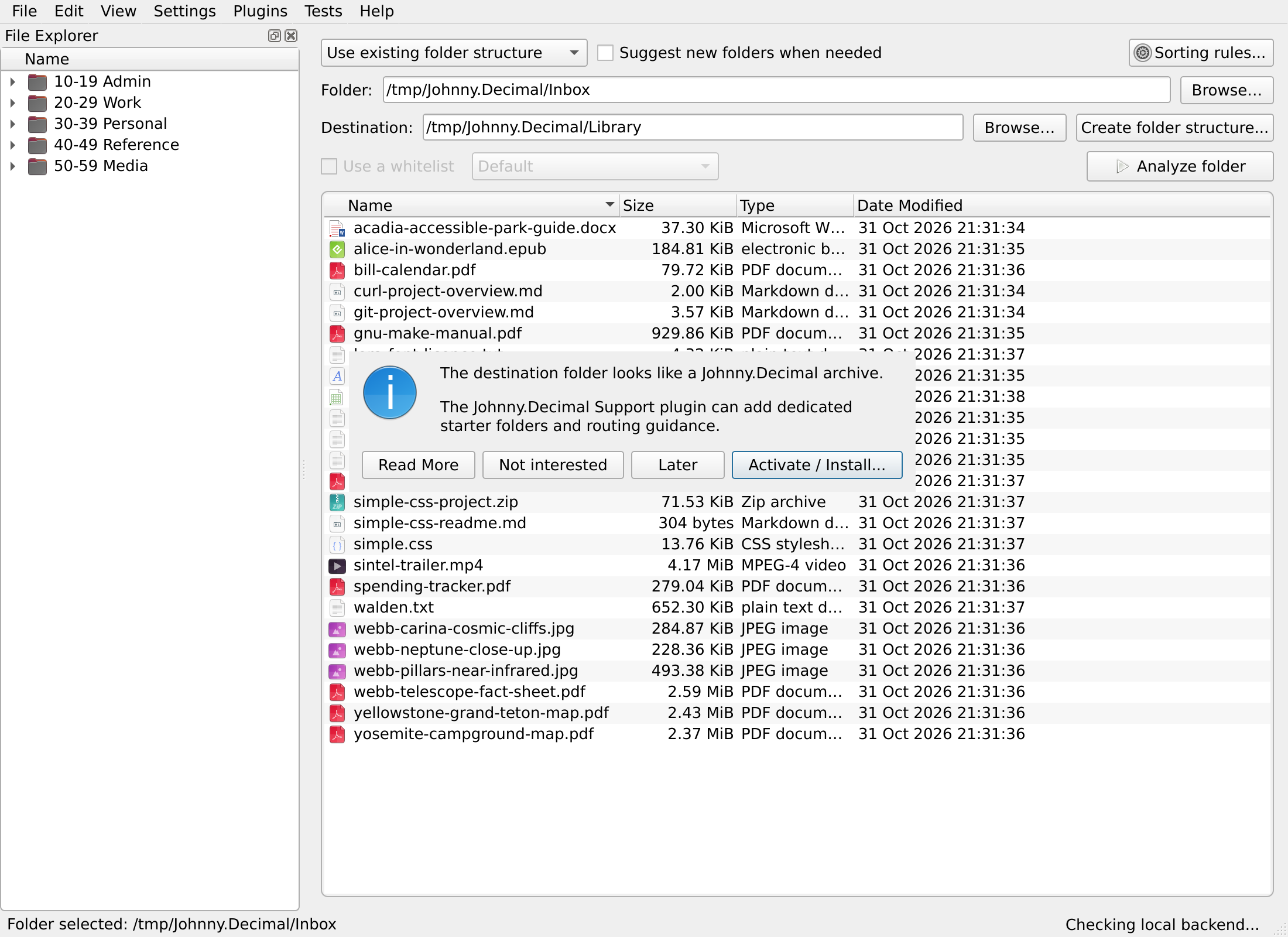
“मौजूदा फ़ोल्डर संरचना का उपयोग करें” चुनें और अपने आर्काइव को गंतव्य बनाएँ। बदलाव लागू करने से पहले सुझाए गए फ़ोल्डर और फ़ाइल नाम जाँचें।
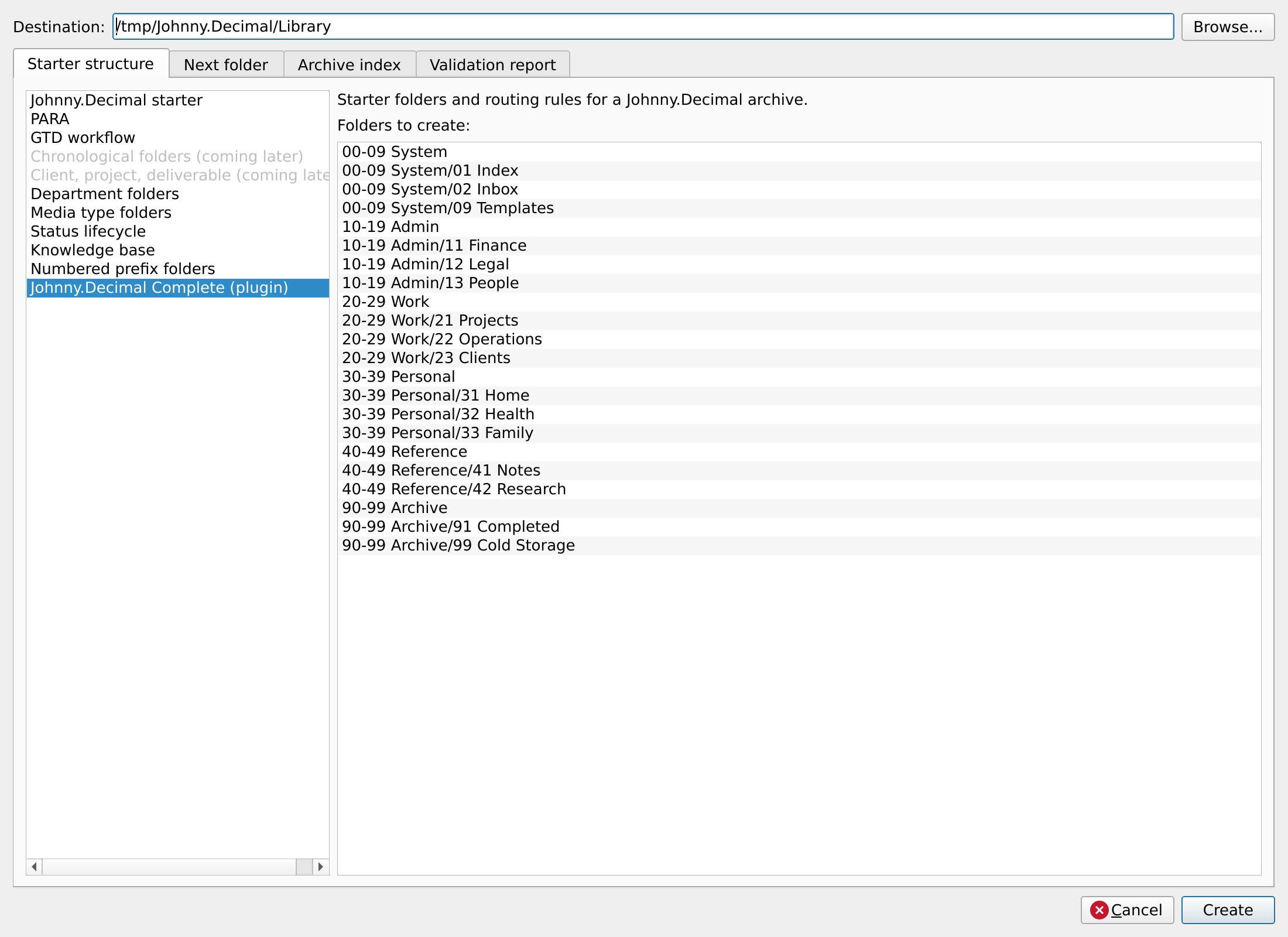
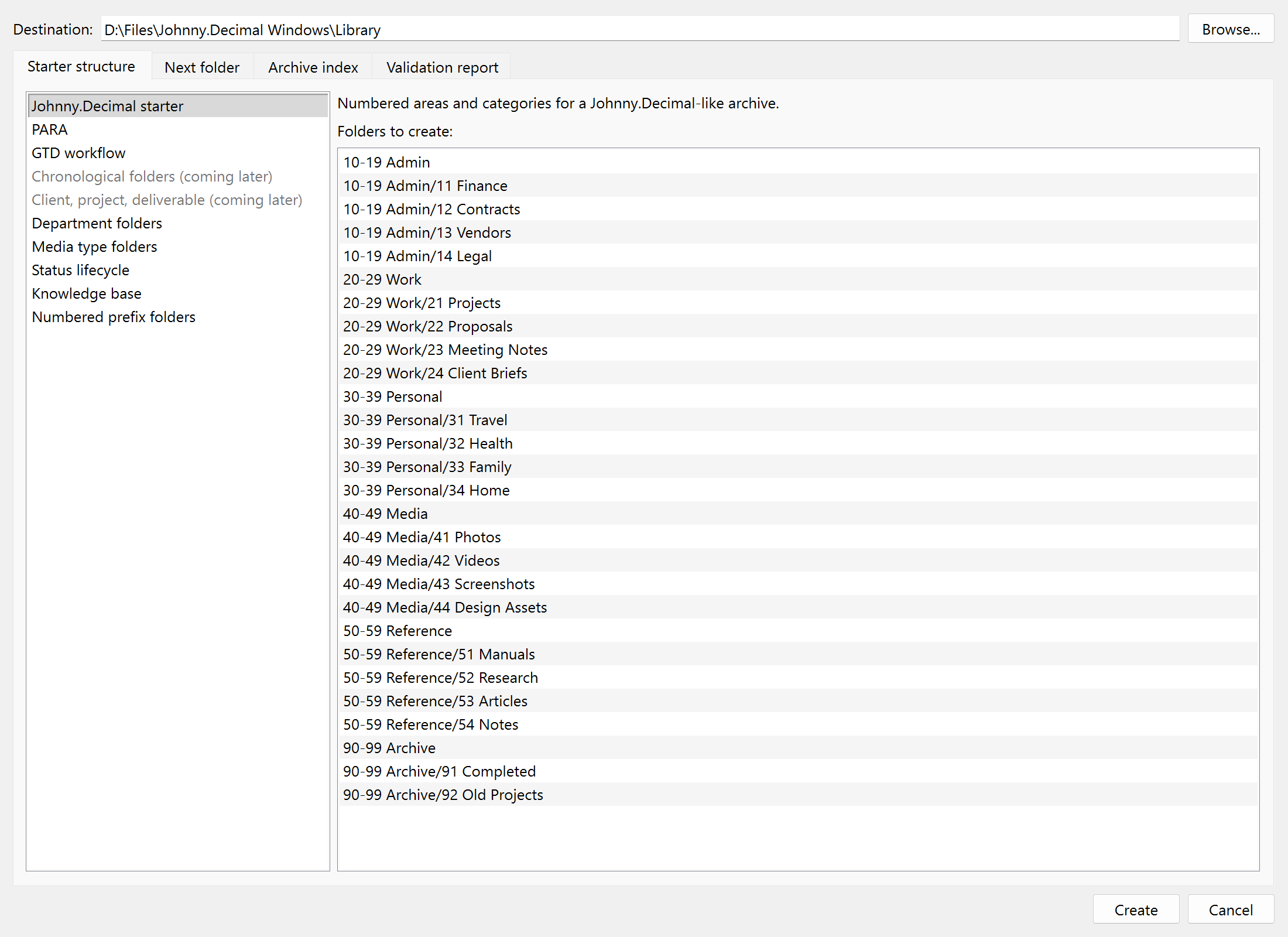
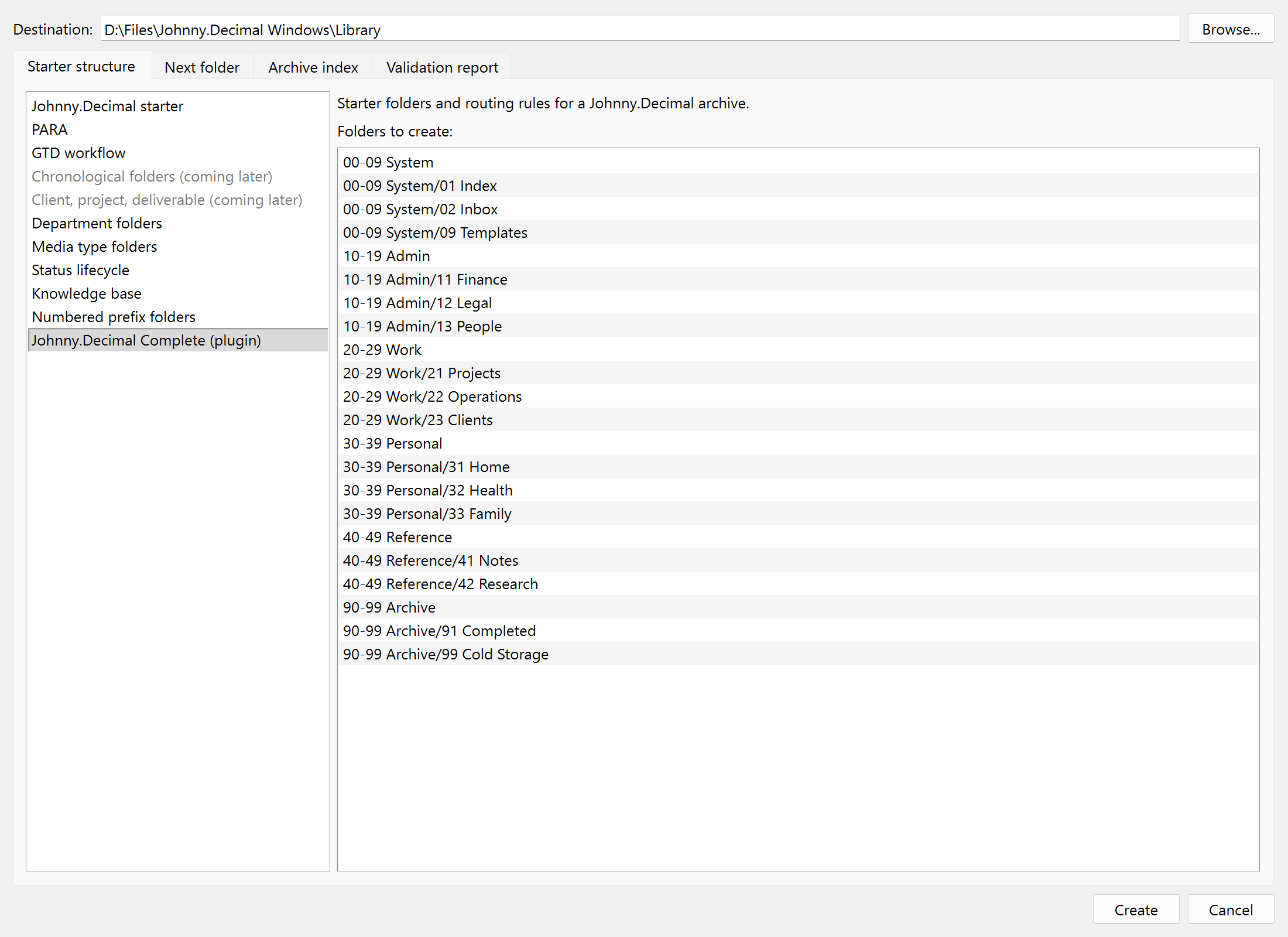
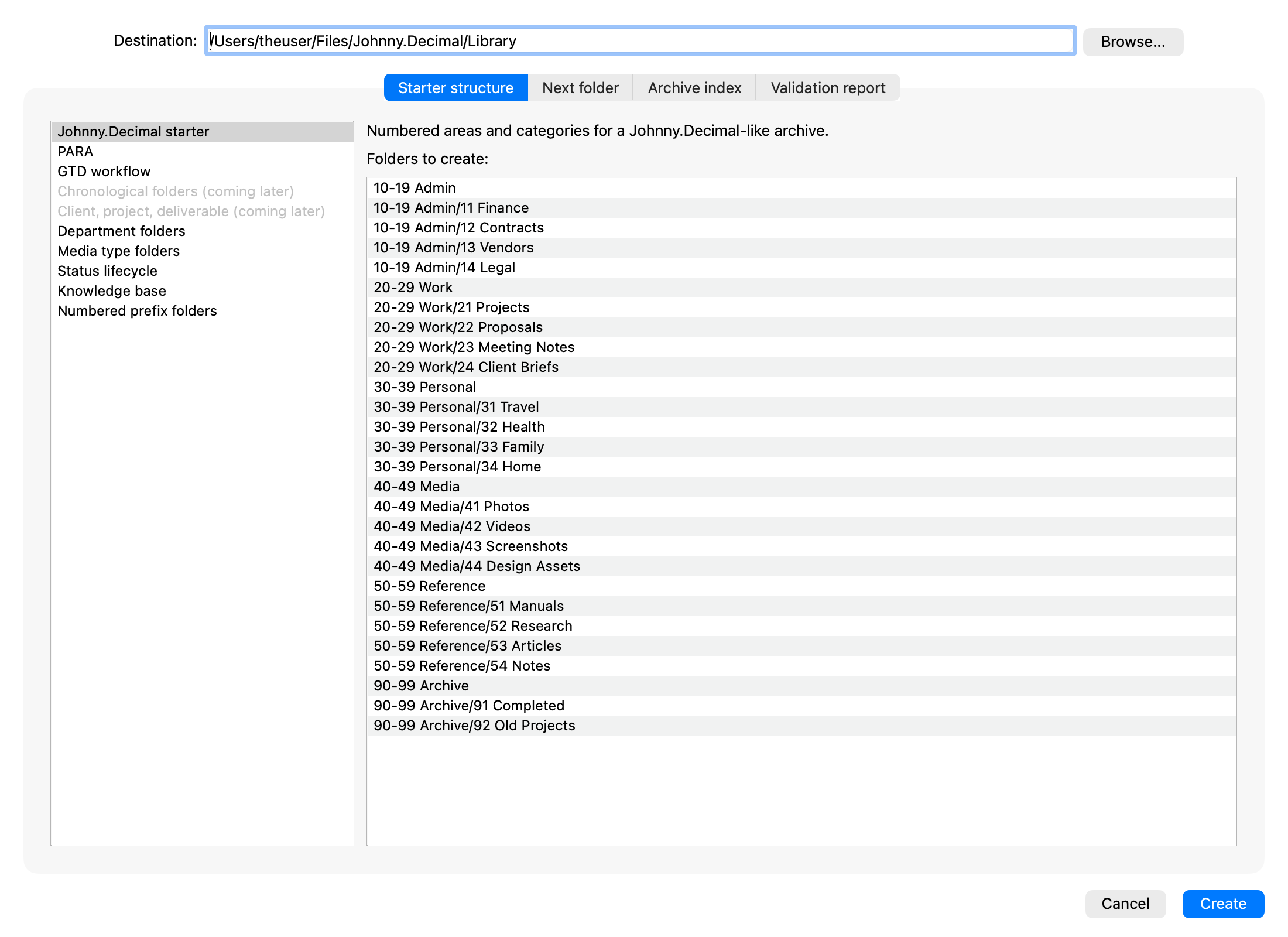
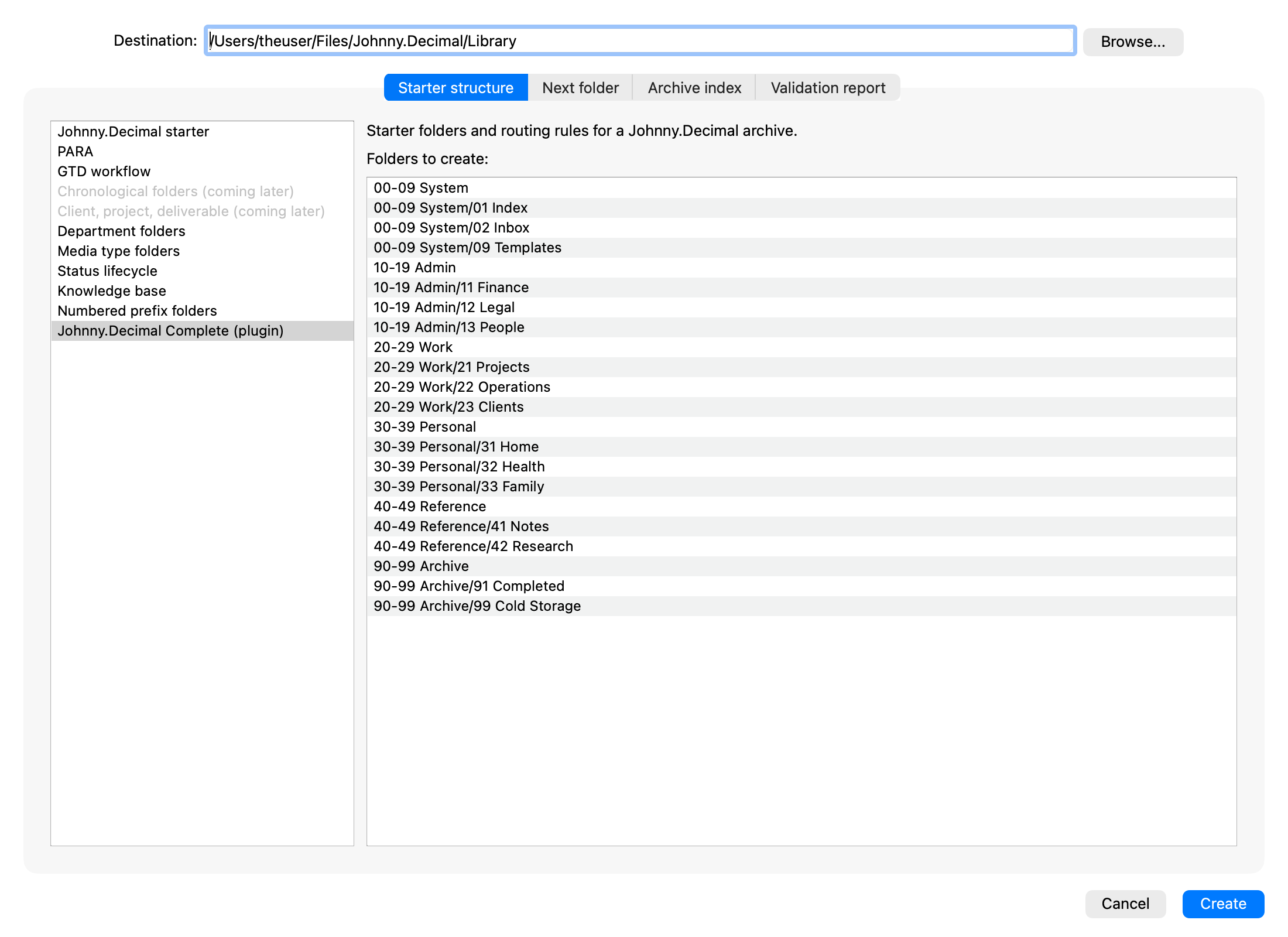
Starter structure
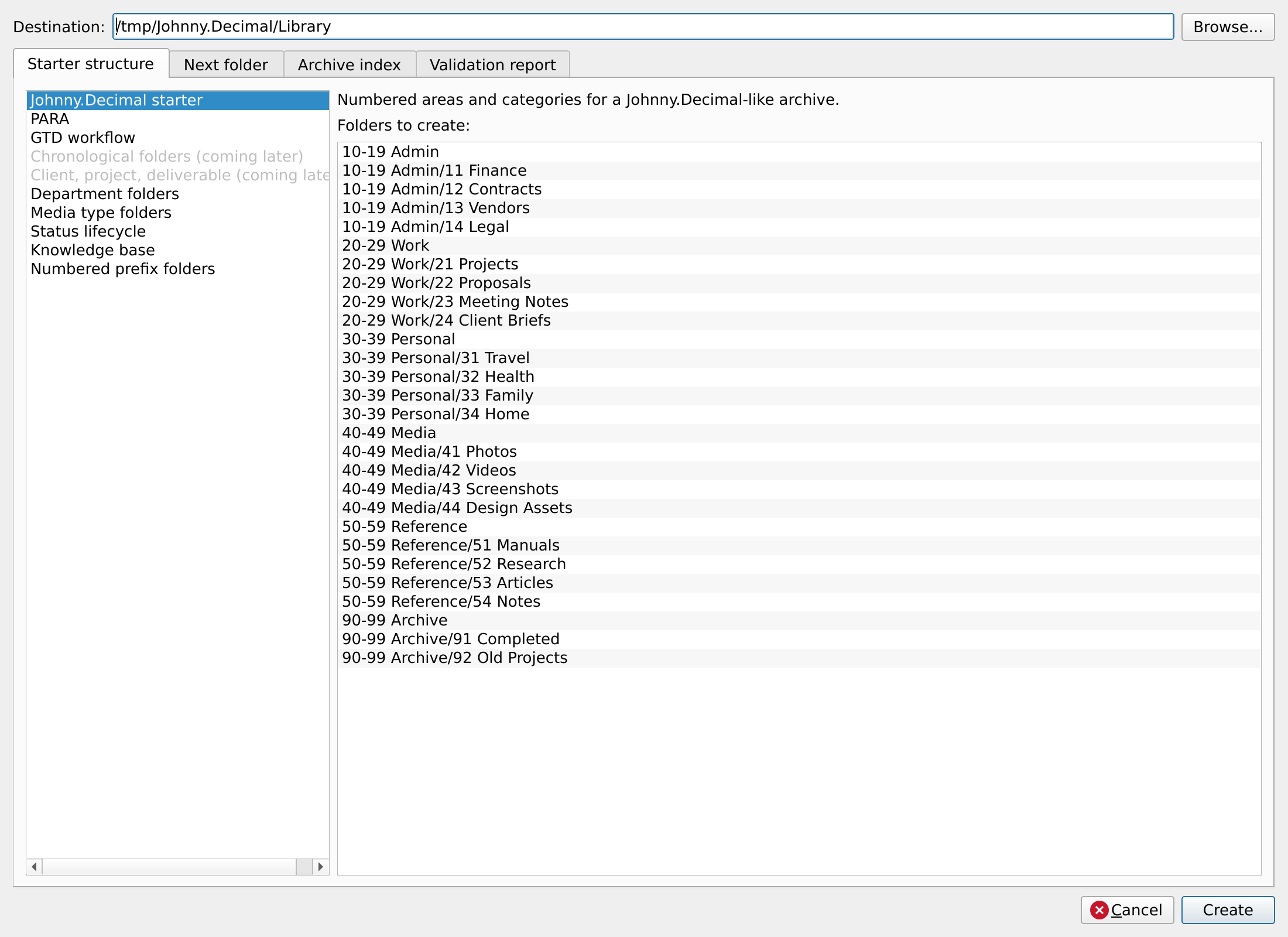
नए क्रमांकित आर्काइव के लिए पहले से तैयार क्षेत्रों और श्रेणियों से शुरुआत करें।
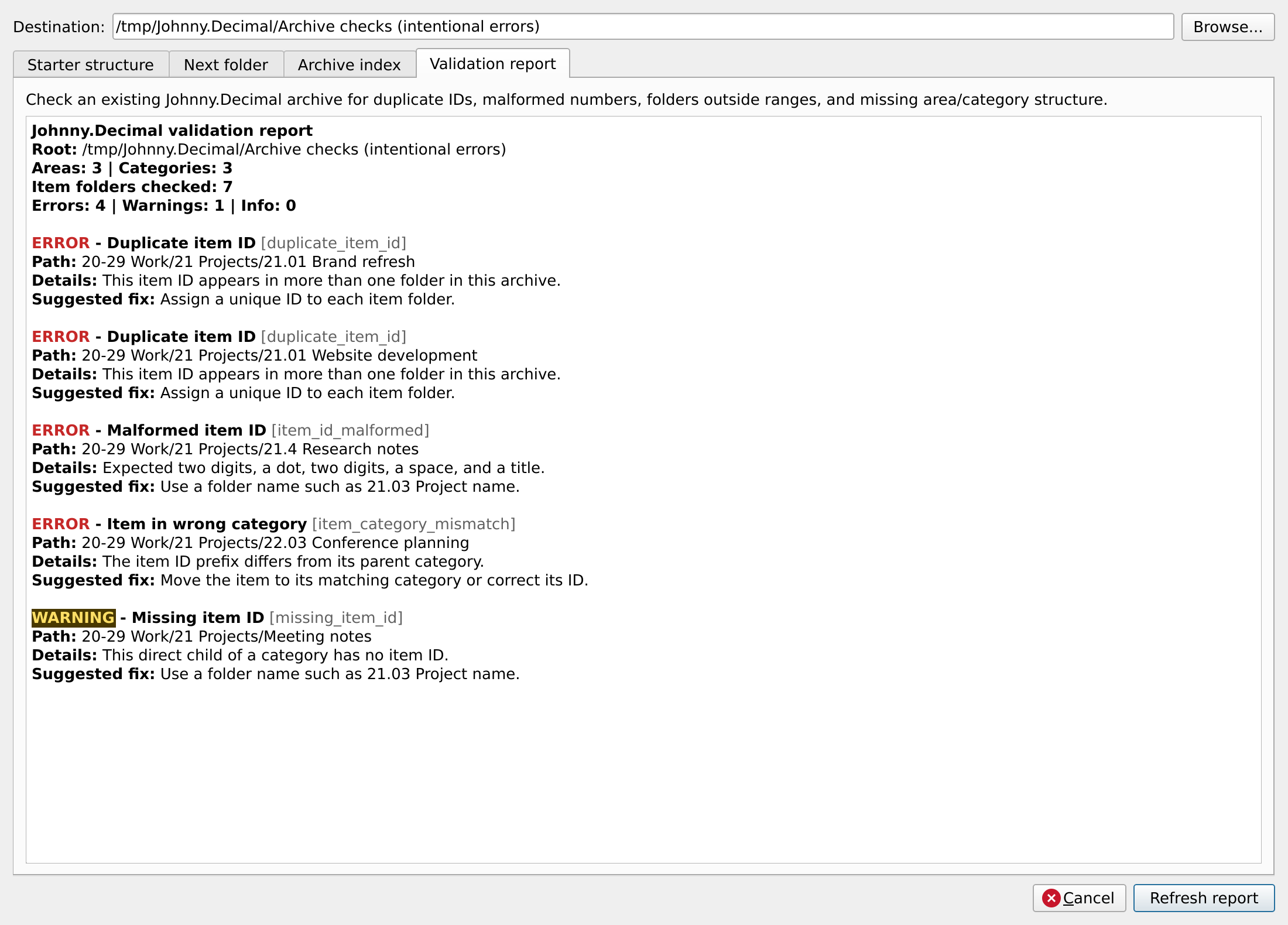
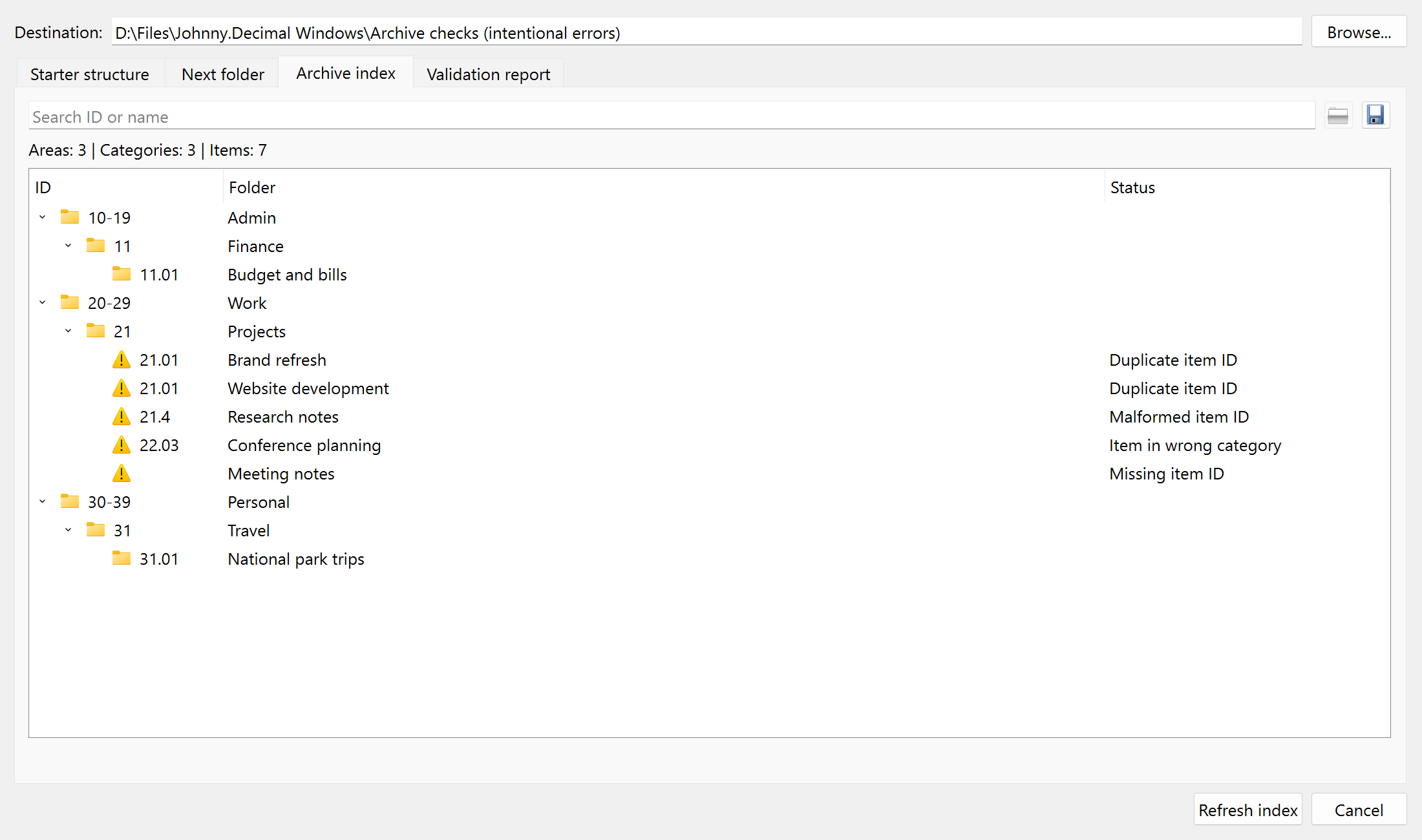
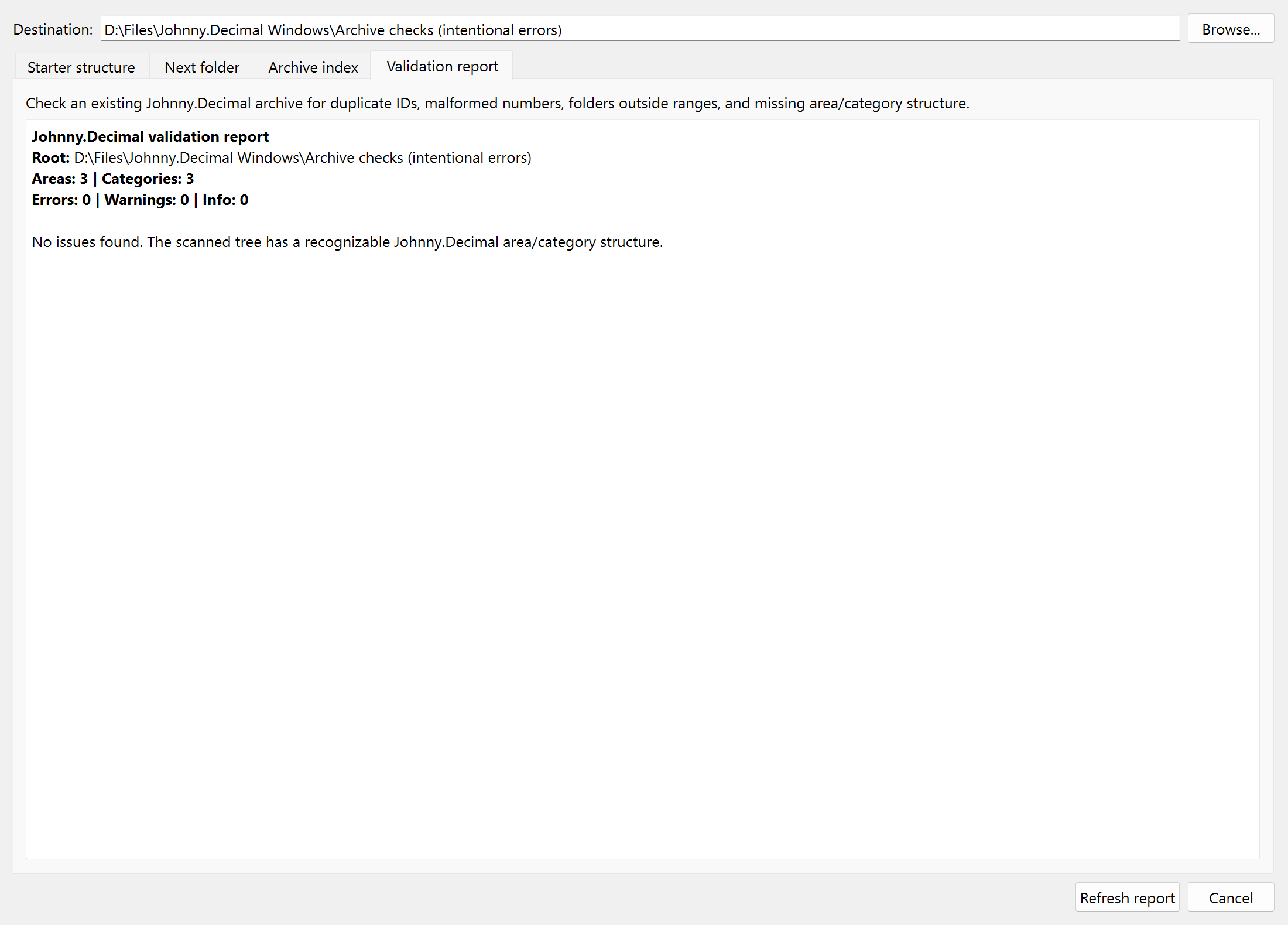
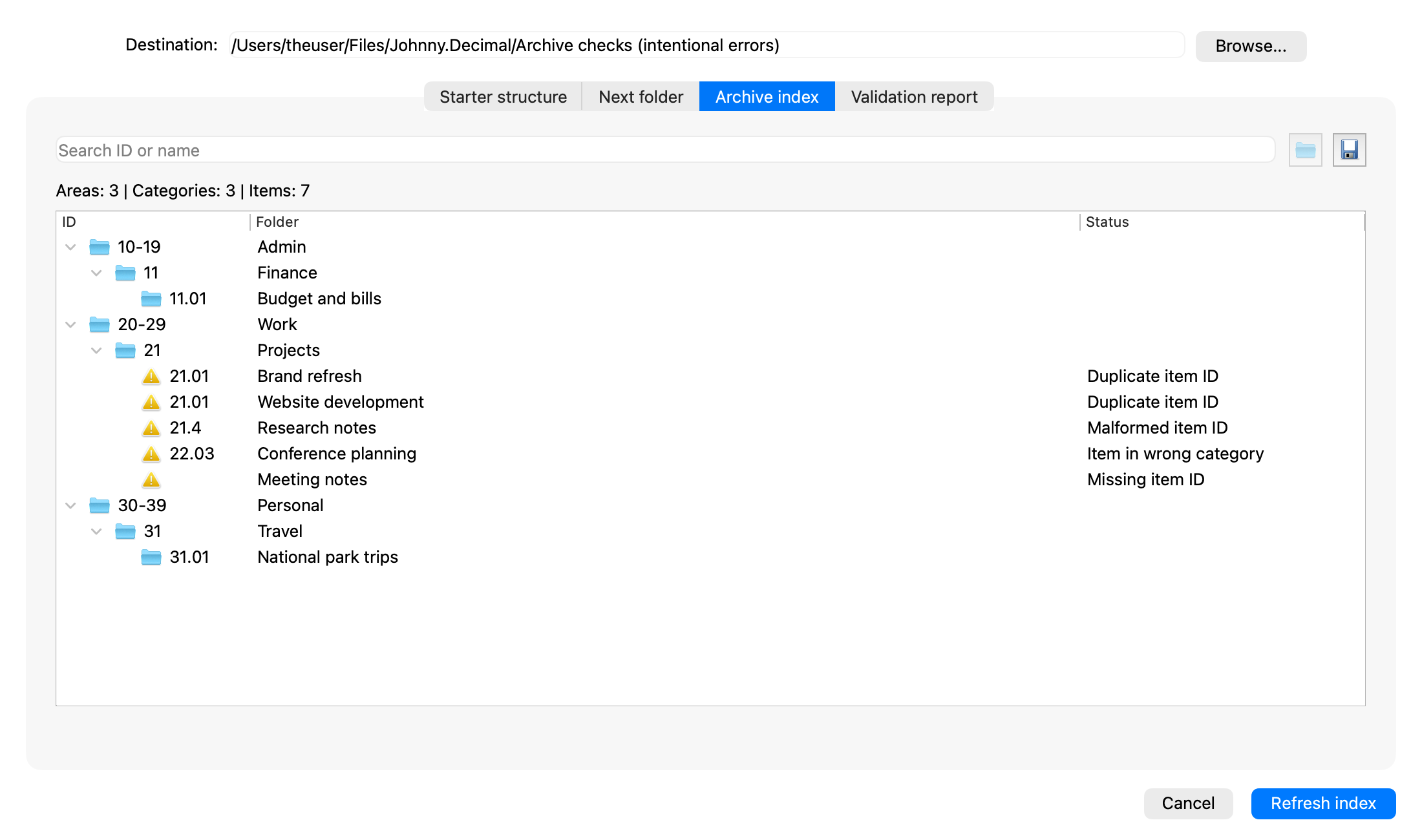
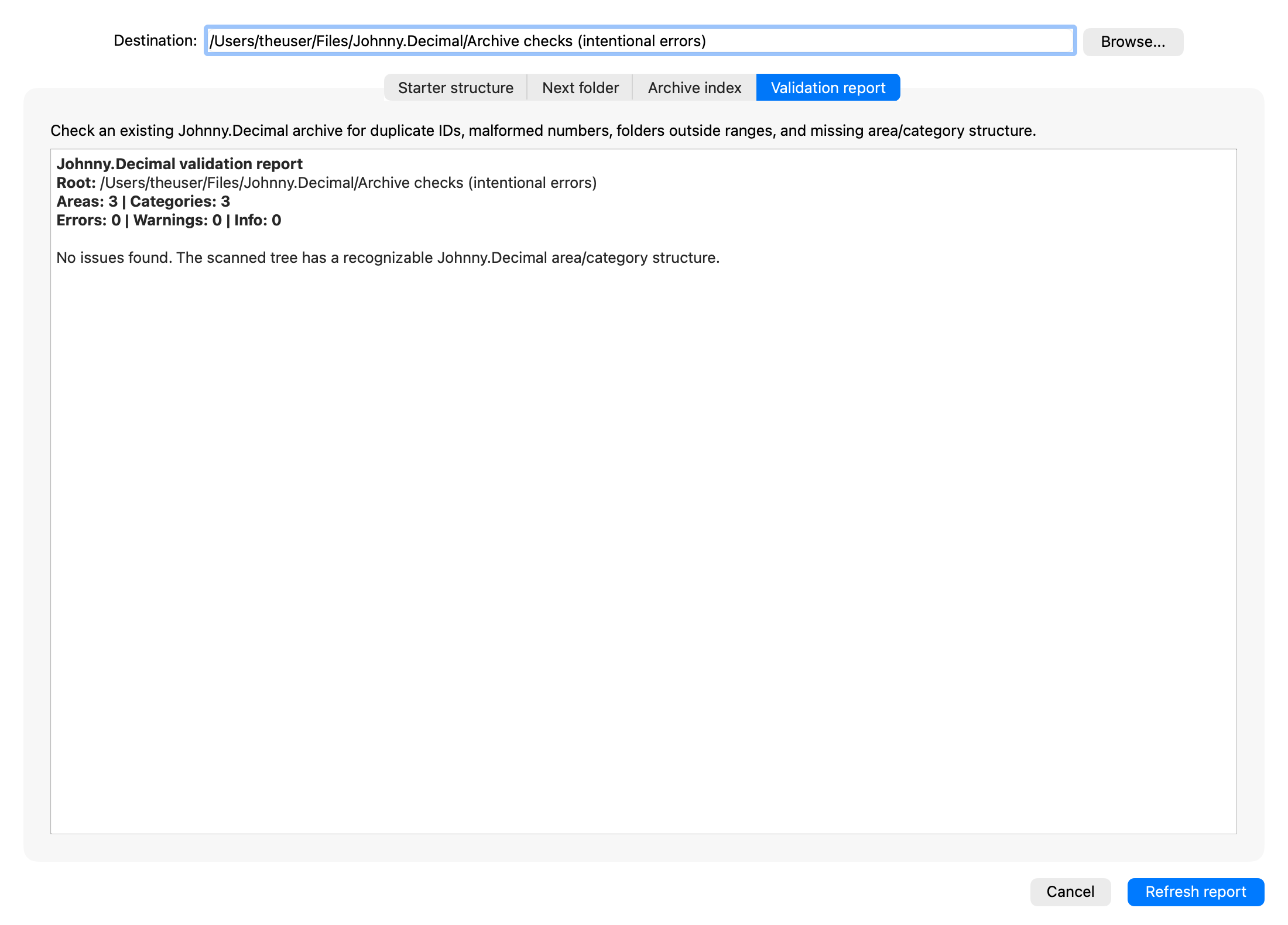
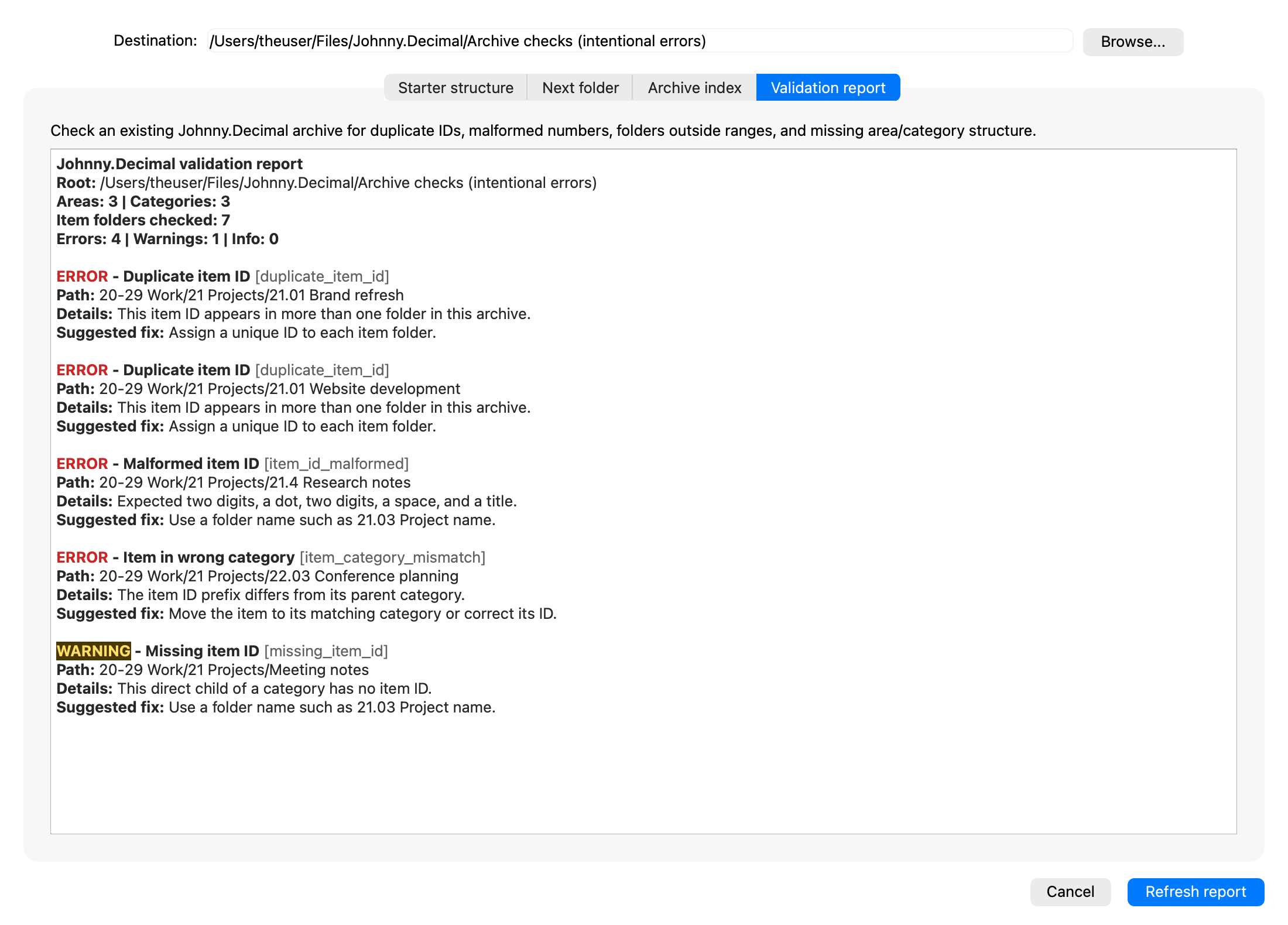
Validation report
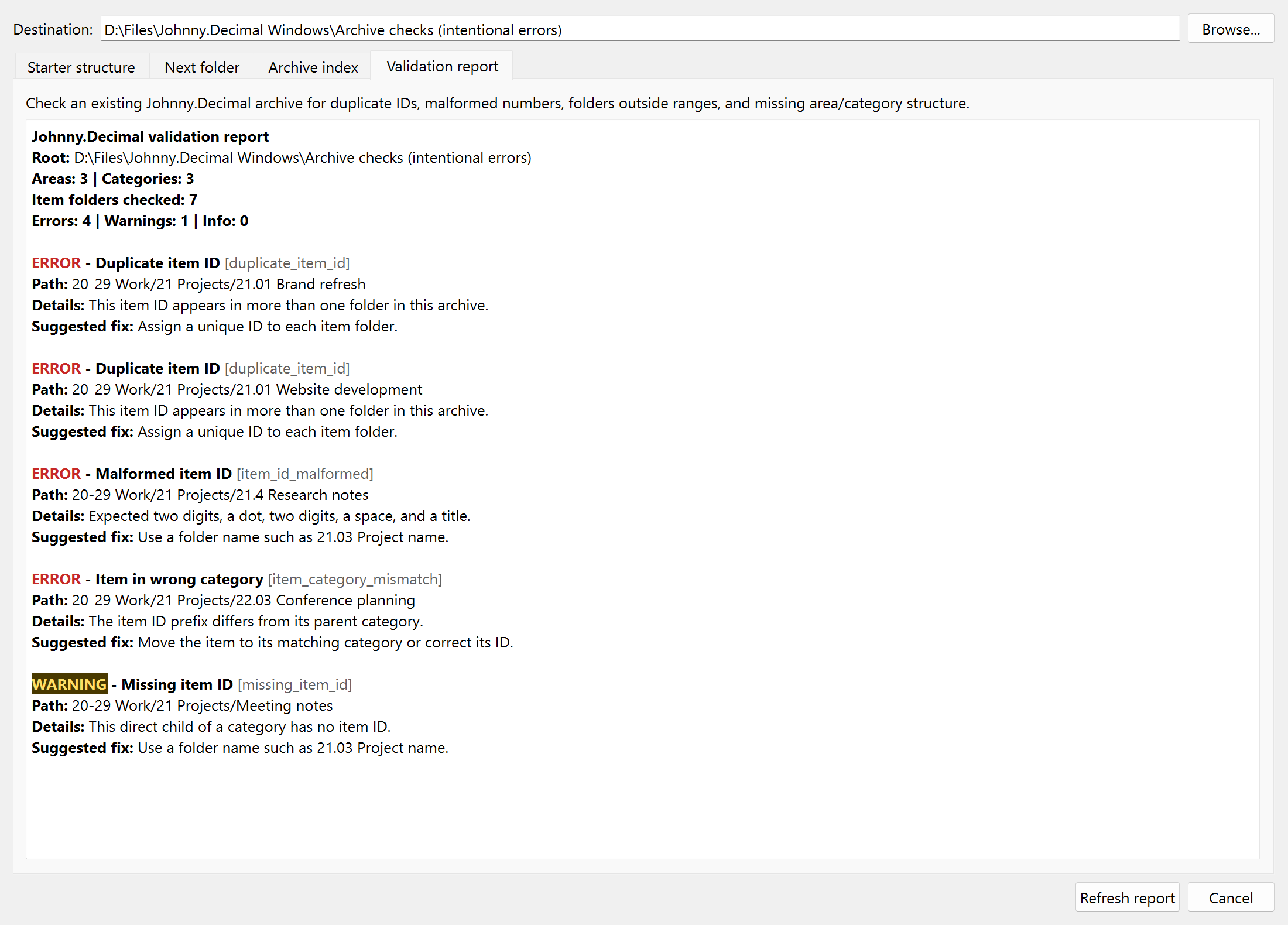
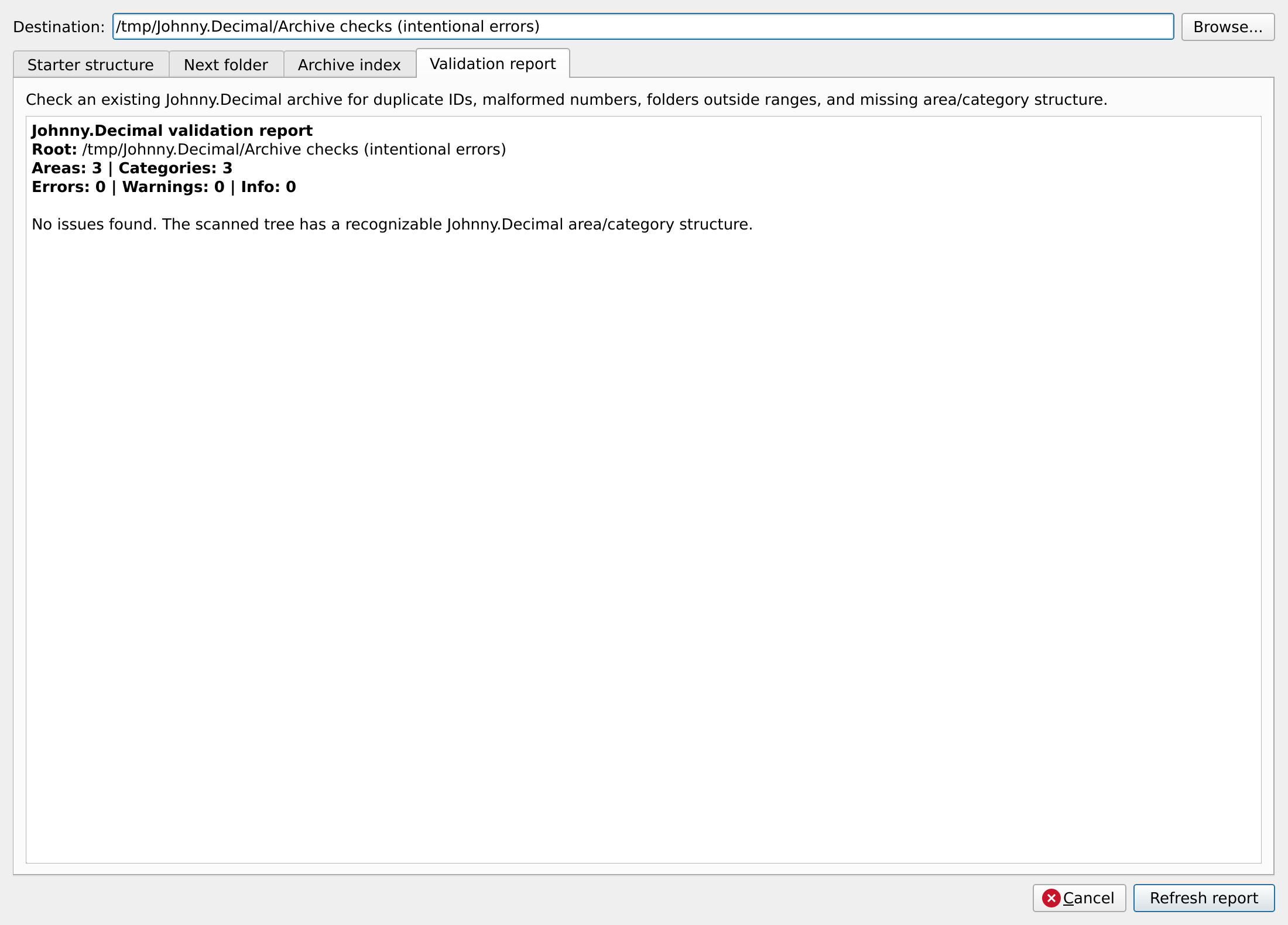
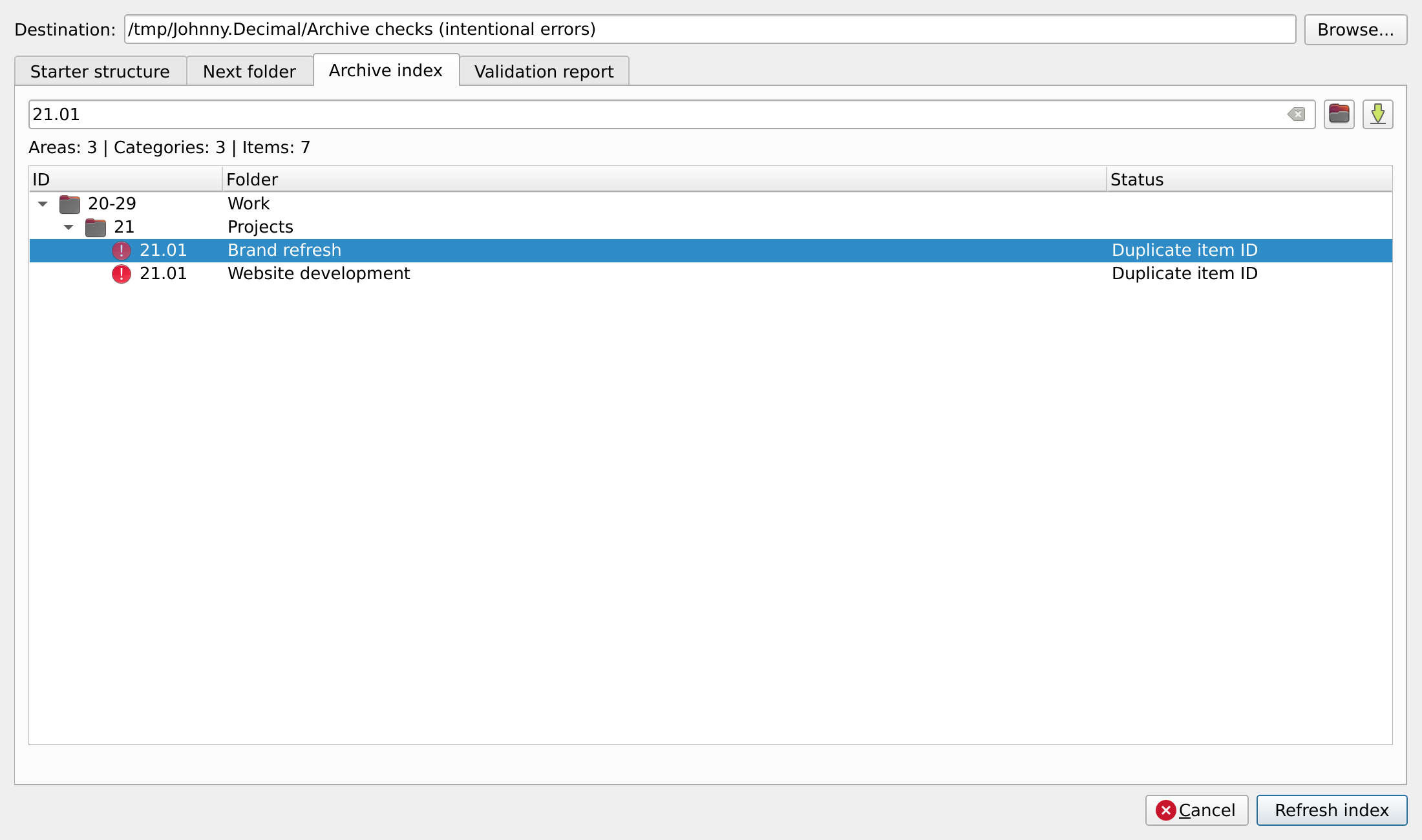
डुप्लिकेट, गलत प्रारूप वाले, गायब और गलत स्थान पर रखे आइटम आईडी खोजें।
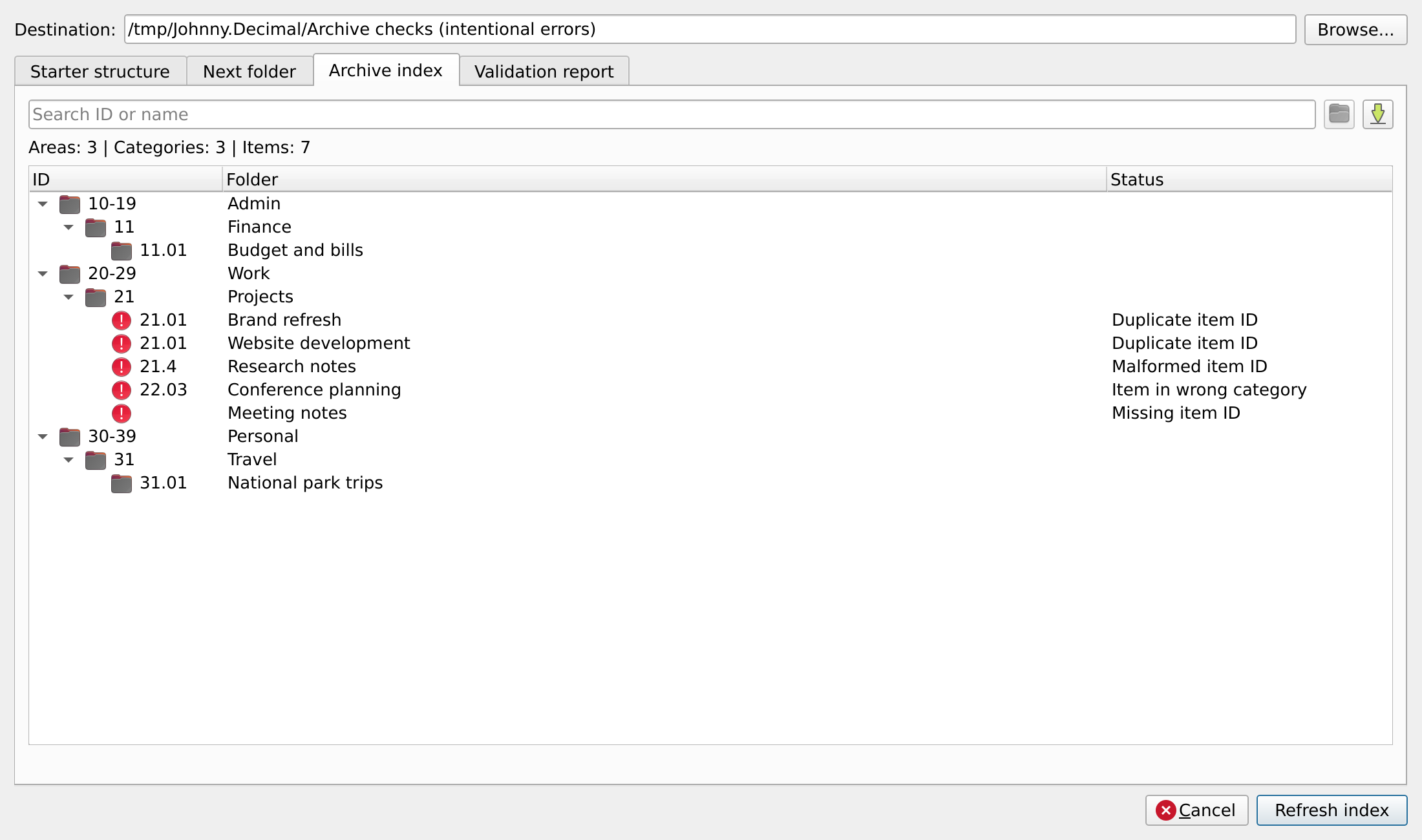
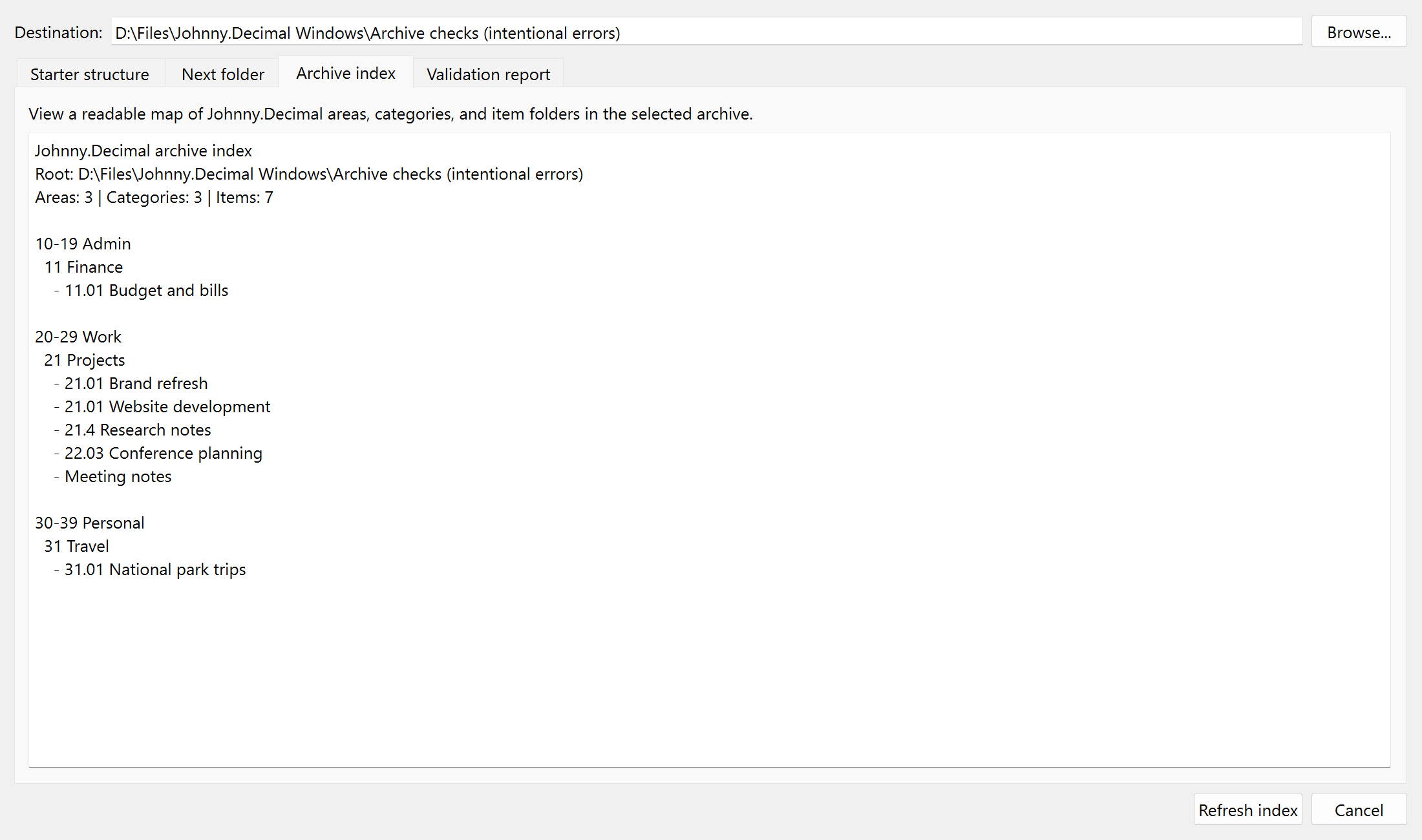
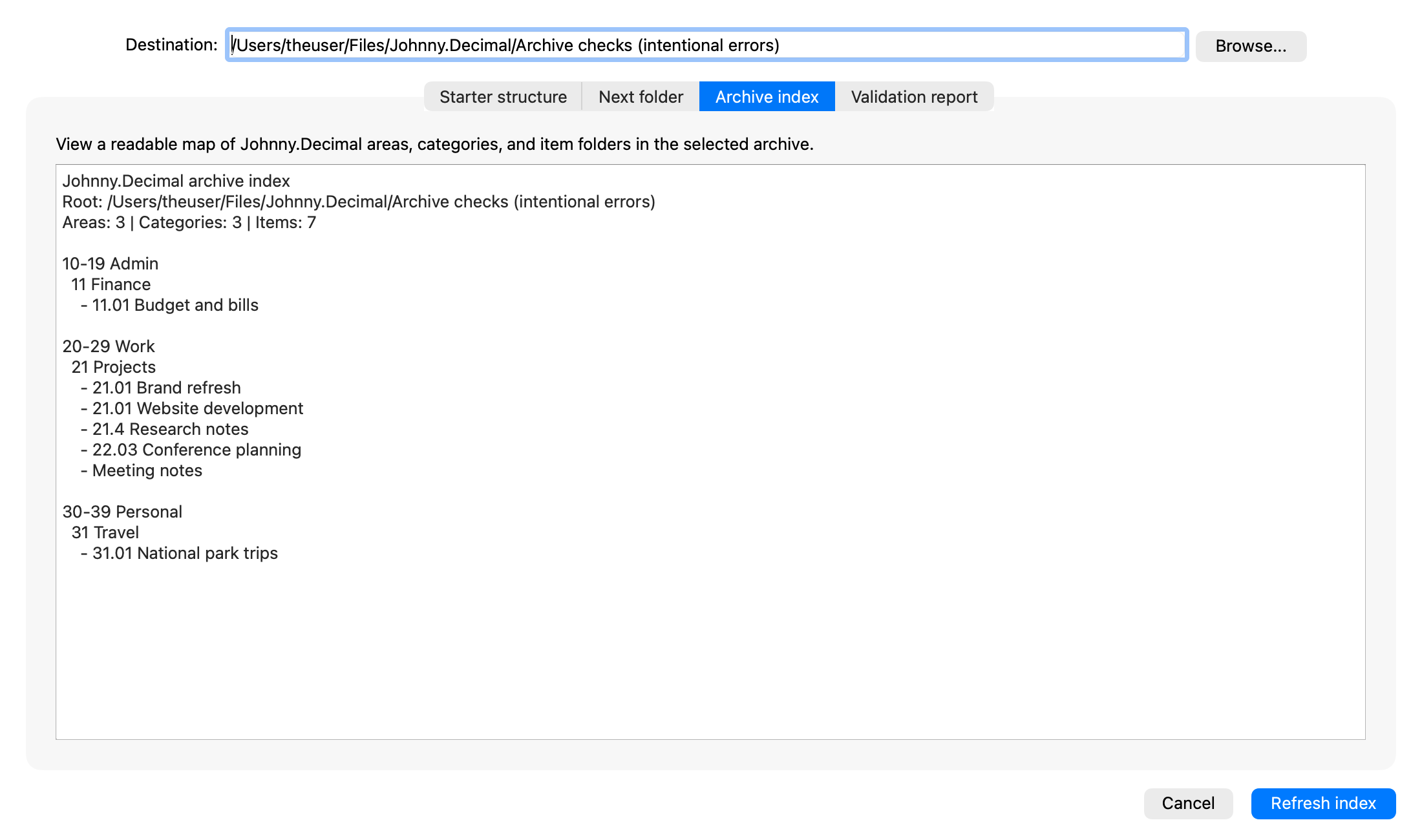
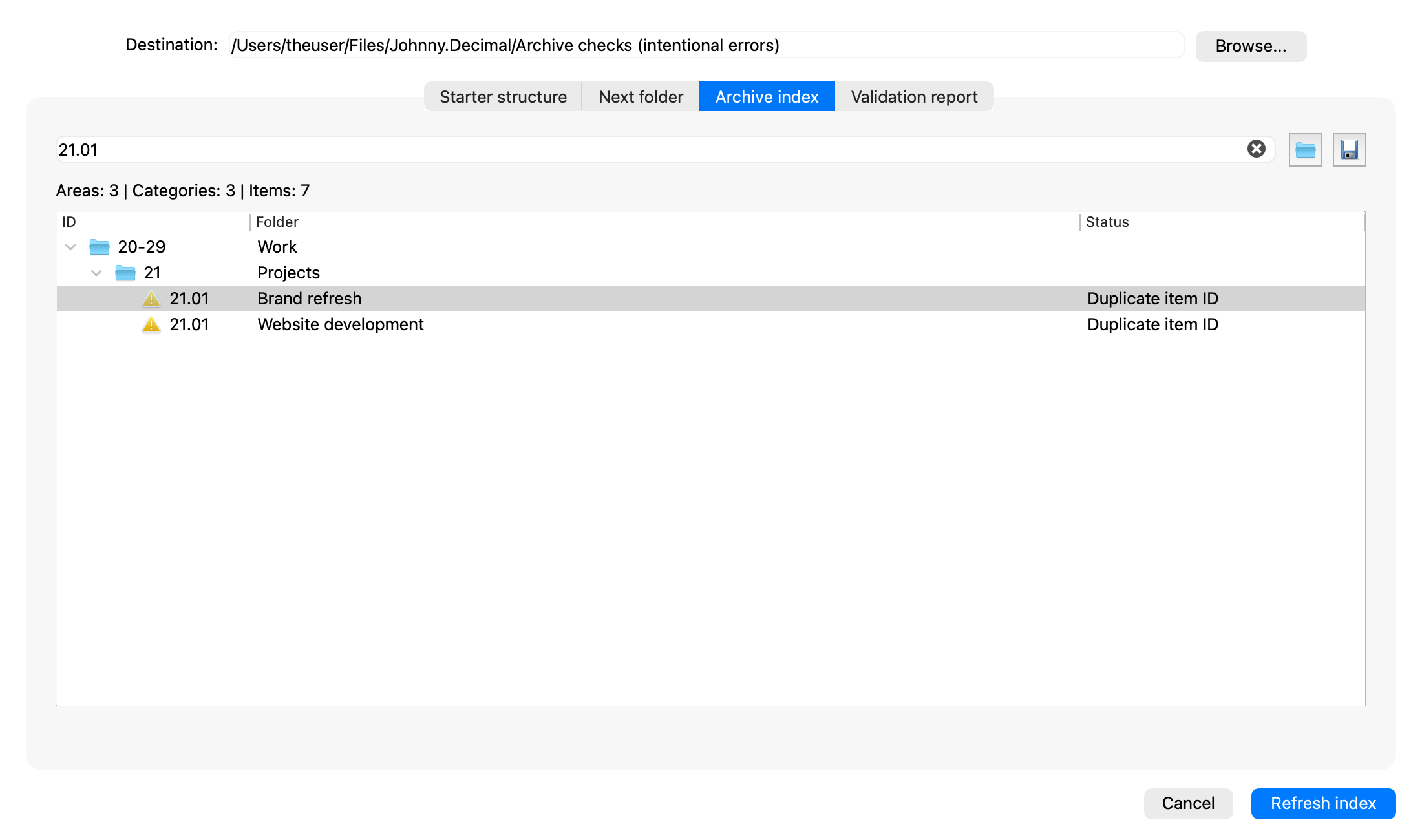
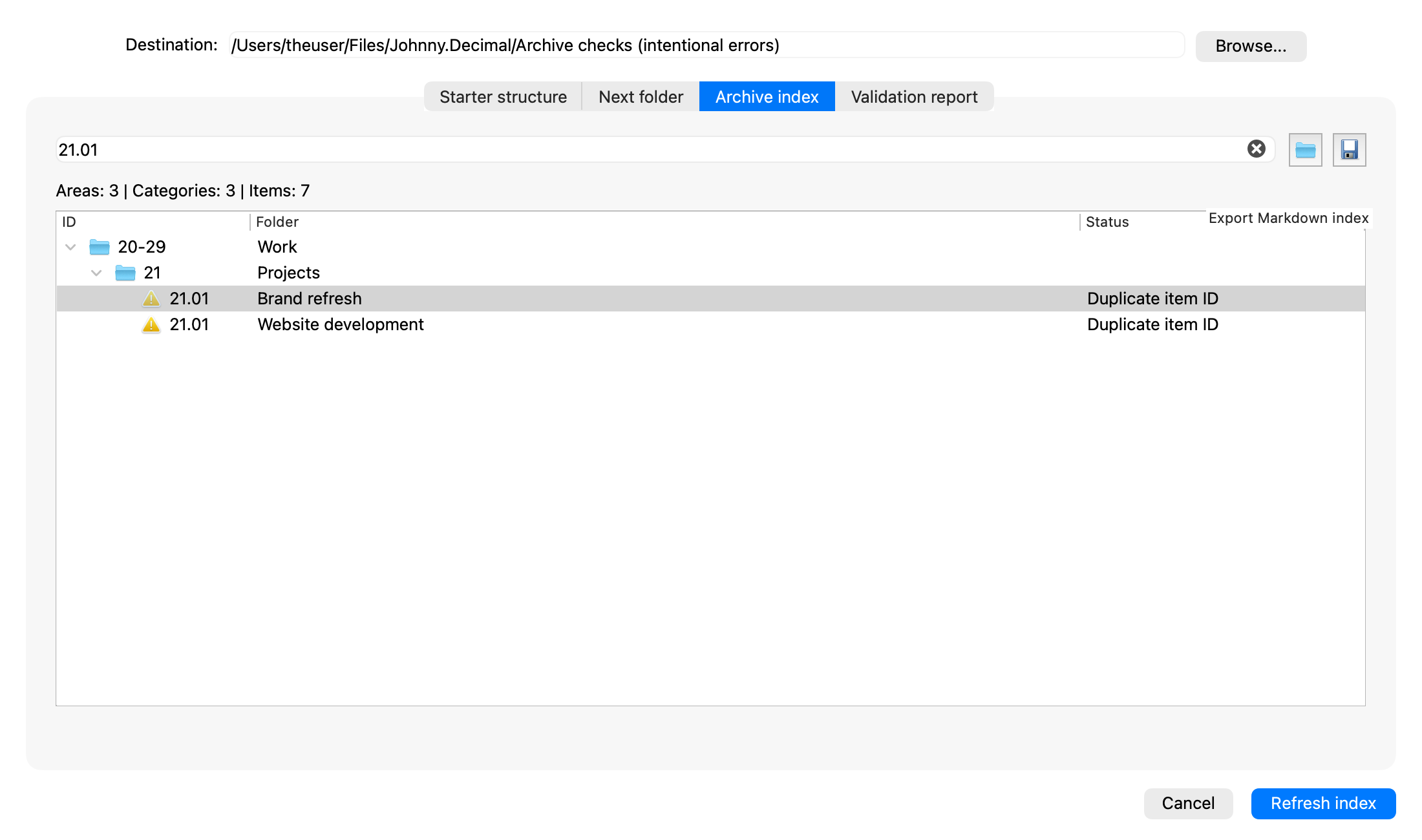
Archive index view
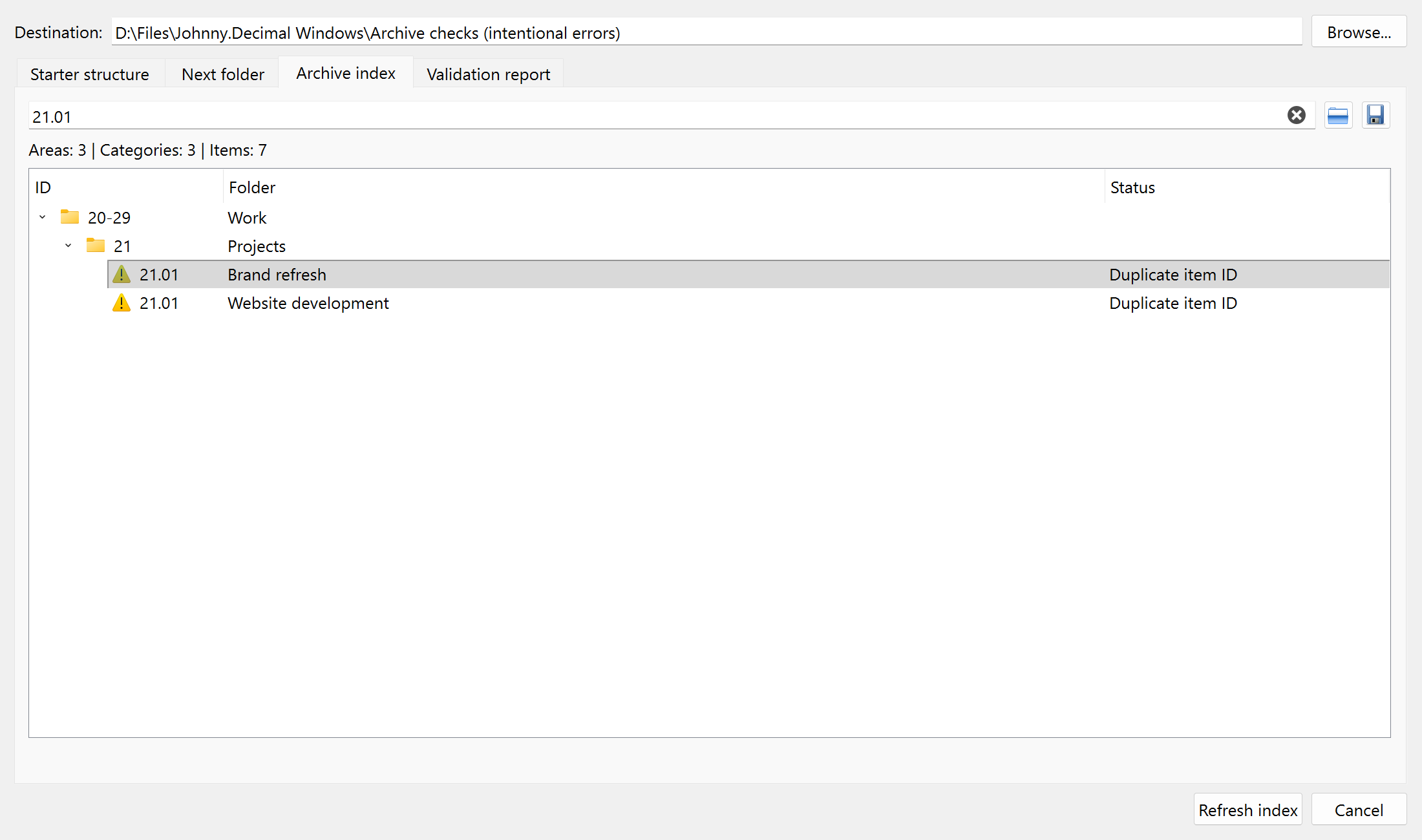
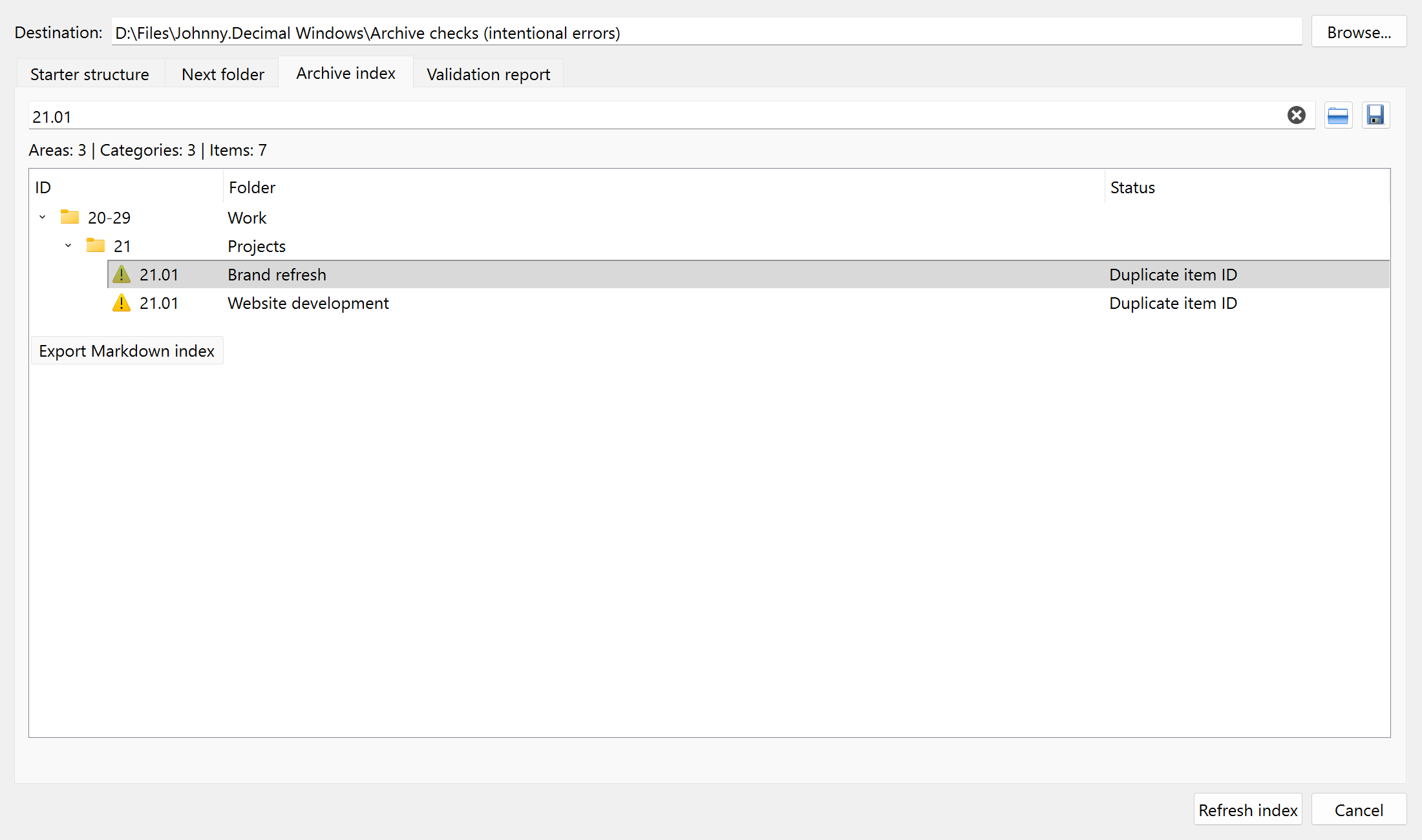
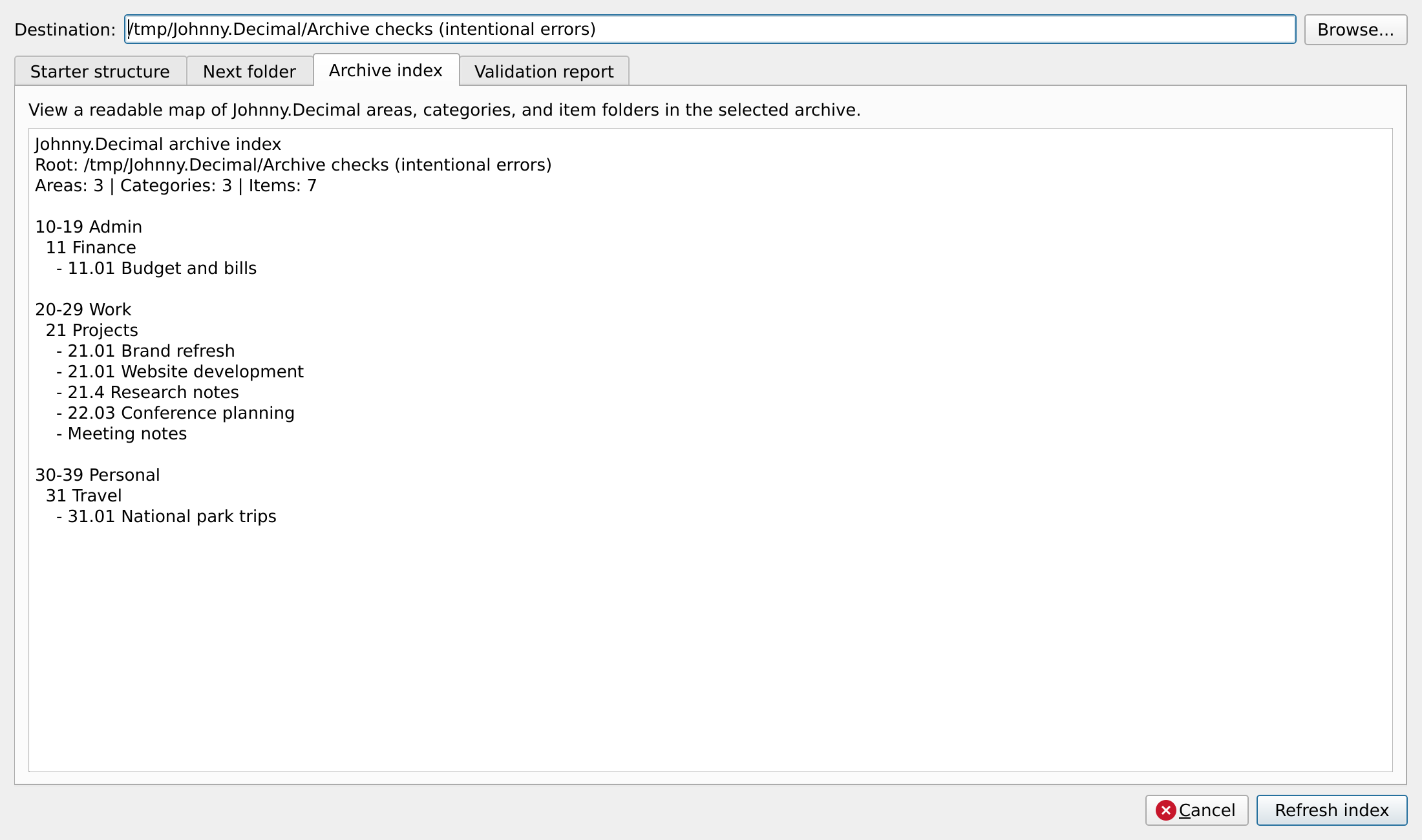
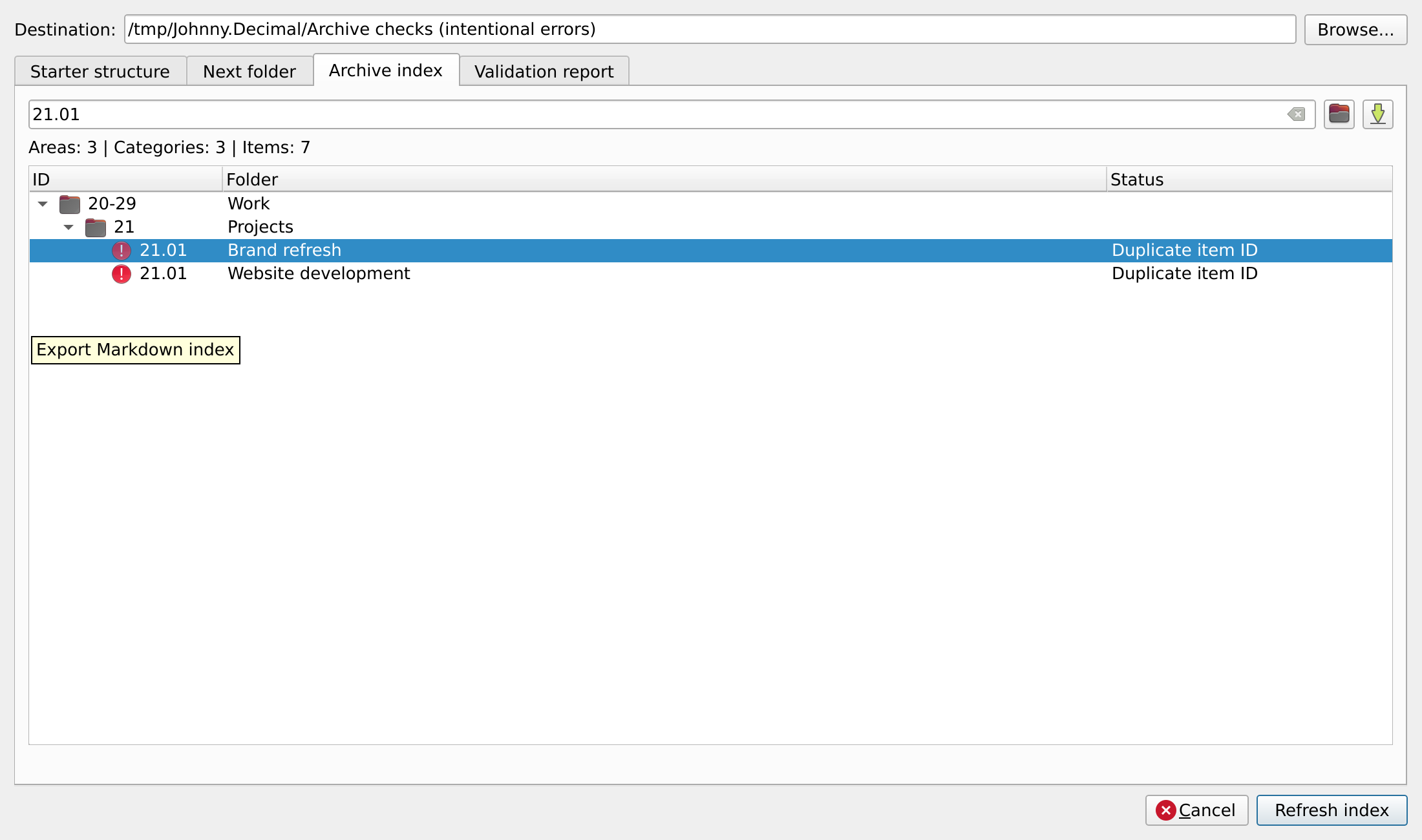
आईडी और नाम खोजें, फ़ोल्डर खोलें और लिंक वाला Markdown इंडेक्स निर्यात करें।
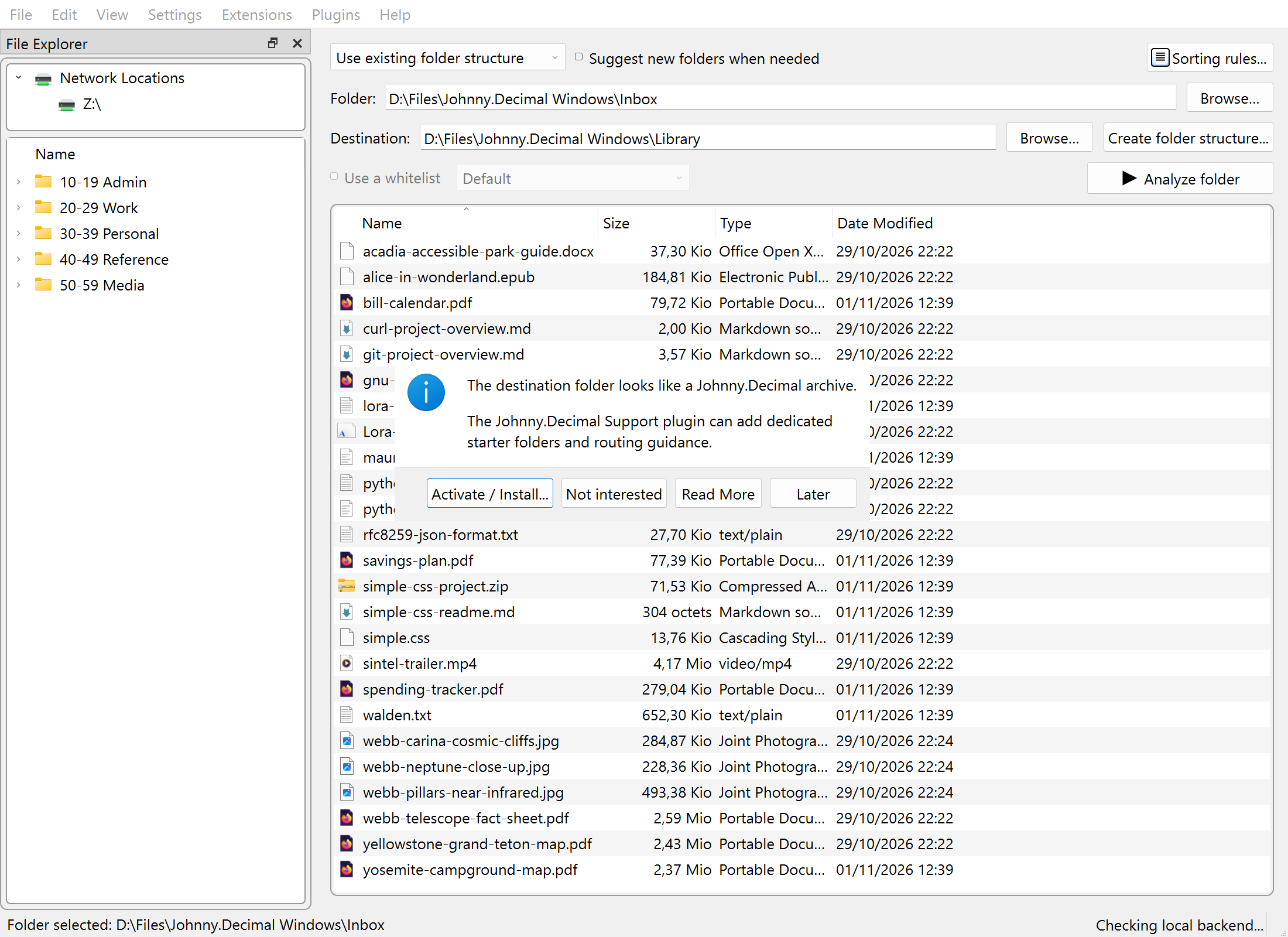
Existing archive recognition
मौजूदा आर्काइव में क्षेत्र की संख्या-सीमाओं और श्रेणियों को पहचानें।
Routing guidance
सुझाए गए गंतव्यों को अपने आर्काइव की क्रमांकन प्रणाली के अनुरूप रखें।
Next folder creation
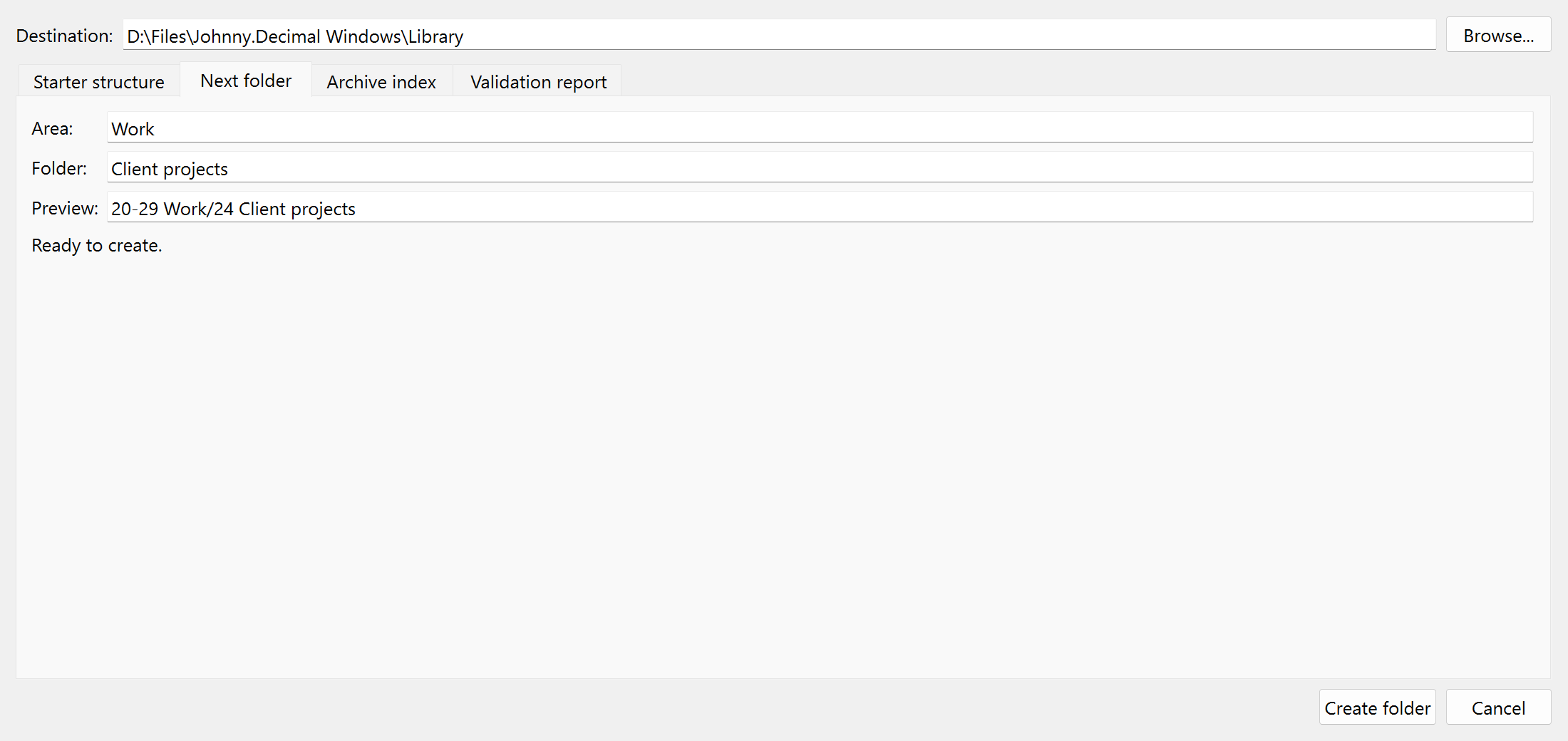
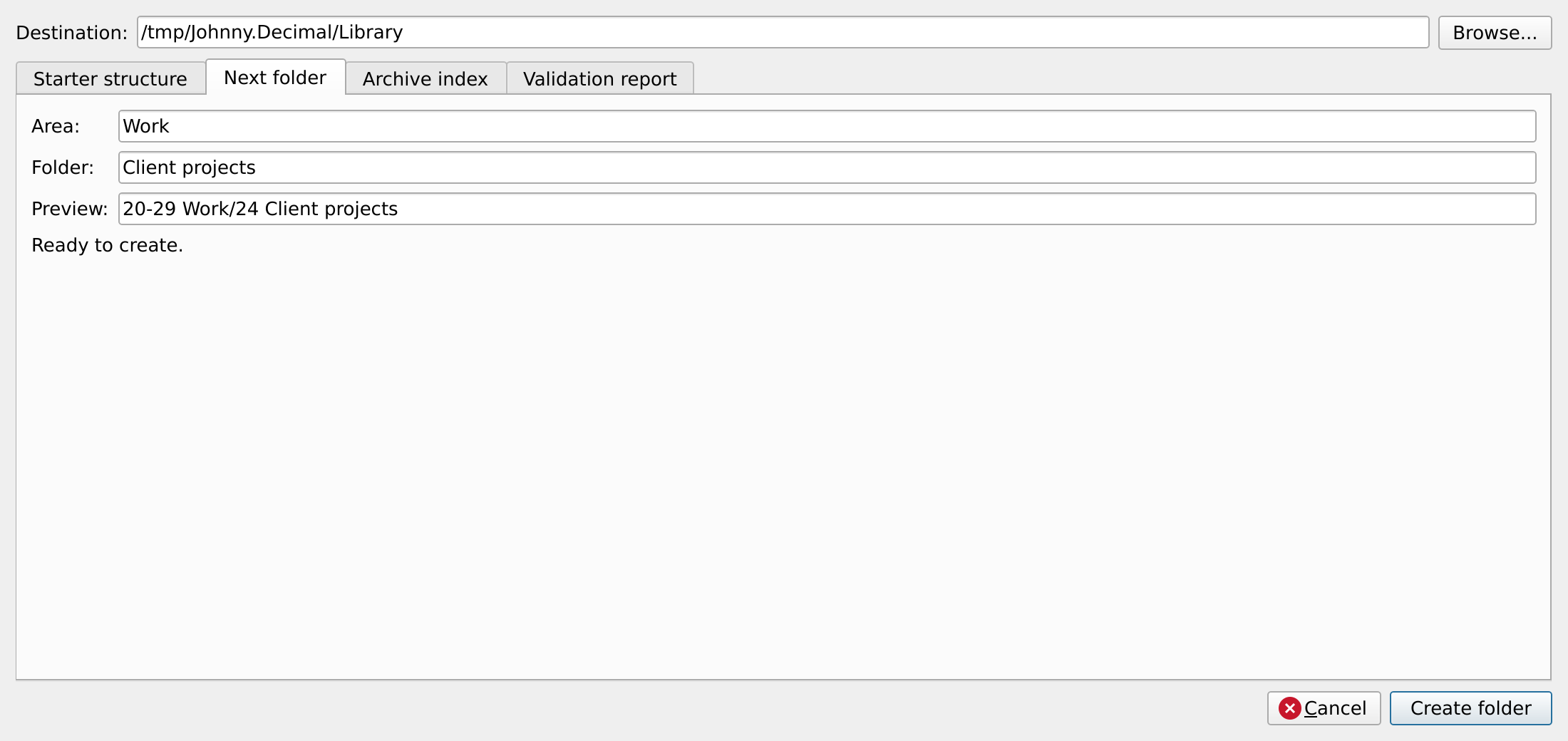
फ़ोल्डर बनाने से पहले अगली मान्य संख्या का पूर्वावलोकन करें और टकराव की जाँच करें।
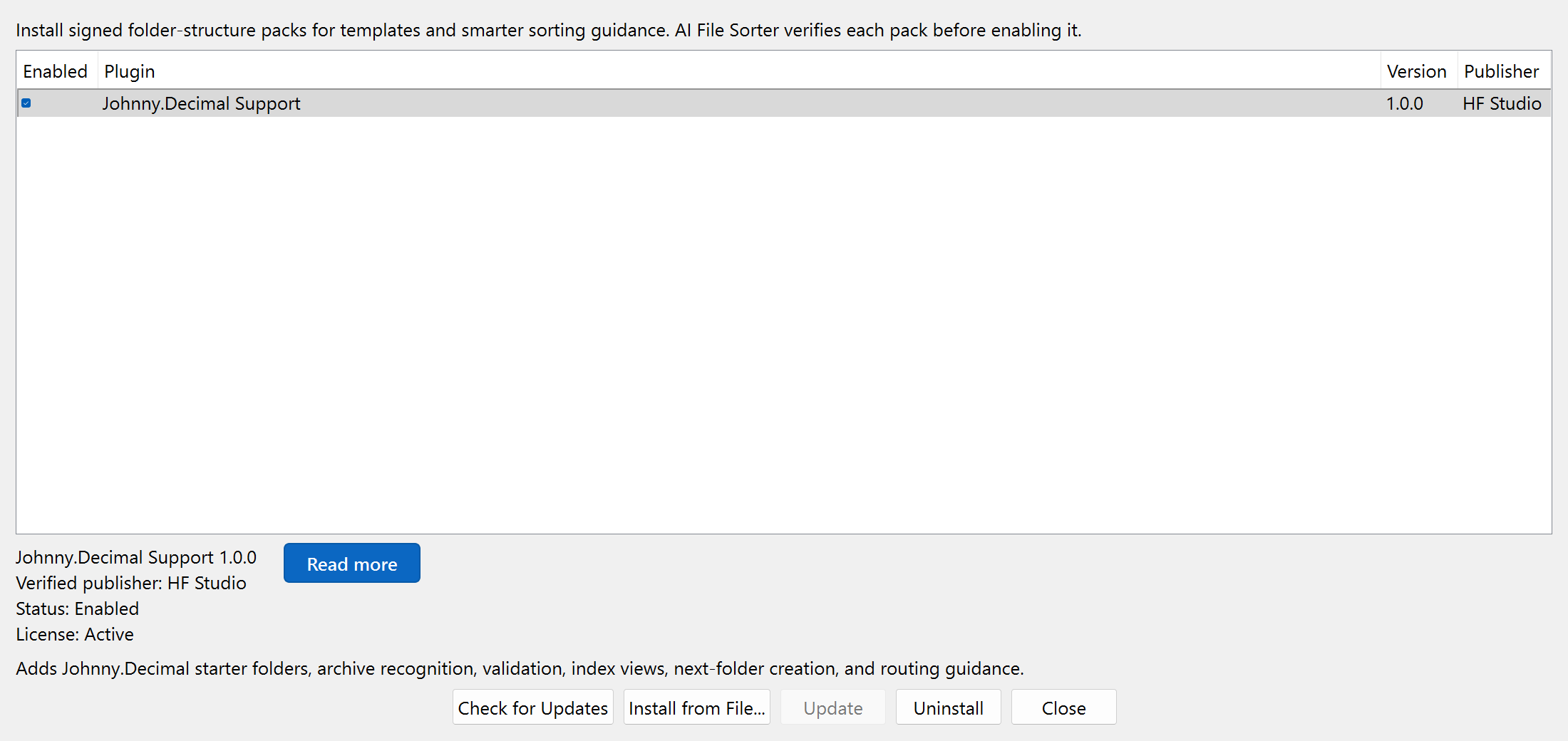
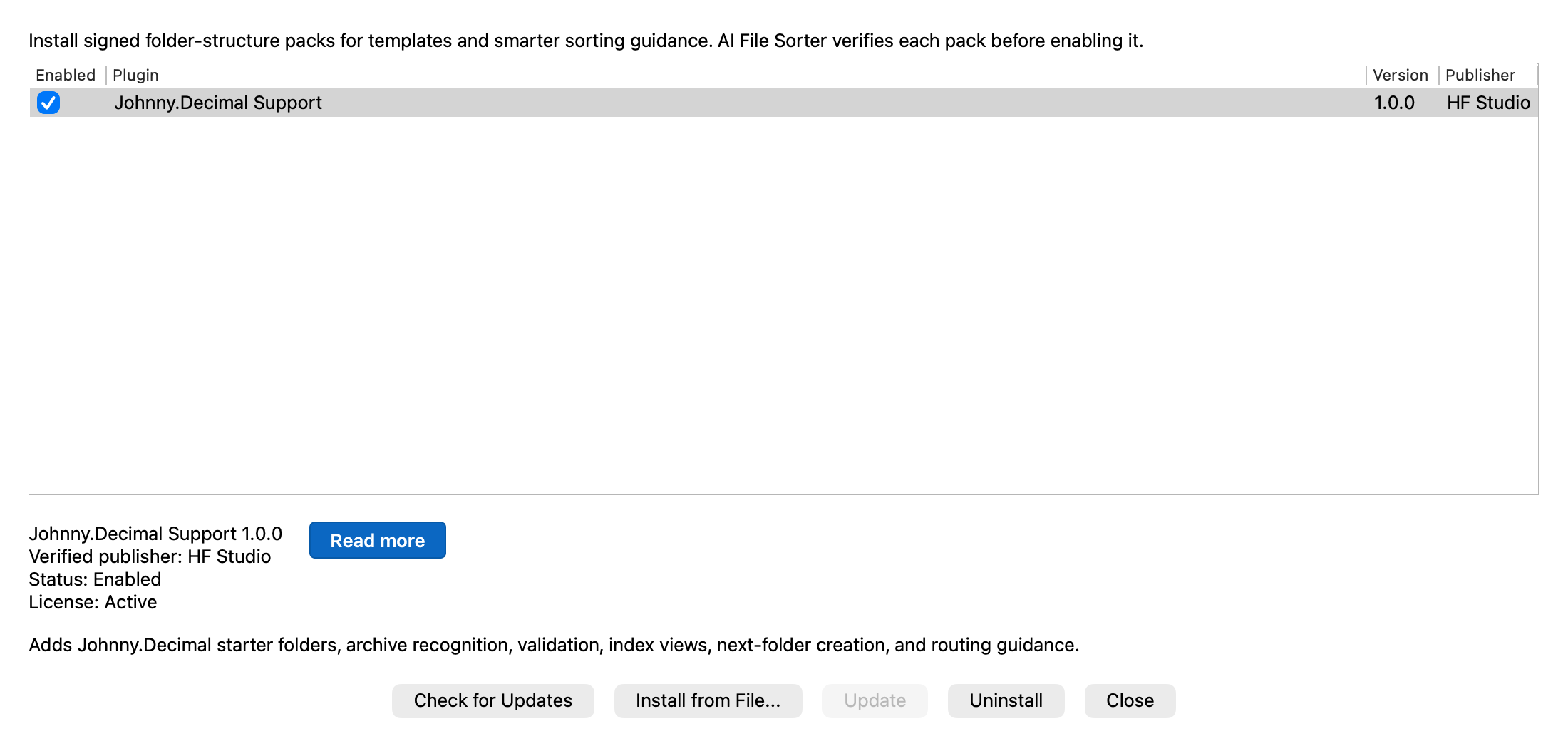
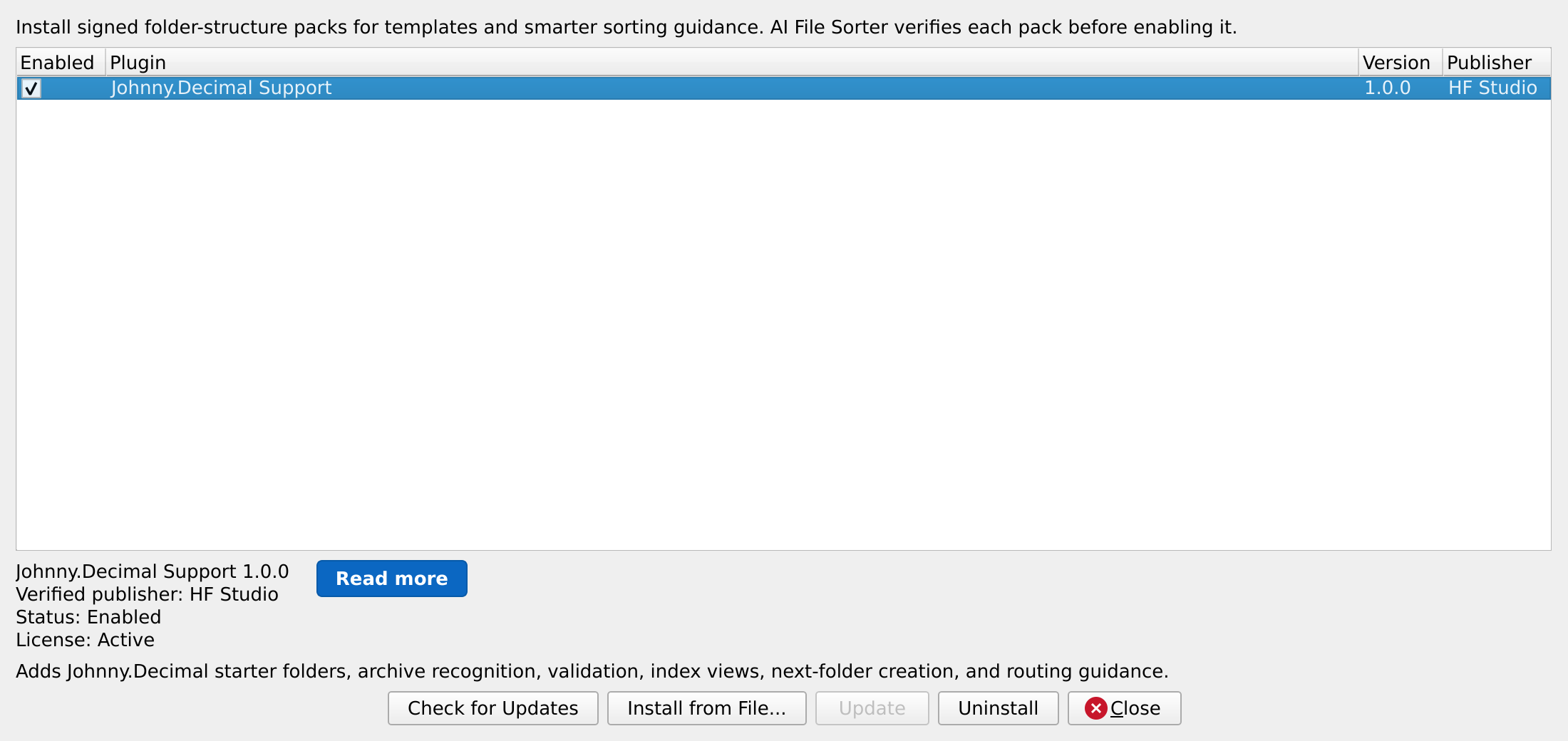
The enhanced index and item-level validation require an installed, enabled plugin with an active license.
The practical difference
ऐप के टूल और प्लगइन की अतिरिक्त सुविधाएँ
AI File Sorter already recognizes Johnny.Decimal-like area and category numbering. The plugin adds templates and routing guidance, plus deeper tools for the numbered item folders inside each category.
| विशेषता | AI File Sorter में | प्लगइन के साथ |
|---|---|---|
| क्रमांकित शुरुआती फ़ोल्डर | ||
| क्षेत्र/श्रेणी की पहचान और अगले फ़ोल्डर का पूर्वावलोकन | ||
| बुनियादी सत्यापन और सादा टेक्स्ट इंडेक्स | ||
| प्लगइन टेम्पलेट और फ़ाइल रखने का मार्गदर्शन | ||
| हर आइटम के आईडी की जाँच | ||
| खोजने योग्य इंडेक्स और Markdown निर्यात |
Screenshots
Johnny.Decimal Plugin in the app
Windows
सक्रिय प्लगइन का प्रदर्शन
 Windows
पाठ संस्करण
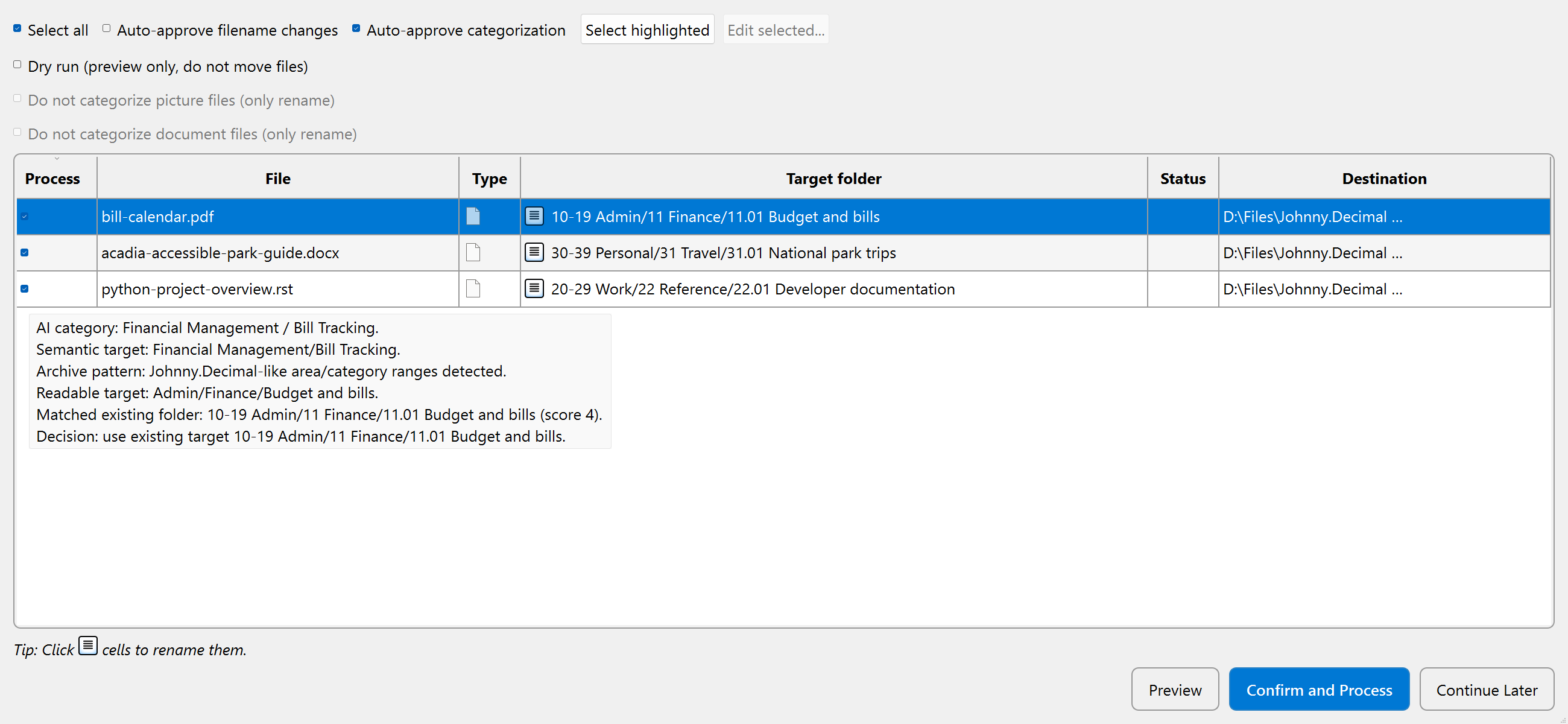
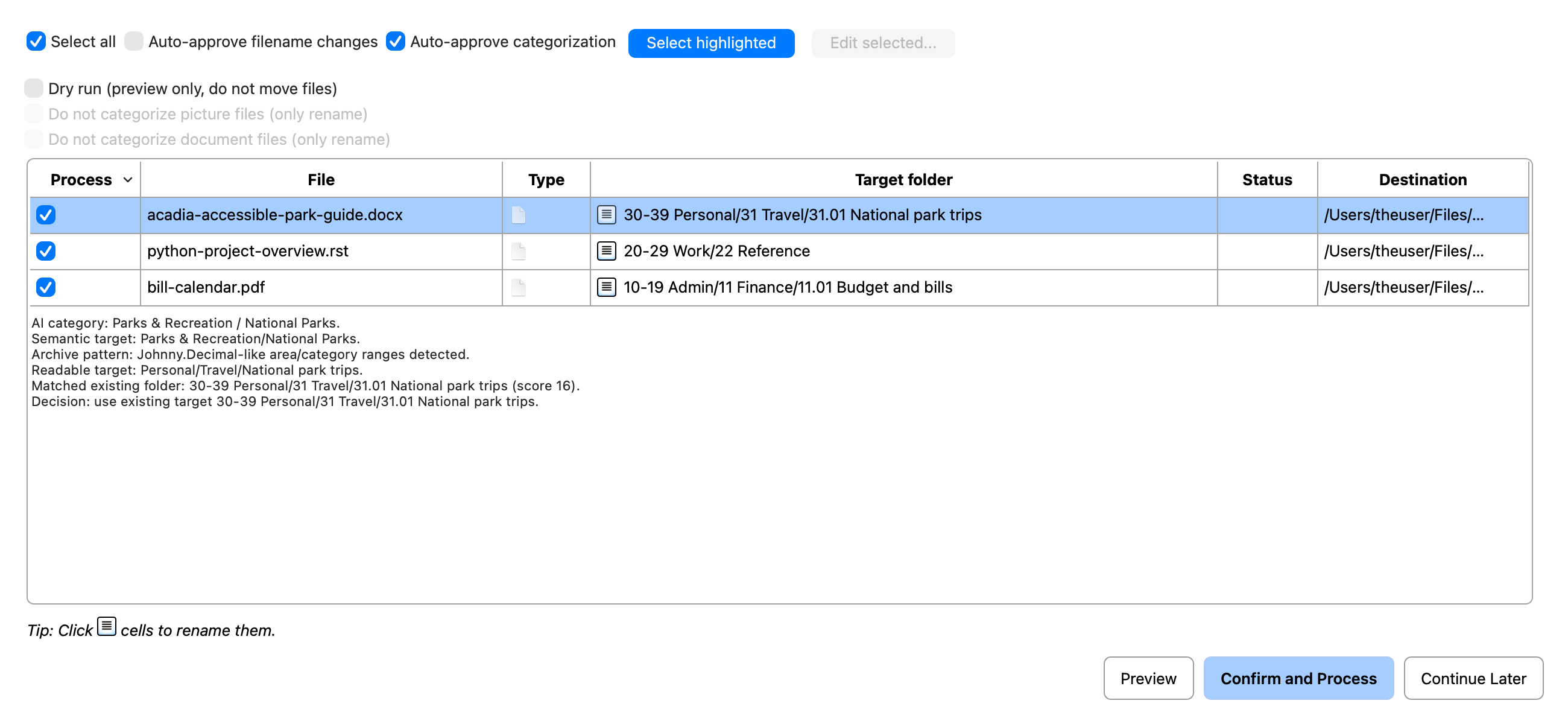
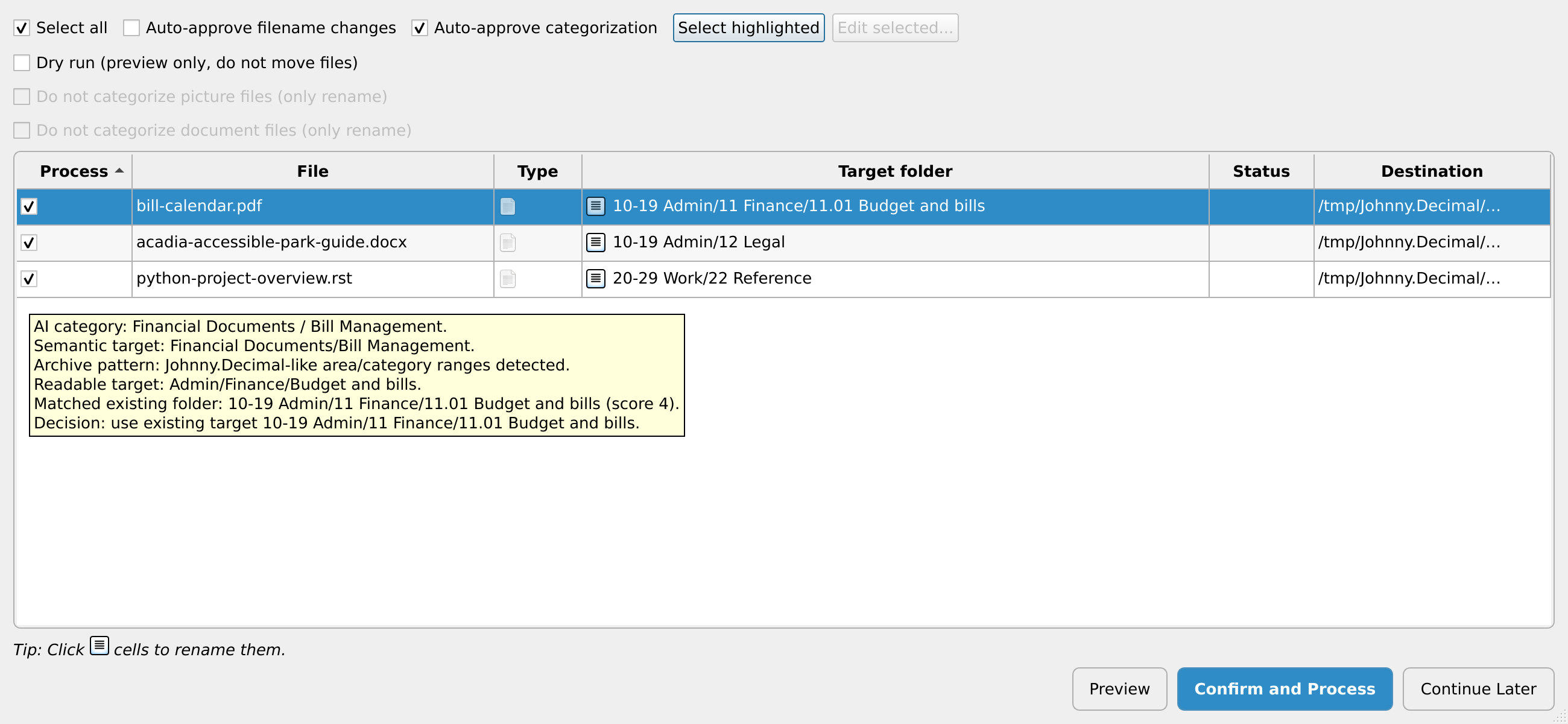
सक्रिय प्लगइन और उसके Johnny.Decimal Complete टेम्पलेट से शुरू करें। उसके शुरुआती फ़ोल्डर बनाएँ, फिर मौजूदा संग्रह में आइटम ID और फ़ोल्डर के नाम से खोजें। दृश्य फ़िल्टर होने पर भी लिंक सहित पूरा Markdown इंडेक्स निर्यात करें। एक अलग उदाहरण में दोहराए गए, गलत प्रारूप वाले, गलत जगह रखे गए और अनुपस्थित आइटम ID देखें। इन ID को सुधारने के बाद दोबारा जाँचें, फिर क्रमांकित गंतव्य और उसे चुनने का स्पष्टीकरण देखें।
ऐप टेम्पलेट के फ़ोल्डर बनाने, खोजने, निर्यात करने और सत्यापन का काम करता है। रिपोर्ट को रीफ़्रेश करने के बीच उदाहरण वाले फ़ोल्डरों के नाम बदले जाते हैं। गंतव्य समीक्षा में स्थानीय मॉडल के जाँचे गए परिणाम दिखाए जाते हैं। ये 25 वास्तविक सार्वजनिक फ़ाइलें प्लगइन सक्रिय होने पर विश्लेषित की गई थीं; विश्लेषण का प्रतीक्षा समय हटा दिया गया है। इस वीडियो में कोई फ़ाइल स्थानांतरित नहीं की जाती। इस वीडियो में आवाज़ नहीं है।
Compare the built-in folder tools with the Johnny.Decimal plugin enabled. The index and validation comparisons use the same archive with intentionally invalid item IDs.
macOS
सक्रिय प्लगइन का प्रदर्शन
 macOS
पाठ संस्करण
सक्रिय प्लगइन और उसके Johnny.Decimal Complete टेम्पलेट से शुरू करें। उसके शुरुआती फ़ोल्डर बनाएँ, फिर मौजूदा संग्रह में आइटम ID और फ़ोल्डर के नाम से खोजें। दृश्य फ़िल्टर होने पर भी लिंक सहित पूरा Markdown इंडेक्स निर्यात करें। एक अलग उदाहरण में दोहराए गए, गलत प्रारूप वाले, गलत जगह रखे गए और अनुपस्थित आइटम ID देखें। इन ID को सुधारने के बाद दोबारा जाँचें, फिर क्रमांकित गंतव्य और उसे चुनने का स्पष्टीकरण देखें।
ऐप टेम्पलेट के फ़ोल्डर बनाने, खोजने, निर्यात करने और सत्यापन का काम करता है। रिपोर्ट को रीफ़्रेश करने के बीच उदाहरण वाले फ़ोल्डरों के नाम बदले जाते हैं। गंतव्य समीक्षा में स्थानीय मॉडल के जाँचे गए परिणाम दिखाए जाते हैं। ये 25 वास्तविक सार्वजनिक फ़ाइलें प्लगइन सक्रिय होने पर विश्लेषित की गई थीं; विश्लेषण का प्रतीक्षा समय हटा दिया गया है। इस वीडियो में कोई फ़ाइल स्थानांतरित नहीं की जाती। इस वीडियो में आवाज़ नहीं है।
Compare the built-in folder tools with the Johnny.Decimal plugin enabled. The index and validation comparisons use the same archive with intentionally invalid item IDs.
Linux
सक्रिय प्लगइन का प्रदर्शन
 Linux
पाठ संस्करण
सक्रिय प्लगइन और उसके Johnny.Decimal Complete टेम्पलेट से शुरू करें। उसके शुरुआती फ़ोल्डर बनाएँ, फिर मौजूदा संग्रह में आइटम ID और फ़ोल्डर के नाम से खोजें। दृश्य फ़िल्टर होने पर भी लिंक सहित पूरा Markdown इंडेक्स निर्यात करें। एक अलग उदाहरण में दोहराए गए, गलत प्रारूप वाले, गलत जगह रखे गए और अनुपस्थित आइटम ID देखें। इन ID को सुधारने के बाद दोबारा जाँचें, फिर क्रमांकित गंतव्य और उसे चुनने का स्पष्टीकरण देखें।
ऐप टेम्पलेट के फ़ोल्डर बनाने, खोजने, निर्यात करने और सत्यापन का काम करता है। रिपोर्ट को रीफ़्रेश करने के बीच उदाहरण वाले फ़ोल्डरों के नाम बदले जाते हैं। गंतव्य समीक्षा में स्थानीय मॉडल के जाँचे गए परिणाम दिखाए जाते हैं। ये 25 वास्तविक सार्वजनिक फ़ाइलें प्लगइन सक्रिय होने पर विश्लेषित की गई थीं; विश्लेषण का प्रतीक्षा समय हटा दिया गया है। इस वीडियो में कोई फ़ाइल स्थानांतरित नहीं की जाती। इस वीडियो में आवाज़ नहीं है।
Compare the built-in folder tools with the Johnny.Decimal plugin enabled. The index and validation comparisons use the same archive with intentionally invalid item IDs.
Checkout
Get the Johnny.Decimal Plugin
- कीमत
- $14.95
- बिलिंग
- एकमुश्त भुगतान
- उपकरण सीमा
- 3
शुरू करें
Purchase, activate, install
1. Purchase on the website
Stripe के माध्यम से सुरक्षित भुगतान करें। भुगतान के बाद आपकी लाइसेंस कुंजी दिखाई देती है।
2. Activate from the app
पूछे जाने पर AI File Sorter में अपनी लाइसेंस कुंजी दर्ज करें।
3. Install the signed package
ऐप के प्लगइन प्रबंधक से इंस्टॉल करें या डाउनलोड किया गया पैकेज आयात करें।
Questions
Johnny.Decimal Plugin FAQ
क्या यह Johnny.Decimal का आधिकारिक उत्पाद है?
AI File Sorter के लिए एक स्वतंत्र प्लगइन। यह Johnny.Decimal से संबद्ध या उसके द्वारा अनुमोदित नहीं है।
How do I activate it?
पूछे जाने पर AI File Sorter में अपनी लाइसेंस कुंजी दर्ज करें। Install help
How do I reinstall it?
Keep your license key. On the same machine, activate with the same key again if needed, then install the signed plugin package from the app. Reinstalling the app should not require a new purchase.
How many activations are included?
अपने अधिकतम 3 उपकरणों पर लाइसेंस सक्रिय करें। उसी उपकरण को फिर से सक्रिय करने पर अतिरिक्त सक्रियण का उपयोग नहीं होता।
What if I reinstall the operating system?
An operating system reinstall can change the device id used for activation. If that consumes an activation or reaches the limit, contact support with your license key or Stripe receipt so the activation can be reviewed.
Can I get a refund?
Refunds are available before the digital plugin license is activated or the package is downloaded. After delivery begins, refunds are normally limited to duplicate purchases, billing mistakes, unauthorized purchases, or cases where the plugin cannot be made to work as described after reasonable troubleshooting.
Support
License recovery and activation help
Lost your license key or changed machines? Contact support with the email used at checkout, the Stripe receipt, or the visible license-key ending if you still have it.
For faster recovery, include:
- The email address used for checkout.
- The Stripe receipt or checkout date.
- Your operating system and whether this is a reinstall or a new device.
Terms
License terms and refund policy
License use
A license for the Johnny.Decimal Plugin for AI File Sorter unlocks the plugin entitlement for your own use in AI File Sorter. It is not a transfer of ownership of the plugin package, signing keys, service, or website.
Immediate digital delivery
The plugin is digital content. By choosing immediate access, you agree that activation and plugin download may begin right away and understand that the ordinary withdrawal or cooling-off right may be lost once delivery begins.
Refunds and revocation
If a refund is issued, the related plugin entitlement may be revoked and the plugin may stop working in AI File Sorter. Chargebacks, fraud, or abuse may also result in license revocation.
This policy does not limit any mandatory consumer rights that apply in your country.