Signed add-ons
Plugins for specialized folder structures
AI File Sorter already recognizes Johnny.Decimal-like area and category numbering. The plugin adds templates and routing guidance, plus deeper tools for the numbered item folders inside each category.
Johnny.Decimal Plugin for AI File Sorter
Understands numbered areas
Recognizes patterns like 10-19 Admin and 11 Finance as part of a deliberate archive system.
Improves routing decisions
Adds instructions that help sorting keep files inside the right area and category instead of inventing loose labels.
Starts and grows archives
Provides starter folders and supports safer creation of the next numbered folder with preview and collision checks.
Checks archive health
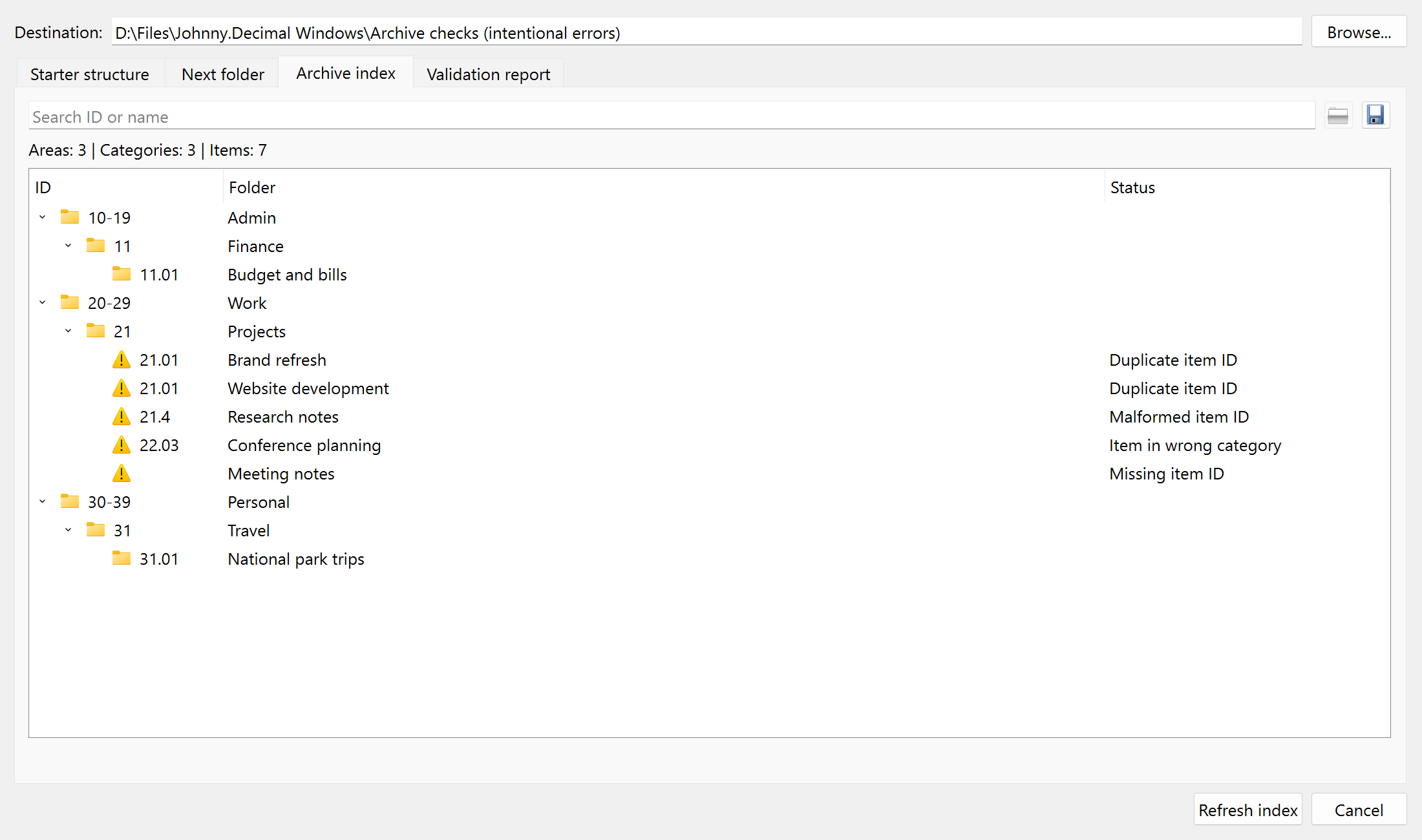
Adds item-level checks for duplicate, malformed, or missing IDs and IDs that do not match their parent category.
Maps the archive
Search by ID or name, inspect conflicts, open folders, and export the complete index as linked Markdown.
Explains routing
Keeps recommendations aligned with the archive's numbers and shows why a file or folder belongs in a suggested destination.
Built-in tools, deeper plugin support
The non-plugin approach is useful for conventional folders because the app can inspect labels like Invoices, Photos, or Projects. A rules-based archive needs more context: numbers are not decoration, they define where a folder belongs.
Without a folder-structure plugin
- Basic structure validation and a plain-text archive index are included in AI File Sorter.
- Area/category recognition, routing explanations, and next-category previews also work without the plugin.
With the Johnny.Decimal Plugin
- The app receives signed guidance for areas, categories, and valid numbered destinations.
- Adds item-level checks for duplicate, malformed, or missing IDs and IDs that do not match their parent category.
- Search by ID or name, inspect conflicts, open folders, and export the complete index as linked Markdown.